


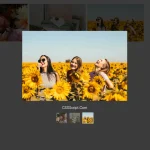
WA MediaBox is a JavaScript library that displays html content (images, iframes, videos) in a responsive, fullscreen, navigatable, lightbox-style gallery popup.
Basic usage:
Load the WA MediaBox’s JavaScript and Stylesheet files in the html document.
<link rel="stylesheet" href="dist/wa-mediabox.min.css">
<script src="dist/wa-mediabox.min.js"></script>
Add images, Youtube iframes to the gallery lightbox as follow.
<div id="gallery">
    <a href="1.jpg"
       data-mediabox="gallery-1"
       data-title="Image Caption 1">
       <img src="thumb-1" alt="Image 1">
    </a>

    <a href="https://www.youtube.com/embed/FA_8TY9Z5Zg?rel=0"
      data-mediabox="gallery-1"
      data-width="853"
      data-height="480"
      data-title="Sample video">
      <img src="video-cover.jpg" alt="Video">
    </a>
</div>
Bind the WA MediaBox to parent container.
WAMediaBox.bindAll(document.querySelector("#gallery"));Change the text of gallery controls.
WAMediaBox.lang = {
  prev: "Previous",
  next: "Next",
  close: "Close",
  openInNew: "Open in new window"
};
Changelog:
08/03/2018
- Bugfix
See Also:
 Accessible Mobile-friendly Image Viewer – SmartPhoto
 Lightbox3: Image Gallery Lightbox with Touch & Zoom Support
 fslightbox: Modern Fullscreen Lightbox For Images & Videos
 Lightweight Image Gallery With Lightbox Popup – havLightbox
 Full-featured Vanilla JS Lightbox & Image Gallery – Neiki’s Gallery
 Modern JavaScript Lightbox with Zoom & Gallery – Zoomora
 Bootstrap-Based Image Lightbox for Modern Web App – AvalynxLightbox
 Accessible Gallery Lightbox for Images, Video, and Iframes – pencere