


WYSIWYG editors help developers add visual writing controls to forms, CMS dashboards, documentation tools, and publishing apps. This 2026 update compares 10 JavaScript WYSIWYG rich text editors with live demos, download links, setup notes, output formats, and direct use cases so you can choose an editor that matches your content model.
Originally Published Feb 4 2024, updated May 16 2026
Table of contents:
Comparison Table
| Library | Best For | Live Demo |
|---|---|---|
| Quill | Structured rich text data and custom modules. | Live Demo |
| Editor.js | Block-based content with JSON output. | Live Demo |
| TOAST UI Editor | Markdown writing with WYSIWYG mode. | Live Demo |
| SunEditor | Vanilla JavaScript forms with broad plugins. | Live Demo |
| tiny-editor | Small forms with basic formatting. | Live Demo |
| Tex.js | Fast editors for textareas and divs. | Live Demo |
| OverType | Mobile-friendly markdown editing. | Live Demo |
| Textrix | Medium-style publishing screens. | Live Demo |
| RayEditor | CMS fields with media, code, and tables. | Live Demo |
| HREditor | Simple rich text inputs with media controls. | Live Demo |
WYSIWYG Rich Text Editors
1. Quill Rich Text Editor
Best For: Structured content applications that need rich text data, custom modules, and programmatic editor control.

Quill is a JavaScript rich text editor built around a structured Delta document format and a modular editor core. It suits applications that need content as data rather than a plain HTML string. Choose it for dashboards, CMS tools, email builders, and collaboration-oriented apps where custom formats, embeds, and editor events matter.
Key Features:
- Stores documents and document changes with the JSON-based Delta format.
- Supports inline formats such as bold, italic, underline, links, color, font, size, code, subscript, and superscript.
- Supports block formats such as headers, blockquotes, lists, indentation, alignment, text direction, and code blocks.
- Handles image, video, and formula embeds.
- Includes configurable toolbar, clipboard, keyboard, history, and syntax modules.
- Provides Snow and Bubble themes for toolbar and tooltip-style editing.
- Supports custom modules, custom formats, and extension through Quill APIs.
Recommended Use Case: Use Quill for apps that need structured rich text data, custom editing behavior, and a stable API around document changes.
2. Editor.js
Best For: Block-based writing interfaces that store clean JSON instead of one large HTML field.
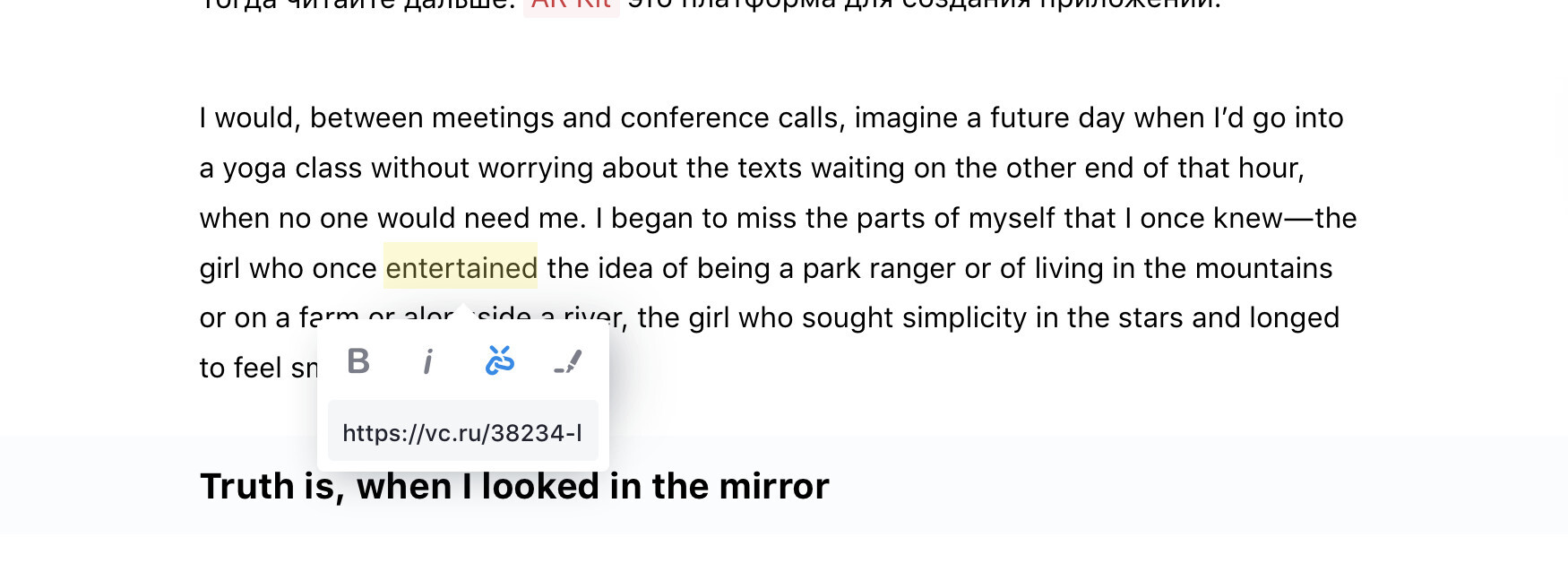
Editor.js is a block-style JavaScript editor that saves each paragraph, image, quote, list, or custom unit as a separate JSON block. It works best when content needs validation, transformation, or rendering across more than one frontend. Pick it for publishing systems, headless CMS workflows, documentation platforms, and products that treat content as structured data.
Key Features:
- Stores editor output as structured JSON blocks.
- Uses separate tools for paragraphs, headings, images, lists, quotes, code, tables, and other block types.
- Provides a Tools API for custom block creation.
- Lets users add, edit, and move independent content blocks.
- Supports inline toolbar actions and block tunes through the editor ecosystem.
- Keeps output independent from one fixed HTML template.
- Fits multi-channel rendering for web, mobile, email, AMP, or custom frontends.
Recommended Use Case: Use Editor.js for products that need block-level content control, clean JSON output, and custom rendering pipelines.
3. Full-featured WYSIWYG Markdown Editor – TOAST UI Editor
Best For: Documentation tools and writing apps that need markdown storage plus a visual editing mode.

TOAST UI Editor is a JavaScript document editor with Markdown mode and WYSIWYG mode. It fits teams that store markdown but need a friendly visual editor for less technical writers. Choose it for documentation portals, knowledge bases, changelog tools, and internal authoring screens that need markdown, preview, and extension support.
Key Features:
- Provides Markdown mode and WYSIWYG mode in one editor.
- Supports CommonMark and GitHub Flavored Markdown.
- Includes live preview, scroll sync, and syntax highlighting.
- Supports toolbar actions for common document editing tasks.
- Includes plugins for charts, code syntax highlighting, color syntax, merged table cells, and UML.
- Supports table editing through the WYSIWYG interface.
- Provides React and Vue wrapper packages alongside the plain JavaScript package.
Recommended Use Case: Use TOAST UI Editor when a product stores markdown but still needs visual editing controls, preview, and document-oriented plugins.
4. Minimal WYSIWYG Editor In Pure JavaScript – SunEditor
Best For: Vanilla JavaScript projects that need a configurable rich text editor with many built-in plugins.

SunEditor is a vanilla JavaScript WYSIWYG editor with no runtime dependency and a broad plugin system. It fits forms and CMS screens that need common formatting controls, media tools, tables, code view, and toolbar customization. Pick it when your project needs a complete editor but does not need a block-based JSON content model.
Key Features:
- Runs with pure JavaScript and no runtime framework dependency.
- Includes built-in plugins for links, images, videos, audio, embeds, drawing, math, tables, templates, and file handling.
- Supports rich text styling, fonts, colors, alignment, lists, paragraph styles, and line height controls.
- Provides WYSIWYG, code view, and markdown view modes.
- Supports configurable toolbar groups and button sets.
- Includes image upload, resize, alignment, gallery, and file upload options.
- Supports language files, themes, shortcuts, events, and custom plugin options.
Recommended Use Case: Use SunEditor for admin forms, CMS fields, product descriptions, and comment editors that need a broad toolbar in a vanilla JavaScript setup.
5. Minimal Rich Text Editor In Pure JS – tiny-editor
Best For: Small forms that need basic formatting controls with a compact implementation.
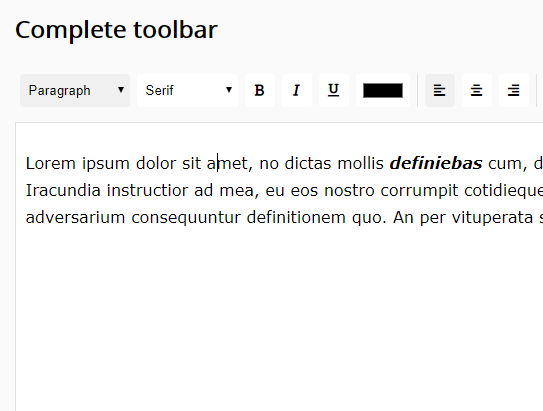
tiny-editor is a pure JavaScript WYSIWYG rich text editor that adds a compact toolbar to editable fields. Use it when a textarea or editable area needs basic formatting, but your product does not need blocks, markdown mode, media workflows, or collaboration features.
Key Features:
- Adds a small rich text toolbar to editable content.
- Uses pure JavaScript for the editor logic.
- Uses Font Awesome for toolbar icons.
- Supports npm installation and bundled browser usage.
- Fits short-form content fields such as notes, bios, and descriptions.
Recommended Use Case: Use tiny-editor for profile bios, notes, short descriptions, and simple backend text fields.
6. Tex.js
Best For: Fast rich text editors for textareas and editable divs.

Tex.js is an ultra-lightweight JavaScript library that turns textareas or divs into WYSIWYG rich text editors. It’s designed for developers who want a capable editor with a simple API and a small setup path. Choose it for pages with several editor instances, custom admin panels, comments, and rich text fields inside vanilla JavaScript interfaces.
Key Features:
- Creates WYSIWYG editors from textareas or div elements.
- Uses an ES6 JavaScript implementation with no dependency requirement listed on the CSSScript page.
- Provides a simple initialization API.
- Supports plugin-based extension.
- Includes light and dark mode support.
- Fits blogs, comments, rich text form fields, and admin screens.
Recommended Use Case: Use Tex.js for fast form editors, comment boxes, and custom admin panels that need multiple rich text inputs.
7. WYSIWYG Markdown Editor for Mobile and Desktop Apps – OverType
Best For: Mobile-friendly markdown editors that need visual feedback and native textarea behavior.

OverType is a lightweight markdown editor that places a transparent textarea over rendered markdown. This approach keeps native typing, selection, undo, and mobile keyboard behavior close to a normal textarea. Pick it for markdown notes, mobile authoring screens, server-rendered forms, and products that need visual markdown feedback with a small UI.
Key Features:
- Uses an invisible textarea overlay aligned with rendered markdown.
- Supports WYSIWYG-style markdown editing.
- Keeps native textarea behavior for selection, undo, redo, and mobile keyboards.
- Includes keyboard shortcuts for common formatting actions.
- Supports an optional formatting toolbar.
- Includes Solar and Cave themes plus CSS variable theming.
- Works as a framework-agnostic editor.
- Supports CDN usage through browser scripts.
Recommended Use Case: Use OverType for markdown notes, mobile authoring screens, lightweight docs, and server-rendered publishing forms.
8. Medium-like WYSIWYG Rich-text Publishing Editor – Textrix
Best For: Publishing interfaces that need a focused long-form writing experience.

Textrix is a WYSIWYG rich text publishing editor built for Medium-like authoring screens. It focuses on article writing, rich media, and document-style editing rather than short form fields. Choose it for blog editors, article builders, and editorial tools where the writing surface matters as much as the toolbar.
Key Features:
- Provides a Medium-style authoring interface.
- Uses a ProseMirror-based document model.
- Supports markdown shortcuts for common formatting.
- Supports image, video, and rich content embeds.
- Shows contextual controls when text or supported nodes are selected.
- Supports emoji-style suggestions through colon input patterns.
- Supports CSS themes and framework usage with React, Vue, Svelte, or plain JavaScript.
Recommended Use Case: Use Textrix for article editors, CMS publishing flows, and long-form writing tools.
9. Lightweight WYSIWYG Editor for Modern Web Apps – RayEditor
Best For: CMS fields that need text formatting, media, code, and table controls in one editor.

RayEditor is a zero-dependency WYSIWYG editor that turns plain content areas into richer text editing fields. It sits between a basic textarea enhancer and a full document editor. Pick it when a CMS field needs media uploads, code formatting, links, tables, and standard formatting controls in one editor.
Key Features:
- Supports bold, italic, underline, strikethrough, lists, headings, and text alignment.
- Includes uppercase, lowercase, and toggle-case tools.
- Supports text color, background color, subscript, and superscript.
- Includes inline code and multi-line code block tools.
- Supports links, image uploads, file uploads, configurable endpoints, size limits, and image resizing.
- Includes basic table creation and row or column editing.
- Provides undo and redo controls.
Recommended Use Case: Use RayEditor for blog post forms, CMS fields, formatted comments, and documentation tools that need media and table controls.
10. Lightweight JavaScript Plugin for Rich Text Editing – HREditor
Best For: Simple content fields that need rich text formatting and media insertion.

HREditor is a lightweight JavaScript rich text editor with a configurable toolbar. It covers common text formatting, lists, links, and media insertion without a complex editing model. Choose it for simple CMS fields, admin notes, product descriptions, and formatted text inputs that do not need block editing or structured JSON output.
Key Features:
- Supports bold, italic, underline, and other common text formatting actions.
- Inserts images and videos into editor content.
- Creates ordered and unordered lists.
- Inserts and edits hyperlinks.
- Provides configurable toolbar options.
- Fits simple content forms and backend editing screens.
Recommended Use Case: Use HREditor for simple CMS fields, admin notes, product descriptions, and formatted text inputs.
How to Choose
Start with the output format. Choose Editor.js when your app stores separate content blocks as JSON. Choose Quill when your app needs structured rich text data, custom modules, or Delta-based editing logic.
For markdown-heavy products, choose TOAST UI Editor when writers need a full markdown and WYSIWYG environment. Choose OverType when mobile input behavior and lightweight markdown editing matter more than a large editor UI.
For standard rich text forms, SunEditor gives you the broadest plugin set in this list. RayEditor works better when a CMS field needs uploads, tables, case tools, and code blocks in a zero-dependency editor.
For small forms, use tiny-editor, Tex.js, or HREditor. tiny-editor fits short formatting fields, Tex.js fits pages with multiple lightweight editor instances, and HREditor fits basic rich text fields that need media insertion.
For a publishing interface, Textrix is the closest fit in this list. Its Medium-style editing surface suits long-form writing better than compact form controls.
FAQ
Q: What is the best JavaScript WYSIWYG editor for structured content?
A: Use Editor.js for block-based JSON content. Use Quill when your app needs rich text data, custom modules, or Delta-based editing logic.
Q: Which editor should I use for markdown content?
A: Use TOAST UI Editor for a full markdown writing environment with WYSIWYG mode. Use OverType for a lighter mobile-friendly markdown editor.
Q: Which WYSIWYG editor works best with vanilla JavaScript?
A: SunEditor, Tex.js, RayEditor, HREditor, and tiny-editor all fit vanilla JavaScript projects. Pick based on toolbar depth, output format, and page weight.
Q: Do these editors store HTML or JSON?
A: It depends on the editor. Editor.js stores block-based JSON, Quill uses Delta data, markdown editors store markdown, and many simple rich text editors output HTML.
Q: Which editor is best for a CMS article editor?
A: RayEditor fits CMS fields with media, code, and table controls. Textrix fits long-form publishing screens with a more focused writing surface.
Q: What should I check before adding a WYSIWYG editor to production?
A: Check output format, sanitization, upload handling, keyboard behavior, mobile editing, undo history, and how the editor handles pasted content.