


Tree views are used in file browsers, admin panels, category selectors, nested menus, and other UIs built around hierarchical data.
A simple project may only need expandable branches, and more advanced UIs often need search, selection, lazy loading, drag-and-drop, or deeper control over individual nodes.
Below are 10 best free JavaScript tree view libraries for these use cases, with live demos and download links for each one.
Quick Comparison
| Library | Best For | Main Capabilities |
|---|---|---|
| Treejs | Checkbox trees and remote data | Checkboxes, GET/POST data, events, expand/collapse methods |
| Quercus.js | Searchable selectable trees | Search, single/multi-select, checkboxes, custom node rendering |
| file-tree | File and folder browsers | Web Component, async folders, keyboard controls, context-menu events |
| Treeselect JS | Hierarchical form controls | Search, checkbox multi-select, single-select, keyboard controls |
| bs-treeview | Bootstrap projects | Search, selection, checkboxes, remote data, ARIA attributes |
| Plain Tree | General hierarchical data | Expandable nodes, dynamic node actions, context menu, callbacks |
| jslists | Nested HTML lists and tree menus | Collapsible nested lists, links, custom HTML content |
| JSONTree.js | JSON inspection | Expandable data, editing, import/export, sorting, full-screen mode |
| TreeJS | Traditional file and folder trees | Node API, selection, context menus, tree and node events |
| tree.js | Simple JSON directory trees | Hierarchical JSON, async loading, open/select/action events |
10 Best JavaScript Tree View Libraries
1. Dynamic Interactive Tree View With Checkboxes – Treejs

Treejs is a lightweight, dependency-free option for checkbox trees built from local or remote hierarchical data.
- Local or remote hierarchical JSON.
- GET/POST data loading.
- Checkbox selection.
- Disabled-node states.
- Configurable initial expansion depth.
beforeLoad,loaded, andonChangehooks.expandAll()andcollapseAll()methods.- Vanilla JavaScript, React, and Vue use.
2. JavaScript Treeview Library for Hierarchical Data – Quercus.js

Quercus.js works well for searchable JSON trees that need flexible node selection and custom rendering.
- Nested JSON data.
- Built-in search.
- Automatic expansion of matching branches.
- Single-select and multi-select modes.
- Optional checkbox selection.
- Parent-to-child checkbox cascading.
- Non-selectable nodes.
- Select All and Invert Selection controls.
- Expand All and Collapse All controls.
- Custom node rendering with
onRenderNode. - Programmatic data, search, and selection methods.
onSelectionChangecallback.
3. Modern File Tree Web Component with Async Loading – file-tree
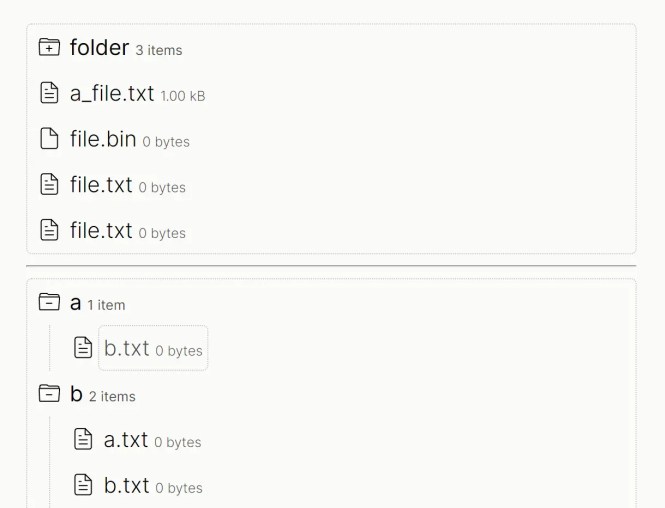
file-tree is a dependency-free custom element for interactive file and folder hierarchies with asynchronous folder loading.
- Dependency-free
<file-tree>Web Component. - Nested file and folder trees.
- HTML markup or programmatic tree creation.
Tree,Folder, andFileclasses.- Keyboard navigation.
- Click and right-click actions.
- Async folder loading.
- Loading state with
event.waitUntil(). - Append, remove, rename, update, and query methods.
clickandcontextmenuevents.- Current-item selection access.
4. Treeselect JS: Tree Select & Multi-Select Dropdown in Vanilla JavaScript

Treeselect JS turns nested options into a searchable tree dropdown for single or multiple form selections.
- Searchable tree dropdown.
- Single-select mode.
- Checkbox multi-select mode.
- Removable selected-value tags.
- Grouped values and child counts.
- Selectable groups.
- Independent-node behavior.
- Arrow, Space, and Enter keyboard controls.
- Automatic, top, or bottom dropdown placement.
- Saved scroll position.
- RTL mode.
- Configurable ARIA label.
- Boosted rendering for large trees.
- CSS custom properties.
- React and Vue 3 wrappers.
5. Interactive and Accessible Tree View JS Library – bs-treeview

bs-treeview is a vanilla JavaScript rewrite of the older jQuery Bootstrap Tree View plugin for Bootstrap-based projects.
- Vanilla JavaScript Bootstrap tree view.
- Bootstrap 5 styling.
- Font Awesome icons.
- JavaScript array or JSON input.
- AJAX data loading.
- Lazy-loaded child nodes.
- Built-in search and result highlighting.
- Single or multiple selection.
- Enable, disable, select, and unselect methods.
- Checkboxes with hierarchical checking.
- Parent-child checkbox propagation.
- Expand, collapse, search, update, and insert methods.
- Custom icons, images, colors, tags, classes, and data attributes.
- Lifecycle and interaction events.
- Generated ARIA attributes.
6. Interactive Tree Structure for Hierarchical Data – Plain Tree
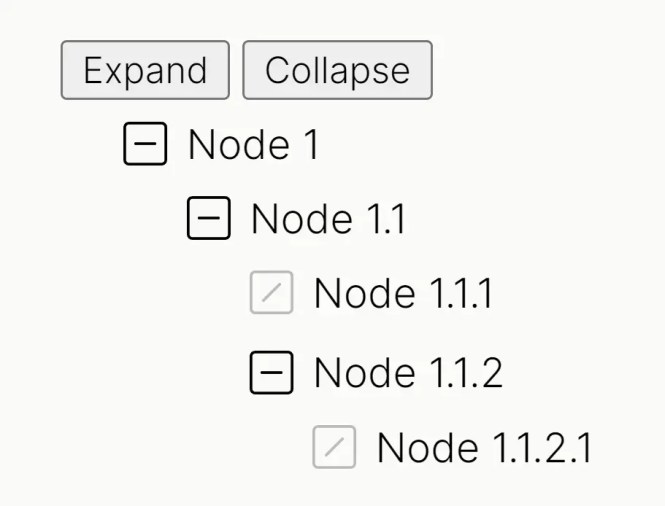
Plain Tree renders parent-child JavaScript objects as expandable nodes with a small programmatic API.
- No JavaScript framework dependency.
- Parent-child JavaScript object data.
- Expandable and collapsible nodes.
- Configurable default expansion depth.
- Custom right-click context-menu actions.
onRenderedandonNodeClickcallbacks.- Create, update, and remove node methods.
- Programmatic expand and collapse methods.
7. Collapsible Folder Tree With Pure JavaScript – jslists

jslists converts existing nested HTML lists into collapsible multi-level trees.
- Existing nested
<ul>/<li>markup. - Multi-level collapsible trees.
- Links, icons, and custom HTML inside items.
- Open and closed folder icons.
- Optional Font Awesome file and folder icons.
8. Visualize JSON Data Like A Pro With JSONTree.js

JSONTree.js focuses on inspecting and editing JSON or JavaScript values in an expandable tree.
- No JavaScript dependencies.
- Objects, arrays, maps, sets, dates, URLs, functions, and other value types.
- Light and dark themes.
- CSS/SASS styling.
- Expand, collapse, Open All, and Close All controls.
- Property sorting and array index display.
- String quoting and value-color controls.
- Line numbers.
- Paging for large JSON structures.
- Editable values and property names.
- Type-specific editing controls.
- Copy, import, export, and file-drop controls.
- Full-screen mode.
- Configurable control panel, footer, title bar, and side menu.
- String parsing into dates, booleans, numbers, symbols, floats, or BigInts.
- Rendering, editing, selection, paging, export, full-screen, and click callbacks.
9. Full Featured File/Folder Tree In Pure JavaScript – TreeJS

TreeJS is an older standalone library for file and folder trees with a detailed tree and node API.
- Standalone file and folder tree.
- No JavaScript framework dependency.
- Custom leaf, parent, open, and closed icons.
- Optional Font Awesome icons.
- Custom right-click context-menu hook.
- Set root, expand all, expand path, collapse all, and reload methods.
- Runtime access to options, container, root node, and selected nodes.
- Add, remove, and inspect child-node methods.
- Programmatic expanded, enabled, and selected states.
- Click, expand, collapse, open, enable, disable, select, deselect, and context-menu events.
TreePathhelpers.
10. Simple Folder Tree With JSON And JavaScript – tree.js
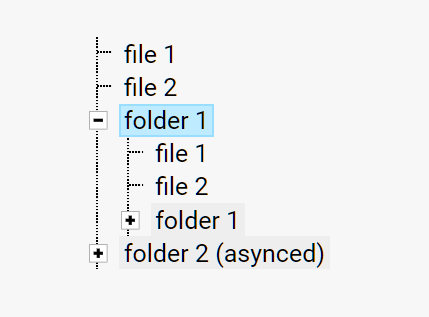
tree.js is a compact folder tree for hierarchical JSON data.
- Hierarchical JSON data.
- File and folder trees.
- Initial open and selected states.
- Async child loading.
fetchevent for remote children.open,select, andactionevents.
Which Tree View Library Should I Choose?
- Treejs works well for checkbox-based trees that load local or remote hierarchical data.
- Quercus.js is suited to searchable JSON trees with single selection, multiple selection, checkboxes, or custom node content.
- file-tree focuses on file and folder browsers that need asynchronous loading and keyboard navigation.
- Treeselect JS handles forms that need searchable hierarchical single-select or multi-select controls.
- bs-treeview is the Bootstrap-oriented option for search, selection, checking, remote data, and programmatic control.
- jslists works well when the hierarchy already exists as nested HTML lists.
- JSONTree.js focuses on inspecting and editing JSON or JavaScript values in an expandable tree.
FAQs
Q: Is there a native HTML tree view element?
A: HTML has no dedicated tree view element. Simple hierarchies can use nested lists or <details> elements. Search, checkbox selection, asynchronous data, and programmatic node controls usually require JavaScript.
Q: Which JavaScript tree view libraries can load data asynchronously?
A: Treejs can fetch remote data through GET or POST. file-tree loads folder contents asynchronously, bs-treeview supports AJAX and lazy-loaded nodes, and tree.js can fetch children when an asynchronous folder opens.
Q: What is the difference between a tree view and a tree table?
A: A tree view presents hierarchy as expandable nodes. A tree table keeps the hierarchy inside rows and columns when each item also needs tabular fields. See the Best JavaScript Tree Table Plugins for that UI pattern.
Q: Can I create a tree view with CSS only?
A: Yes, basic expandable trees can be built with nested HTML and CSS when you do not need data loading or a JavaScript API. See the Pure CSS Tree View With Unlimited Nesting example.