


analogClockJs is a standalone JavaScript library to generate customizable, easy-to-style Analog Clocks using plain JavaScript & CSS.
How to use it:
To use the analogClockJs, you have to load the main JavaScript file analogClock.js in the html file.
<script src="analogClock.js"></script>
Create a clock container with a unique ID ‘clock’.
<div id="clock"></div>
Generate a default Analog Clock inside the container element.
AnalogClock("clock");Customize the Analog Clock by passing the following options as an object to the AnalogClock() method.
AnalogClock("clock", {
  // text color
  foreColor: "#000"
  // width
  width: 400,
  // bg color
  bgColor: "#eee"

});
Base on object use, returns a clock object, can do some further style control by the returned object.
var opt = new AnalogClockOption(); opt.width = 100;
var clock = new AnalogClock("clock", opt);
clock.panel.style.border = "solid 1px red";
See Also:
 Animated Analog Clocks for Vanilla JS, React & Vue.js – Clock UI
 Simple & Clean Analog Clock JS Library – Clock.js
 Neumorphism-style Domino Clock with JavaScript and CSS
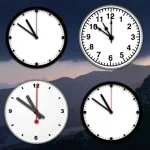 Create Customizable Analog Clocks With JavaScript – MagicClock
 7-Segment LED Clock in JavaScript with SVG – Digital Clock
 Stylish Digital Clock Made With JavaScript And TailwindCSS
 Multiple Timezone Analog Clocks – shonir-analog-clock
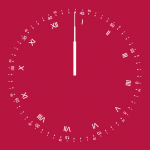 Convenient Analog Clock With JavaScript And SVG – Uptime