


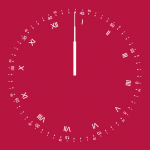
MagicClock is a vanilla JavaScript library for creating customizable analog clocks on the webpage. It uses HTML5 canvas and custom clock images to imitate the classic clock look, with a needle sweeping around the clock face.
This analog clock library is written in pure JavaScript and released under the MIT license. It does not require any build steps or third-party libraries. Just copy and paste the code into your webpage.
How to use it:
1. Download and load the MagicClock.js library in the document.
<script src="MagicClock.js"> </script>
2. Create a basic analog clock.
- PositionX: X-axis
- PositionY: Y-axis
- width: Width in px
- theme: custom theme
// MagicClock(PositionX, PositionY, width, theme = null);
let myClockThemeDefault = new MagicClock(20, 20, 250);
3. Create a custom analog clock using PNG or vector art resources.
let theme= {
    "secondHandSrc" : "themes/Theme1/Seconds.png" ,
    "minuteHandSrc":"themes/Theme1/Minutes.png",
    "hourHandSrc":"themes/Theme1/Hours.png",
    "backgroundSrc":"themes/Theme1/BG.png",
    "handPivotHX": 0.5,
    "handPivotHY": 0.72,
    "handPivotMX": 0.5,
    "handPivotMY": 0.72,
    "handPivotSX": 0.5,
    "handPivotSY": 0.72
};
let myClock = new MagicClock(20, 20, 250, theme);
Changelog:
12/24/2024
- Update MagicClock.js
See Also:
 Animated Analog Clocks for Vanilla JS, React & Vue.js – Clock UI
 Simple & Clean Analog Clock JS Library – Clock.js
 Multiple Timezone Analog Clocks – shonir-analog-clock
 Convenient Analog Clock With JavaScript And SVG – Uptime
 Neumorphism-style Domino Clock with JavaScript and CSS
 7-Segment LED Clock in JavaScript with SVG – Digital Clock
 Stylish Digital Clock Made With JavaScript And TailwindCSS
 Easy International Analog Clock Component – Clock.js