


Ribble is a standalone vanilla JavaScript plugin that applies the Material Design ripple click/tap effect to any DOM element you specify.
How to use it:
Download and import the Ribble library into the document.
<script src="dist/ribble.js"></script>
Attach the Ribble to any element you prefer.
<div class="demo" id="example"></div>
var myElement = document.getElementById("example");
Ribble.attachEvent(myElement)
Customize the ripple effect.
Ribble.attachEvent(myElement, {
  // duration in milliseconds
  duration: 400,
  // z-index
  zIndex: "9999",
  // background color
  bgColor: "currentColor",
  // max opacity level
  maxOpacity: "0.4",
  // easing function
  easing: "cubic-bezier(0.4, 0, 0.2, 1)"

})
Change the default trigger events.
Ribble.attachEvent(myElement, {
  // options here
},
  //  default: ['mousedown', 'touchstart']
triggers)
See Also:
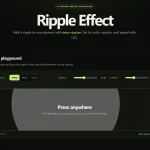 ripple-effect: Material Design Ripples in JavaScript
 High-performance Ripple Click Effect – chaocore-ripple
 Minimal Ripple Click & Hover Effect – ripple.js
 Dynamic Ripple Click/Tap Effect In JavaScript – rippleEffect
 Ripple Effect That Triggers On Click/Tap – Ripple.js
 Highly Customizable Ripple Effect In JavaScript – Ripple.js
 Button Ripple Effect On Click
 Realistic Water Ripple Effect Using WebGL – ripple-effect.js