


A tiny JavaScript implementation of the button ripple click effect inspired by Material Design.
How to use it:
1. The required CSS styles for the ripple effect.
button .circle {
  position: absolute;
  background-color: #fff;
  width: 100px;
  height: 100px;
  border-radius: 50%;
  transform: translate(-50%, -50%) scale(0);
  animation: scale 0.5s ease-out;
}
@keyframes scale {
  to {
    transform: translate(-50%, -50%) scale(3);
    opacity: 0;
  }
}
2. Attach the ripple click effect to all buttons with the CSS class of ‘ripple’.
<button class="ripple">Click Me</button>
const buttons = document.querySelectorAll('.ripple')
buttons.forEach(button => {
    button.addEventListener('click', function (e) {
        const x = e.clientX
        const y = e.clientY
        const buttonTop = e.target.offsetTop
        const buttonLeft = e.target.offsetLeft
        const xInside = x - buttonLeft
        const yInside = y - buttonTop
        const circle = document.createElement('span')
        circle.classList.add('circle')
        circle.style.top = yInside + 'px'
        circle.style.left = xInside + 'px'
        this.appendChild(circle)
        setTimeout(() => circle.remove(), 500)
    })
})
See Also:
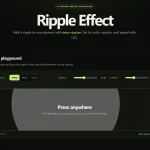 ripple-effect: Material Design Ripples in JavaScript
 High-performance Ripple Click Effect – chaocore-ripple
 Highly Customizable Ripple Effect In JavaScript – Ripple.js
 Material Ripple Effect In Vanilla JavaScript – Ripplet.js
 Google Material Design Ripple Effects with Wave.js
 Material Design Ripple Effects In Vanilla JavaScript – rippleJS
 Material Design Ripple Effect In Pure JavaScript
 Material Design Click Ripple Effect In Vanilla Javascript – Material Touch