


Validate is a zero-dependency JavaScript and TypeScript validation library that checks values, object payloads, nested data, and transformed input in Node.js and browser projects.
You can use the library to validate single values with chainable rules, model full objects with schemas, add custom business rules, run async checks, and return structured errors.
Features:
- Validate emails, URLs, phone numbers, passwords, cards, IP addresses, and numeric ranges.
- Chain multiple checks on one value.
- Model full objects with schema definitions.
- Add custom synchronous and asynchronous business rules.
- Transform values before validation steps.
- Check nested objects and partial payloads.
- Run batch validation across multiple fields.
- Measure validator speed with benchmark helpers.
- Use typed validators in TypeScript projects.
Use Cases:
- Registration and login forms require email format, password strength, and username length checks.
- E-commerce checkout forms that validate shipping address fields, postal codes by country, and credit card numbers.
- Node.js and Express API routes that validate request body objects against a schema before processing.
- Next.js or React applications that need per-field inline error feedback before form submission.
Getting Started:
Installation
Install the package from npm:
npm install @incogdev/validate
The library also provides a browser build through the unpkg CDN:
<script type="importmap">
  {
    "imports": {
      "@incogdev/validate": "https://unpkg.com/@incogdev/validate/dist/browser.js"
    }
  }
</script>
<script type="module">
  import { validate } from '@incogdev/validate';
  const result = validate('[email protected]').email().isValid();
  console.log(result); // true
</script>
Use CommonJS require syntax in Node.js without a bundler:
const { rules, validate, schema } = require('@incogdev/validate');
Basic Usage
The validate() function accepts a value and returns a chainable validator instance. Chain the rule methods you need, then call isValid() for a boolean result or getErrors() for the full error array.
import { validate } from '@incogdev/validate';
// Chain multiple rules on a single email field
const emailCheck = validate('[email protected]')
  .required()      // value cannot be empty
  .email()         // must match email format
  .maxLength(100); // no more than 100 characters
console.log(emailCheck.isValid());   // true
console.log(emailCheck.getErrors()); // []
// Example with a failing value
const failedCheck = validate('not-an-email')
  .required()
  .email();
console.log(failedCheck.getErrors()); // ['Invalid email address']
For quick single-rule boolean checks without chaining, import rules directly:
import { rules } from '@incogdev/validate';
rules.email('[email protected]');       // true
rules.strongPassword('Pass123!');     // true
rules.postalCode('M5V 2T6', 'CA');    // true (Canadian format)
rules.creditCard('4532015112830366'); // true (Luhn algorithm check)
rules.ip('10.0.0.1', 4);             // true (IPv4)
More Usages
Schema Validation for Object Bodies
API routes and form handlers often receive a full object rather than individual fields. The schema() function takes a field definition map and returns a validator whose .validate() method checks any object against it.
import { schema } from '@incogdev/validate';
const registrationSchema = schema({
  username: { type: 'string', required: true, min: 3, max: 20 },
  email:    { type: 'email',  required: true },
  age:      { type: 'number', min: 18, max: 120 }
});
const result = registrationSchema.validate({
  username: 'jo',             // fails: too short
  email: '[email protected]',  // passes
  age: 14                    // fails: below minimum
});
console.log(result.valid);  // false
console.log(result.errors);
// {
//   username: ['username must be at least 3 characters'],
//   age: ['age must be at least 18 characters']
// }
Async Validation for Uniqueness Checks
Registration forms often need to confirm that an email or username does not already exist in the database. The validateAsync function accepts the value and a callback that builds the rule chain, then resolves a { valid, errors, value } object.
import { validateAsync } from '@incogdev/validate';
async function checkRegistrationEmail(email) {
  const { valid, errors } = await validateAsync(email, (v) =>
    v.required().email().customAsync(async (val) => {
      // Replace with your actual database query
      const taken = await db.users.exists({ email: val });
      return !taken; // return false if email is already registered
    }, 'That email address is already registered')
  );
  return { valid, errors };
}
Conditional Rules for Role-Based Requirements
Password policies often differ by user role. The .if() method on the chainable validator applies extra rules only when a predicate returns true.
import { validate } from '@incogdev/validate';
function validatePassword(password, isAdminAccount) {
  const result = validate(password)
    .required()
    .minLength(8)
    .if(() => isAdminAccount, (v) => v.strongPassword());
    // strong password only required for admin accounts
  return {
    valid: result.isValid(),
    errors: result.getErrors()
  };
}
Nested Schema Validation for Address Objects
Shipping forms typically contain address sub-objects. The nestedSchema() function validates nested fields and returns errors keyed by dot-notated paths such as address.zipCode.
import { nestedSchema } from '@incogdev/validate';
const orderSchema = nestedSchema({
  customerName: { type: 'string', required: true, min: 2 },
  address: {
    street: { type: 'string', required: true },
    city:   { type: 'string', required: true },
    zip:    {
      type: 'string',
      pattern: /^\d{5}$/,
      patternMessage: 'ZIP code must be 5 digits'
    }
  }
});
const result = orderSchema.validate({
  customerName: 'Sarah',
  address: {
    street: '742 Elm Street',
    city: '',      // fails: required
    zip: '900'     // fails: wrong format
  }
});
console.log(result.errors);
// {
//   'address.city': ['city is required'],
//   'address.zip':  ['ZIP code must be 5 digits']
// }
Batch Validation for Full Form Submission
Batch processing validates every form field in one call and retrieves a summary. This pattern collects all errors at form submission time rather than stopping at the first failure.
import { batchValidate, batchResultSummary } from '@incogdev/validate';
const results = batchValidate([
  { field: 'email',    value: '[email protected]', rules: (v) => v.required().email() },
  { field: 'phone',    value: '+12025551234',       rules: (v) => v.required().phone() },
  { field: 'password', value: 'abc',                rules: (v) => v.required().strongPassword() }
]);
const summary = batchResultSummary(results);
console.log(summary.allValid);     // false
console.log(summary.invalidCount); // 1
console.log(summary.errors);
// { password: ['Password must contain uppercase, lowercase, number, and symbol'] }
Pipeline: Transform Then Validate
The createPipeline() function lets you clean up a value before any rule runs. It suits cases where user input may arrive with extra whitespace or inconsistent casing.
import { createPipeline } from '@incogdev/validate';
const result = await createPipeline('  [email protected]  ')
  .pipe(v => v.trim())        // remove surrounding whitespace
  .pipe(v => v.toLowerCase()) // normalize to lowercase
  .validate(v => v.required().email())
  .execute();
console.log(result.valid); // true
console.log(result.value); // '[email protected]'
Custom Error Messages
Pass a message map as the second argument to validate() to override any default error text.
import { validate } from '@incogdev/validate';
const usernameCheck = validate('', {
  required: 'Please enter a username.',
  minLength: 'Username must be at least 3 characters long.'
})
  .required()
  .minLength(3);
console.log(usernameCheck.getErrors());
// ['Please enter a username.']
Configuration Options:
Schema field definitions accept these options:
type(string): The field type. Accepts'string','number','boolean','email','phone', or'url'.required(boolean): Marks the field as mandatory.min(number): Minimum string length or minimum numeric value.max(number): Maximum string length or maximum numeric value.pattern(RegExp): Regex the value must match.patternMessage(string): Error message shown when the pattern check fails.custom(function): A custom synchronous validation function that returns a boolean.customMessage(string): Error message shown when the custom function returns false.message(string): Custom error for a failedrequiredcheck on this specific field.
API Methods:
// --- rules object: static boolean checks ---
// Returns true if the value is a valid email address.
rules.email('[email protected]');
// Returns true for international phone number formats.
rules.phone('+12025551234');
// Returns true if the string is a valid URL.
rules.url('https://mysite.com');
// Returns true for any non-empty, non-null, non-undefined value.
rules.notEmpty('hello');
// Returns true if the value is numeric (including numeric strings).
rules.isNumber(42);
// Returns true for whole integers (including integer strings).
rules.isInt(10);
// Returns true for boolean values or the strings 'true' and 'false'.
rules.isBoolean(true);
// Returns true if the string length is at least n characters.
rules.minLength('admin', 3);
// Returns true if the string length is at most n characters.
rules.maxLength('admin', 20);
// Returns true if the number falls within min and max inclusive.
rules.between(50, 0, 100);
// Returns true if the value matches the given regex.
rules.matches('SKU-001', /^SKU-\d+$/);
// Returns true if the value exists in the allowed array.
rules.oneOf('monthly', ['monthly', 'annual', 'trial']);
// Returns true if the password has 8+ characters, uppercase, lowercase, number, and symbol.
rules.strongPassword('Secure@2024');
// Validates postal code format. Second argument is country code: 'US', 'CA', or 'UK'.
rules.postalCode('90210', 'US');
// Validates a credit card number using the Luhn algorithm.
rules.creditCard('4532015112830366');
// Validates an IPv4 or IPv6 address. Pass 4 or 6 as the second argument.
rules.ip('192.168.0.1', 4);
// --- chainable validate() methods ---
// Create a validator and chain rules. Call isValid() or getErrors() at the end.
const v = validate('[email protected]')
  .required()                                            // value cannot be empty
  .email()                                               // must be a valid email address
  .minLength(5)                                          // at least 5 characters
  .maxLength(100)                                        // no more than 100 characters
  .isNumber()                                            // must be a numeric value
  .strongPassword()                                      // meets password complexity rules
  .between(1, 999)                                       // number falls within range
  .matches(/regex/)                                      // value matches a regex pattern
  .oneOf(['a', 'b'])                                     // value is in the list
  .phone()                                               // valid phone number format
  .url()                                                 // valid URL format
  .custom((val) => val.includes('@'), 'Must contain @') // custom sync rule
  .pipe(val => val.trim())                               // transform value before validation
  .if(() => true, (v) => v.strongPassword())             // conditional rule when predicate is true
  .unless(() => false, (v) => v.minLength(3));           // conditional rule when predicate is false
v.isValid();   // returns true or false
v.getErrors(); // returns string[] of all error messages
v.getValue();  // returns the current value after pipeline transforms
// --- schema() ---
// Returns an object with a .validate(data) method for flat object validation.
const mySchema = schema({
  fieldName: { type: 'email', required: true, min: 5, max: 100 }
});
const { valid, errors } = mySchema.validate({ fieldName: '[email protected]' });
// --- nestedSchema() ---
// Validates nested objects and returns dot-notated error keys.
const myNestedSchema = nestedSchema({
  address: { city: { type: 'string', required: true } }
});
const { valid: nValid, errors: nErrors } = myNestedSchema.validate({
  address: { city: '' }
});
// --- nestedSchema().partial() ---
// Validates only the supplied fields; required constraints do not apply to omitted ones.
const partialResult = myNestedSchema.partial({ address: { city: 'Denver' } });
// --- validateAsync() ---
// Accepts a value and a rule-building callback. Returns a resolved promise.
const { valid: aValid, errors: aErrors } = await validateAsync(
  '[email protected]',
  (v) => v.required().email()
);
// --- batchValidate() ---
// Accepts an array of { field, value, rules } objects and returns per-field results.
const batchResults = batchValidate([
  { field: 'email', value: '[email protected]', rules: (v) => v.email() }
]);
// --- batchResultSummary() ---
// Takes batchValidate output and returns { allValid, validCount, invalidCount, errors }.
const summary = batchResultSummary(batchResults);
// --- createPipeline() ---
// Chains transforms and validations, then executes them and resolves the result.
const pipeResult = await createPipeline('  RAW INPUT  ')
  .pipe(v => v.trim())
  .validate(v => v.required())
  .execute();
// --- benchmark() ---
// Runs a function n times and returns performance metrics.
const bm = benchmark(() => validate('[email protected]').email().isValid(), 10000, 'email-test');
console.log(bm.opsPerSecond); // operations per second
console.log(bm.averageTimeMs); // average time per operation in milliseconds
Alternatives:
- Discover More Free Form Validation Libraries In Pure JavaScript
- 10 Best Pure JavaScript Form Validation Libraries
- Client-Side Declarative Form Validation using Strictly.js
- Custom HTML5 Form Validator In Vanilla JavaScript – Just-validate
- Beginner-Friendly JavaScript Form Validation Library – Trivule
FAQs:
Q: Does it replace native HTML5 form validation?
A: It can replace or supplement native form validation. It provides custom messages, schema validation, async checks, nested object validation, and structured error output.
Q: Why does my async rule not affect isValid()?
A: Async rules need async execution. Use isValidAsync(), validateAsync(), createAsyncValidator().validate(), or batchValidateAsync() when a rule returns a promise.
Q: Should I use schemas or chainable validators?
A: Use chainable validators for single fields and quick checks. Use schemas for full objects, request bodies, settings panels, and any form that needs field-keyed errors.
Q: Why are required fields failing during an edit form update?
A: A full nested schema expects required fields. Use partial() when the form submits only changed fields.
See Also:
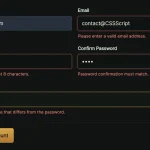 Vanilla JavaScript Form Validation with Custom Rules and Messages – js-validation
 Native HTML Form Validation Enhancer with Zod Support – validation-enhancer
 Lightweight Form Validation and Input Masking/Formatting – Masker.js
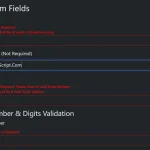 Client-Side Declarative Form Validation using Strictly.js
 Fast Clientside Form Validation with Zephyr Form Validator
 Enhance Password Fields with Custom Web Components
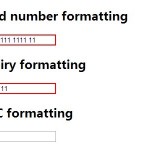 Validating and Formatting Credit Card Inputs with Payment.js
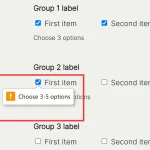 Precise Checkbox Validation With Required Checkboxes Web Component