


Choosing a JavaScript carousel library gets harder once a page needs touch gestures, autoplay, thumbnail previews, 3D effects, framework support, or a CSS-only fallback.
Some carousel sliders work best as full production libraries, and others fit small image rotators, logo strips, or card stacks.
This post compares 10 JavaScript carousel libraries plus 5 CSS-only carousel patterns so you can match the right slider to your layout, content, and setup path.
Originally Published Nov 07 2017, updated May 18 2026
Table of contents:
- Comparison Table
- Vanilla JavaScript Carousel Libraries
- CSS Only Carousel Components
- How to Choose
- FAQ
- Related Resources
Comparison Table
| Library | Best For | Live Demo |
|---|---|---|
| Swiper | Advanced touch sliders and app UI. | Live Demo |
| Carousel.js | 3D coverflow-style element sliders. | Live Demo |
| MVP Carousel | Stacked card transitions. | Live Demo |
| Basic 3D Carousel | Small 3D image rotators. | Live Demo |
| Multi-item Carousel for Bootstrap 5 | Bootstrap 5 multi-item slides. | Live Demo |
| Glide.js | Light touch sliders with controls. | Live Demo |
| Embla Carousel | Headless custom carousel UI. | Live Demo |
| Infinite Carousel Slider | Auto-rotating infinite slideshows. | Live Demo |
| 3D Stacked Carousel | Tailwind CSS card stacks. | Live Demo |
| Vanilla JS Modern Carousel | Image sliders with previews. | Live Demo |
| Brand Logo Carousel | CSS logo strips with edge fade. | Live Demo |
| Carousel.CSS | Responsive no-JS content sliders. | Live Demo |
| Infinite Marquee Carousel | Auto-scrolling CSS marquees. | Live Demo |
| 3D Perspective Carousel | CSS-only 3D image loops. | Live Demo |
| Infinite Logo Carousel with Fade | Pure CSS responsive logo rows. | Live Demo |
10 Best Vanilla JavaScript Carousel Libraries
1. Swiper
Best For: Complex touch sliders that need advanced effects, framework support, virtual slides, and production-grade controls.
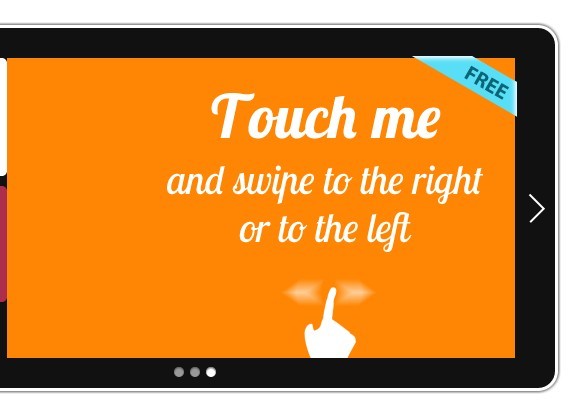
Swiper is a JavaScript carousel and slider library for touch-enabled mobile and desktop interfaces. It handles most slider requirements such as effects, navigation, lazy loading, grid layouts, virtual slides, and framework integrations. It is the safest option here for product galleries, onboarding screens, app-like interfaces, and large slide sets that need more than a basic image rotator.
Key Features:
- Creates responsive horizontal and vertical sliders.
- Supports touch gestures and keyboard interaction.
- Includes fade, flip, cube, coverflow, and parallax effects.
- Supports navigation arrows, pagination, hash navigation, and RTL layouts.
- Includes lazy loading and virtual slides for large slide sets.
- Works with image slides, HTML content, cards, products, and app panels.
- Has ecosystem support for Angular, React, Vue, and Svelte projects.
Recommended Use Case: Advanced carousel interfaces where touch behavior, effects, and framework support matter more than minimal code size.
2. Carousel.js
Best For: Small JavaScript sliders that need a 3D coverflow-style flip effect.

Carousel.js is a vanilla JavaScript carousel plugin for flipping through elements in 3D space. It focuses on a coverflow-style presentation rather than a full slider framework. The library makes sense when the 3D flip effect matters more than a broad control API.
Key Features:
- Creates a 3D flip-through carousel effect.
- Supports navigation controls.
- Supports pagination bullets.
- Uses a sliding transition between items.
- Supports infinite looping.
- Works with HTML elements beyond image tags.
Recommended Use Case: Portfolio sections, visual showcases, and small galleries that need a simple 3D coverflow effect.
3. MVP Carousel
Best For: Lightweight card sliders with stacked positions, scale changes, rotation, and simple navigation.

MVP Carousel is a tiny JavaScript and CSS carousel that transitions between cards with stacked animations. The HTML defines the carousel container and cards, CSS creates the stacked position, and JavaScript moves through the active item. It’s good for testimonial cards, feature cards, and compact sections where a normal horizontal slider feels too plain.
Key Features:
- Creates a stacked card carousel from HTML elements.
- Uses JavaScript for navigation and active-card changes.
- Uses CSS for position, scale, rotation, and card depth.
- Works well with cards, quotes, product highlights, and small content panels.
- Focuses on one visual pattern rather than a broad plugin API.
Recommended Use Case: Lightweight card sections that need motion and depth with a small code footprint.
4. Basic 3D Carousel
Best For: Simple 3D carousel and rotator effects with pure JavaScript and CSS.

Basic 3D Carousel is a pure JavaScript and CSS pattern for creating a simple 3D coverflow-style rotator. It suits pages that need a small visual carousel rather than a complete slider system. The best match is a demo, image highlight, or experimental UI section where the 3D layout matters more than advanced controls.
Key Features:
- Creates a 3D coverflow-style carousel.
- Uses pure JavaScript and CSS/CSS3.
- Works as a basic image or item rotator.
- Fits small projects that need a compact 3D effect.
- Provides a clear starting point for custom 3D carousel styling.
Recommended Use Case: A small 3D image rotator with simple behavior and direct CSS control.
5. Multi-item Carousel for Bootstrap 5
Best For: Bootstrap 5 projects that need multiple cards or products visible in each carousel slide.

Multi-item Carousel for Bootstrap 5 is a JavaScript and CSS extension for Bootstrap 5’s carousel component. It adapts the standard Bootstrap carousel into a multi-item layout, so each slide can show several cards. Bootstrap product rows, team sections, logo blocks, and card-based pages can use it with no separate slider system.
Key Features:
- Extends the Bootstrap 5 carousel component.
- Displays multiple items per carousel view.
- Uses JavaScript and CSS on top of Bootstrap’s carousel markup.
- Fits card grids, product cards, profiles, and content teasers.
- Works best when Bootstrap 5 is already part of the project.
Recommended Use Case: Bootstrap 5 layouts that need a multi-item carousel rather than a single large slide.
6. Glide.js
Best For: Responsive touch sliders that need autoplay, arrows, bullets, keyboard navigation, and a smaller feature set than Swiper.
Glide.js is an ES6 JavaScript slider and carousel library for responsive, touch-enabled sliders. It provides the common controls most projects need, including arrows, bullets, autoplay, pause on hover, and keyboard navigation. It sits between tiny one-pattern scripts and larger carousel ecosystems.
Key Features:
- Creates responsive sliders and carousels.
- Supports swipe events on touch devices.
- Includes arrows, bullets, and keyboard navigation.
- Supports autoplay and pause on hover.
- Uses CSS3 transitions.
- Works with many HTML content types.
- Provides a modular and extendable structure.
Recommended Use Case: Marketing pages, galleries, and content sliders that need reliable controls with a moderate setup.
7. Embla Carousel
Best For: Developers who want headless carousel behavior and full control over markup, styling, and component UI.

Embla Carousel is a headless, dependency-free carousel library for draggable and touch-friendly scrolling behavior. It provides the carousel engine and leaves the visual interface to your own markup and CSS. Design systems, custom product galleries, and framework components benefit from that separation because default slider UI often gets in the way.
Key Features:
- Provides a headless carousel engine.
- Supports draggable and touch-friendly interaction.
- Leaves the UI and styling to the developer.
- Works well with custom controls, dots, thumbnails, and layouts.
- Supports plugin-style extension through its API.
- Fits vanilla JavaScript and component-based frontends.
Recommended Use Case: Custom carousel UI that needs a reusable scrolling core.
8. Infinite Carousel Slider With Autoplay
Best For: Small image or content slideshows that need automatic rotation and infinite looping.

Infinite Carousel Slider With Autoplay is a pure JavaScript carousel for auto-rotating, infinite-looping slideshows. It focuses on the core behavior many simple sliders need: movement through a repeating set of items. Banners, small galleries, featured posts, and content strips are better matches than complex app-style sliders.
Key Features:
- Creates an infinite-looping carousel slider.
- Supports automatic rotation.
- Uses pure JavaScript with no jQuery requirement.
- Fits basic image and content slideshows.
- Keeps the carousel behavior focused and compact.
Recommended Use Case: Simple auto-playing sections where infinite looping is the main requirement.
9. 3D Stacked Carousel with JavaScript and Tailwind CSS
Best For: Tailwind CSS projects that need a 3D stacked card carousel with responsive utility styling.

3D Stacked Carousel with JavaScript and Tailwind CSS is a vanilla JavaScript slider that turns HTML elements into an interactive card stack. It uses Tailwind utility classes for the visual layer and JavaScript for carousel state. The component works best in Tailwind landing pages, feature cards, and case study blocks that need a stronger visual treatment than a flat slider.
Key Features:
- Transforms HTML elements into a 3D stacked carousel.
- Uses Tailwind CSS utility classes for styling and responsive layout.
- Applies position-based shadow effects.
- Handles different slide counts with display logic.
- Works well with cards, feature panels, and image-heavy sections.
- Uses vanilla JavaScript for carousel behavior.
Recommended Use Case: Tailwind CSS projects that need a stacked card presentation with a strong visual hierarchy.
10. Vanilla JS Carousel Slider With Modern Look and Auto-Play
Best For: Image-focused hero sliders with preview thumbnails, autoplay, text overlays, and next/previous controls.

Vanilla JS Carousel Slider With Modern Look and Auto-Play is a responsive image carousel built with plain JavaScript. It shows a main slide, animated text content, and smaller preview slides beside it. The layout works well for homepage hero sections, portfolio intros, travel galleries, and image-heavy pages that benefit from thumbnail-style context.
Key Features:
- Creates a responsive image carousel with pure JavaScript.
- Displays a main image with nearby preview slides.
- Supports automatic playback.
- Includes manual next and previous controls.
- Adds text reveal animations.
- Uses thumbnail morphing effects between slides.
- Requires no external JavaScript framework.
Recommended Use Case: Image-heavy pages that need autoplay, preview thumbnails, and animated slide content.
5 Best CSS Only Carousel Components
1. Brand Logo Carousel with Fading Effect and Infinite Looping
Best For: Logo strips, partner rows, and brand showcases that need a pure HTML and CSS infinite loop.

Brand Logo Carousel with Fading Effect and Infinite Looping is a pure HTML and CSS carousel for continuously moving logo rows. It adds a subtle fade at the edges so the loop feels cleaner in narrow sections. Sponsor logos, client logos, partner lists, and trust rows are its natural use cases.
Key Features:
- Creates an infinite logo carousel with HTML and CSS.
- Uses CSS animation for the scrolling loop.
- Adds fade effects at the carousel edges.
- Fits responsive logo and brand sections.
- Works for static pages where users do not need manual controls.
Recommended Use Case: Partner or customer logo rows that need constant, low-interaction motion.
2. Carousel.CSS
Best For: Responsive horizontal content sliders that must run with no JavaScript plugin.

Carousel.CSS is a pure CSS slider library for displaying HTML content in a responsive horizontal carousel. It fits pages that need slider-like layout behavior but cannot add a JavaScript dependency. Static content, documentation examples, and lightweight WordPress sections are good matches when CSS control is enough.
Key Features:
- Displays HTML content in a horizontal carousel format.
- Uses CSS rather than a JavaScript plugin.
- Supports responsive layouts.
- Works with content blocks, cards, images, and mixed HTML.
- Fits projects that need a no-JS carousel pattern.
Recommended Use Case: Static content sliders that need responsive behavior and no JavaScript initialization.
3. Infinite Marquee Carousel With Pure CSS
Best For: Auto-scrolling marquee-style rows built with only CSS.

Infinite Marquee Carousel With Pure CSS is a CSS-only project for automatic, infinitely scrolling carousel rows. It works best when the carousel is decorative or informational rather than a manual navigation control. Logos, small cards, announcements, and repeated content strips fit that marquee pattern.
Key Features:
- Creates an automatic infinite-scrolling carousel.
- Uses only CSS for the marquee motion.
- Works well for repeated items and logo rows.
- Fits compact homepage or landing page sections.
- Keeps the implementation simple for static content.
Recommended Use Case: Marquee-style content rows where users only need to watch the items pass by.
4. 3D Perspective Carousel with CSS3 Transforms
Best For: Pure CSS image carousels that need a 3D perspective effect and an infinite loop.

3D Perspective Carousel with CSS3 Transforms is a pure CSS carousel for generating an infinite-looping 3D image slider. It uses CSS3 transforms to create depth and rotation from a list of images. It is mainly a visual pattern for demos, image showcases, or experimental sections where JavaScript controls are not required.
Key Features:
- Creates a 3D perspective carousel from images.
- Uses CSS3 transforms for the depth effect.
- Runs as a pure CSS implementation.
- Supports infinite-looping carousel motion.
- Fits image-focused demos and decorative galleries.
Recommended Use Case: CSS-only 3D image effects where visual presentation is the main goal.
5. Pure CSS Responsive Infinite Logo Carousel with Fade Effects
Best For: Responsive logo carousels that need a pure CSS loop and fade effects.

Pure CSS Responsive Infinite Logo Carousel with Fade Effects is a CSS-only carousel for looping logo or image lists. It uses responsive layout rules and edge fades to present repeated brand items in a compact strip. Client logos, integration logos, and partner rows are strong fits because JavaScript would add no practical benefit.
Key Features:
- Creates a responsive infinite logo carousel.
- Uses pure CSS for the loop and visual effects.
- Adds fade effects at the carousel edges.
- Works with image lists and logo rows.
- Fits static marketing sections and simple landing pages.
Recommended Use Case: Responsive logo strips that need CSS-only motion and fade edges.
How to Choose
Start with the level of interaction your carousel needs. Swiper fits complex touch sliders with effects, virtual slides, lazy loading, and framework support. Embla Carousel works better when you want the scrolling behavior but need to build the UI yourself.
Pick a smaller JavaScript carousel when the project only needs one visual pattern. Carousel.js and Basic 3D Carousel fit 3D coverflow effects. MVP Carousel and 3D Stacked Carousel fit card stacks.
Match the carousel to your CSS stack. Use Multi-item Carousel for Bootstrap 5 when Bootstrap already powers the layout. Use the Tailwind-based stacked carousel when your project already uses Tailwind utilities.
Choose CSS-only carousels for static logo rows, decorative loops, and simple content strips. Brand Logo Carousel, Infinite Marquee Carousel, and Infinite Logo Carousel with Fade work best when the carousel does not need drag gestures, keyboard controls, or an API.
Check accessibility before you publish a carousel. For interactive sliders, confirm keyboard navigation, focus order, labels, pause behavior for autoplay, and readable controls. For CSS-only moving content, keep the motion subtle and avoid placing critical information only inside an auto-scrolling strip.
FAQ
Q: What is the difference between a carousel and a slider?
A: Developers often use both terms for the same UI pattern. A slider usually moves through one item or panel at a time, and a carousel often shows or cycles through a group of items, images, cards, or logos.
Q: What is the best JavaScript carousel library in this list?
A: Swiper is the strongest general choice for advanced production sliders. Embla Carousel is better when you need a headless engine and custom UI.
Q: Which carousel should I use for a CSS-only logo slider?
A: Use Brand Logo Carousel or Infinite Logo Carousel with Fade for logo rows. Both fit brand strips where users do not need manual slider controls.
Q: How do I add a carousel to a page with a script tag?
A: Use the download or demo page for the selected carousel, include its CSS and JavaScript files, then copy the required HTML structure. CSS-only options only need the stylesheet and matching markup.
Q: Can I use these carousel libraries with React, Vue, or Angular?
A: Swiper has framework ecosystem support and suits component-based apps. Headless or vanilla options can work in frameworks when you wrap the required markup and initialize the library at the right lifecycle point.
Q: Why is my carousel not sliding on mobile?
A: Check that the JavaScript file loads, the carousel initializes after the markup exists, and the CSS selectors match the demo. For touch sliders such as Embla Carousel or Swiper, confirm that the required wrapper and slide elements match the documented structure.
Q: Which option should I use for Bootstrap 5?
A: Multi-item Carousel for Bootstrap 5 is the direct match when your page already uses Bootstrap 5 and you need several cards per slide.