


The Password Strength Tester JavaScript library analyzes passwords to determine their relative strength. Works both for browser and Node.js.
It checks for common passwords, calculates entropy bits using Shannon and trigraph methods, and inspects which character sets are used.
How to use it:
1. Download and import the password-strength.js library.
<script src="/lib/password-strength.js"></script>
2. Initialize the PasswordStrength and import lists of common passwords the library uses to cross-reference your password (OPTIONAL).
window.passwordStrength = new PasswordStrength();
// OPTIONAL
$.getJSON("/data/common-passwords.json", function (data) {
  window.passwordStrength.addCommonPasswords(data);
});
$.getJSON("/data/trigraphs.json", function (data) {
  window.passwordStrength.addTrigraphMap(data);
});
3. Test a password like “cssscript” and it returns detailed results including strength code, charset info, entropy bits, and more. This data helps you give helpful strength feedback during signup flows and password creation.
if (window.passwordStrength) {
  strength = window.passwordStrength.check("cssscript");
  if (strength.strengthCode.indexOf('WEAK') >= 0) {
    alert("Your password is too weak.");
  }
}
// Password Statistics charsetSize: 63 commonPassword: false nistEntropyBits: 31.5 passwordLength: 13 shannonEntropyBits: 41.35082883367073 strengthCode: STRONG trigraphEntropyBits: 75.9034197141653 charsets: number: false lower: true upper: true punctuation: true symbol: false other:
See Also:
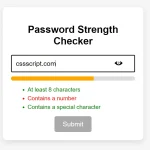 Vanilla JS Password Strength Checker for Better Form Security
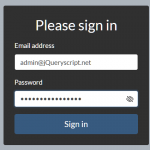 Vanilla JavaScript Password Visibility Toggler For Bootstrap
 Minimal Strong Password Generation for JavaScript – sspg.js
 Enhance Password Fields with Custom Web Components
 Unstyled One-time Password Input In JavaScript – OTP Input
 One-time Password Input With Vanilla JavaScript – otp-input.js
 Check Strength Of Your Passwords – PWStrength
 Easy One Time Password Input In JavaScript – vanilla-otp.js