


PWStrength is a vanilla JavaScript library that checks your password strength and provides a visual feedback indicating whether the password meets the minimal requirement.
How to use it:
Download and import the checkpw.js script into the html document.
<script src="js/checkpw.js"></script>
Create a password field on the web page.
<input
    type="password"
    id="password"
    class="form-control"
    name="passwordType"
    aria-label="Enter a password:"
    onkeyup="getPassword()"/>
Create a button to toggle the visibility of the password input.
<button
  id="togglePW"
  class="btn btn-secondary"
  type="button"
  style="cursor:pointer;"
  onclick="togglePassword();">Show Password</button>
Create a list of password requirements below the password field.
<ul class="lead list-group" id="requirements">
  <li id="length" class="list-group-item">At least 8 characters</li>
  <li id="lowercase" class="list-group-item">At least 1 lowercase letter</li>
  <li id="uppercase" class="list-group-item">At least 1 uppercase letter</li>
  <li id="number" class="list-group-item">At least 1 numerical number</li>
  <li id="special" class="list-group-item">At least 1 special character</li>
</ul>
Changelog:
06/23/2023
- 12 characters required now
See Also:
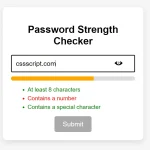 Vanilla JS Password Strength Checker for Better Form Security
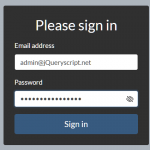 Vanilla JavaScript Password Visibility Toggler For Bootstrap
 Minimal Strong Password Generation for JavaScript – sspg.js
 Enhance Password Fields with Custom Web Components
 Unstyled One-time Password Input In JavaScript – OTP Input
 Advanced Password Strength Tester In JavaScript
 One-time Password Input With Vanilla JavaScript – otp-input.js
 Easy One Time Password Input In JavaScript – vanilla-otp.js