


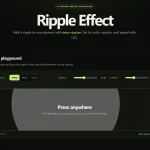
A pure vanilla JavaScript solution to create Material Design inspired interactive ripple click effects on any DOM element.
How to use it:
Include the ripple.css for default ripple styles.
<link href="ripple.css" rel="stylesheet">
Apply the ripple click effect to a DIV element.
<div class="demo">
  <div class="rippleJS fill"></div>
</div>
Apply the ripple click effect to a button element.
<button class="yourButton">
  Click Me
  <link class="rippleJS">
</button
Apply the ripple click effect to a checkbox.
<label class="optHolder">
  <input type="checkbox" checked="checked">
  <link class="rippleJS fill">
</label>
Customize the ripples in your own CSS.
.rippleJS .ripple {
  background: red;
}
Changelog:
09/24/2018
- v1.0.6
08/04/2018
- v1.0.5
03/25/2016
- insert css at very top, allow overriding
See Also:
 ripple-effect: Material Design Ripples in JavaScript
 High-performance Ripple Click Effect – chaocore-ripple
 Highly Customizable Ripple Effect In JavaScript – Ripple.js
 Button Ripple Effect On Click
 Material Ripple Effect In Vanilla JavaScript – Ripplet.js
 Google Material Design Ripple Effects with Wave.js
 Material Design Ripple Effect In Pure JavaScript
 Material Design Click Ripple Effect In Vanilla Javascript – Material Touch
Thanks this was very helpful!! This is in pure JavaScript. I appreceate