


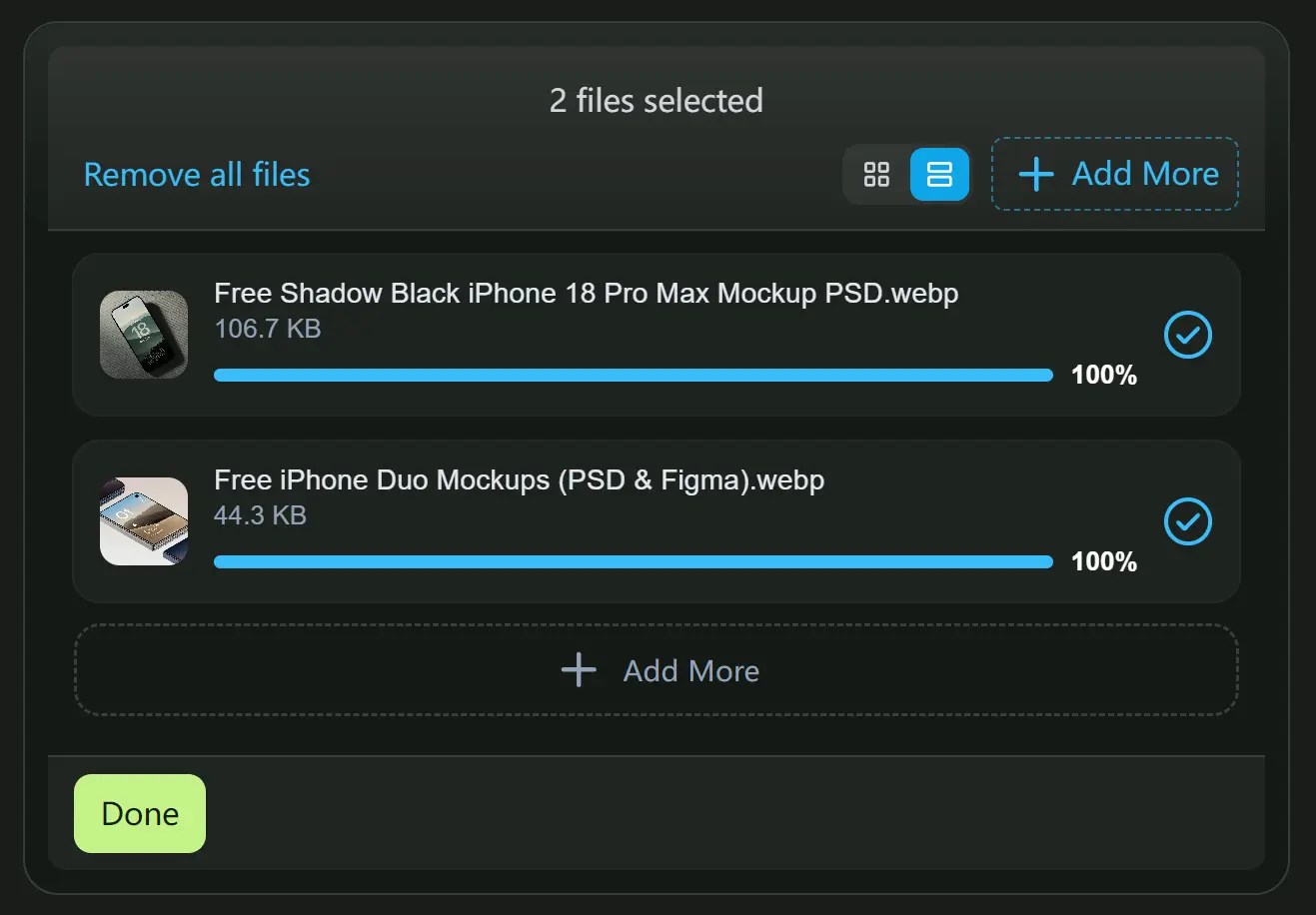
upup is an open-source JavaScript file uploader with drag-and-drop selection, file previews, and direct transfers to S3-compatible storage.
Uploads use presigned URLs from your backend. The optional @useupup/server package handles signing, multipart transfers, and cloud-drive OAuth.
Features
- File imports from cloud drives, URLs, camera, microphone, and screen capture.
- Limits for file count, accepted types, file size, and total upload size.
- Retry controls and resumable transfers through S3 multipart or tus.
- Optional image compression, HEIC conversion, thumbnails, and checksums.
- Network-aware pause/resume and optional IndexedDB crash recovery.
- Dark mode, localization, theme tokens, and component styling slots.
- Programmatic file management, state subscriptions, and upload events.
- Works with Vanilla JS, React, Vue, Svelte, Angular, and Preact.
How To Use It
Install and mount the Vanilla JS uploader
npm i @useupup/vanilla
Add a container to the page:
<div id="uploader"></div>
Mount createUploader(target, options) on a CSS selector or an HTMLElement. The example below accepts JPEG, PNG, and PDF files up to 10 MB each. Uploads use a same-origin /api/upload-token route, implemented in the next step.
import { createUploader } from '@useupup/vanilla';
import '@useupup/vanilla/styles';
const uploader = createUploader('#uploader', {
  provider: 'aws',
  uploadEndpoint: '/api/upload-token',
  allowedFileTypes: ['image/jpeg', 'image/png', 'application/pdf'],
  maxFileSize: { size: 10, unit: 'MB' },
  onUploadComplete(files) {
    console.log('Uploaded files:', files);
  },
  onError(message) {
    console.error(message);
  }
});
Create the S3 presign endpoint
The backend issues a short-lived upload URL for each file. This Express example uses the AWS SDK, generates its own object keys, and checks file types and sizes before signing.
It assumes your application already has login-session middleware and exposes the authenticated ID as req.session.userId. Register that middleware before the route.
Install the server dependencies in your Node.js backend:
npm i express @aws-sdk/client-s3 @aws-sdk/s3-request-presigner
Add this route to your existing Express app (ES modules). Here, app is your Express instance and express is its imported module:
import { randomUUID } from 'node:crypto';
import { S3Client, PutObjectCommand } from '@aws-sdk/client-s3';
import { getSignedUrl } from '@aws-sdk/s3-request-presigner';
// Your app and authenticated-session middleware are already configured.
app.use(express.json({ limit: '16kb' }));
const s3 = new S3Client({
  region: process.env.S3_REGION,
  requestChecksumCalculation: 'WHEN_REQUIRED'
});
const types = new Map([
  ['image/jpeg', 'jpg'],
  ['image/png', 'png'],
  ['application/pdf', 'pdf']
]);
const maxBytes = 10 * 1024 * 1024;
app.post('/api/upload-token', async (req, res) => {
  const userId = req.session?.userId;
  if (!userId) return res.status(401).json({ error: 'Sign in required' });
  const { type, size } = req.body ?? {};
  const extension = types.get(type);
  if (!extension) return res.status(415).json({ error: 'File type not accepted' });
  if (!Number.isInteger(size) || size < 1 || size > maxBytes) {
    return res.status(413).json({ error: 'File must be 10 MB or smaller' });
  }
  const key = `uploads/${encodeURIComponent(String(userId))}/${randomUUID()}.${extension}`;
  try {
    const uploadUrl = await getSignedUrl(
      s3,
      new PutObjectCommand({
        Bucket: process.env.S3_BUCKET,
        Key: key,
        ContentType: type,
        ContentLength: size
      }),
      {
        expiresIn: 300,
        signableHeaders: new Set(['content-type', 'content-length'])
      }
    );
    res.json({
      key,
      uploadUrl,
      uploadHeaders: { 'Content-Type': type },
      expiresIn: 300
    });
  } catch (error) {
    console.error('S3 signing failed:', error);
    res.status(500).json({ error: 'Unable to prepare upload' });
  }
});
Provide S3_BUCKET and S3_REGION as server environment variables. The AWS SDK reads server credentials from an IAM role or the standard AWS_ACCESS_KEY_ID and AWS_SECRET_ACCESS_KEY environment variables. Grant that identity s3:PutObject for the bucket’s uploads/* prefix. For example, attach this IAM policy with YOUR_BUCKET replaced by the actual bucket name:
{
  "Version": "2012-10-17",
  "Statement": [{
    "Effect": "Allow",
    "Action": "s3:PutObject",
    "Resource": "arn:aws:s3:::YOUR_BUCKET/uploads/*"
  }]
}
Leave bucket public access blocked. This route signs the declared Content-Type and file length, and upup uses the returned uploadHeaders for the direct browser-to-S3 PUT.
In the S3 bucket’s Permissions > Cross-origin resource sharing (CORS) section, use the following JSON array. Replace the example origins with the exact origins serving your uploader:
[
  {
    "AllowedOrigins": ["http://localhost:3000", "https://your-site.example"],
    "AllowedMethods": ["PUT"],
    "AllowedHeaders": ["content-type"],
    "ExposeHeaders": ["ETag"]
  }
]
Load the browser module from a CDN
For browser-only pages, load the package stylesheet and ES module from a CDN.
<link rel="stylesheet" href="https://cdn.jsdelivr.net/npm/@useupup/vanilla/dist/tailwind-prefixed.css">
<div id="uploader"></div>
<script type="module">
  import { createUploader } from 'https://cdn.jsdelivr.net/npm/@useupup/vanilla/+esm';
  createUploader('#uploader', {
    provider: 'aws',
    uploadEndpoint: '/api/upload-token',
    allowedFileTypes: ['image/jpeg', 'image/png', 'application/pdf'],
    maxFileSize: { size: 10, unit: 'MB' }
  });
</script>
Collect files before sending them
For a file picker that does not upload immediately, restrict sources to local files and handle onFileAdded.
const picker = createUploader('#uploader', {
  sources: ['local'],
  maxFiles: 5,
  allowedFileTypes: 'images,documents',
  onFileAdded(files) {
    console.log('Selected:', files.map(file => file.name));
  }
});
Set file restrictions and upload behavior
Set the accepted file types and size limits in the uploader. Enforce the same restrictions and user permissions in your backend’s signing route.
createUploader('#uploader', {
  provider: 'aws',
  uploadEndpoint: '/api/upload-token',
  maxFiles: 5,
  allowedFileTypes: ['image/jpeg', 'image/png', 'application/pdf'],
  maxFileSize: { size: 10, unit: 'MB' },
  maxTotalFileSize: { size: 30, unit: 'MB' },
  autoUpload: false,
  onBeforeFileAdded(file) {
    return file.size > 0;
  }
});
Add capture tools and cloud drives
The sources array controls which file sources appear and in what order.
createUploader('#uploader', {
  provider: 'aws',
  uploadEndpoint: '/api/upload-token',
  sources: ['local', 'camera', 'screen', 'url', 'googleDrive', 'oneDrive'],
  cloudDrives: {
    googleDrive: {
      clientId: 'YOUR_GOOGLE_CLIENT_ID',
      apiKey: 'YOUR_GOOGLE_API_KEY',
      appId: 'YOUR_GOOGLE_APP_ID'
    },
    oneDrive: { clientId: 'YOUR_ONEDRIVE_CLIENT_ID' }
  }
});
Use the server package
For multipart uploads and server-managed cloud-drive access, mount @useupup/server on your backend.
This example extends the Express application used above and replaces the custom presign endpoint for requests made in server mode.
npm i @useupup/server
Generate a high-entropy secret once with openssl rand -hex 32 and store it as UPUP_UPLOAD_TOKEN_SECRET on the server. It must contain at least 16 characters and have the same value on every server instance.
The following middleware reads the authenticated session, rejects unknown users, and passes a trusted user ID to upup. It overwrites any incoming header of that name before the upup handler reads it.
import { createUpupMiddleware } from '@useupup/server/express';
app.use('/api/upup', (req, res, next) => {
  const userId = req.session?.userId;
  if (!userId) return res.status(401).json({ error: 'Sign in required' });
  req.headers['x-upup-authenticated-user'] = String(userId);
  next();
}, createUpupMiddleware({
  storage: {
    type: 'aws',
    bucket: process.env.S3_BUCKET,
    region: process.env.S3_REGION
  },
  uploadTokenSecret: process.env.UPUP_UPLOAD_TOKEN_SECRET,
  getUserId: async request => request.headers.get('x-upup-authenticated-user'),
  maxFileSize: 10 * 1024 * 1024,
  allowedTypes: ['image/jpeg', 'image/png', 'application/pdf']
}));
Mount express.json() before this middleware. For multipart uploads, also grant the signing identity s3:AbortMultipartUpload and s3:ListMultipartUploadParts on the relevant objects.
The handler responds under /api/upup/presign and /api/upup/multipart/*. Use the following client setup to switch from your own signing route to the built-in handler:
createUploader('#uploader', {
  provider: 'aws',
  mode: 'server',
  serverUrl: '/api/upup',
  sources: ['local'],
  allowedFileTypes: ['image/jpeg', 'image/png', 'application/pdf'],
  maxFileSize: { size: 10, unit: 'MB' }
});
Local-file bytes still travel directly from the browser to S3. To enable server-managed Google Drive, OneDrive, Dropbox, or Box imports, add the provider’s OAuth credentials to providers, register its callback URL under /api/upup/auth/<provider>/cb, and supply a persistent per-user tokenStore for refresh tokens.
Configure resumable uploads
The /api/upup handler above signs multipart transfers. crashRecovery restores the upload state after a reload, and multipart persistence can continue from completed parts.
Set an S3 AbortIncompleteMultipartUpload lifecycle rule to delete abandoned parts after several days. If using tus, provide an external tus server URL as resumable.endpoint.
createUploader('#uploader', {
  provider: 'aws',
  mode: 'server',
  serverUrl: '/api/upup',
  resumable: {
    protocol: 'multipart',
    thresholdBytes: 50 * 1024 * 1024,
    chunkSizeBytes: 8 * 1024 * 1024,
    persist: true
  },
  crashRecovery: true
});
Customize the theme
Set theme.mode to light, dark, or system. Adjust colors and spacing with tokens, or attach CSS classes through theme.slots.
createUploader('#uploader', {
  provider: 'aws',
  uploadEndpoint: '/api/upload-token',
  theme: {
    mode: 'dark',
    tokens: {
      color: { primary: '#16a34a', primaryHover: '#15803d' },
      radius: { md: '12px' }
    },
    slots: {
      sourceSelector: { sourceButton: 'my-source-button' }
    }
  }
});
Use the custom element
The Vanilla JS package exports an <upup-uploader> custom element. Import its registration module and assign config before appending the element. The property accepts the same CreateUploaderOptions as createUploader().
import '@useupup/vanilla/element';
import '@useupup/vanilla/styles';
const element = document.createElement('upup-uploader');
element.config = {
  provider: 'aws',
  uploadEndpoint: '/api/upload-token'
};
document.querySelector('#uploader').append(element);
element.addEventListener('upup:upload-complete', event => {
  console.log(event.detail);
});
Vanilla JS Configuration Reference
Upload target and reliability
| Option | Description |
|---|---|
provider | Storage provider ID, such as 'aws'; optional for local file collection. |
mode | 'client' or 'server'. Defaults to client unless only serverUrl is supplied. |
uploadEndpoint | Application route returning presigned upload credentials in client mode. |
serverUrl | Base URL of an @useupup/server handler. |
autoUpload | Upload immediately after file selection. Default false. |
maxConcurrentUploads | Concurrent transfer limit. Default 3. |
maxRetries | Retry allowance for failed uploads. Default 3. |
networkAware | Pause for lost connectivity and resume on reconnection. Default true. |
resumable | Multipart transfer settings for @useupup/server or tus settings for an external tus server. |
crashRecovery | Save upload state to IndexedDB; accepts true or { storage? }. Default false. |
metadata | Application metadata attached to upload signing requests. |
cors | CORS configuration object with allowedOrigins, optional allowedMethods, allowedHeaders, maxAgeSeconds, and dangerouslyAutoConfigure. |
File selection and validation
| Option | Description |
|---|---|
maxFiles | Maximum number of selected files. Default 10; mini mode forces 1. |
allowedFileTypes | MIME filters, extensions, or preset names supplied as a string or string array. Default '*'. |
maxFileSize | Per-file size limit as { size, unit }. Default { size: 1, unit: 'GB' }. |
minFileSize | Optional per-file minimum using { size, unit }. |
maxTotalFileSize | Optional combined-size ceiling using { size, unit }. |
contentDeduplication | Reject files with duplicate content when enabled. |
onBeforeFileAdded | Sync or async file filter; return false, a replacement File, or an acceptance value. |
folderUpload | { allowDrop?, showSelectFolderButton? }; both settings default to false. |
enablePaste | Accept file content from the clipboard. Default false. |
File size units are B, KB, MB, GB, TB, PB, EB, ZB, and YB. Useful type presets include images, documents, video, audio, spreadsheets, archives, and code.
Sources and appearance
| Option | Description |
|---|---|
sources | Ordered source IDs: local, url, camera, microphone, screen, googleDrive, oneDrive, dropbox, box. Defaults to the five non-cloud sources. |
cloudDrives | Google Drive { clientId, apiKey, appId, sharedDrives? }; OneDrive, Dropbox, and Box { clientId, redirectUri? }. |
theme | { mode?, tokens?, slots? }; mode accepts light, dark, or system. |
dark | Vanilla-specific boolean theme shortcut; theme takes precedence. |
i18n | { bundle?, locale?, fallbackLocale?, overrides? } for language bundles and translated labels. |
className | Extra class on the uploader root. |
mini | Compact uploader with one-file limit. Default false. |
allowPreview | Enable expanded previews. Default true. |
showBranding | Display the branding footer. Default true. |
disableDragDrop | Disable drag-and-drop input. Default false. |
animations | Enable decorative animation. Default true. |
quietCompletion | Show a short completion indicator in place of Done controls. Default false. |
isProcessing | Host-controlled busy state that blocks new file input. Default false. |
imageEditor | Accepted option, but crop/rotate/annotation UI is available only in React and Preact. |
File processing
| Option | Description |
|---|---|
imageCompression | Enable compression or pass processing options. |
thumbnailGenerator | Enable image or video thumbnails or pass processing options. |
checksumVerification | Optional SHA-256 checksum processing. |
heicConversion | Convert HEIC/HEIF images to JPEG when enabled. |
stripExifData | Remove image EXIF metadata when enabled. |
webWorker | Use background workers for eligible processing tasks; false forces the main thread. |
resumable supports two protocols:
- Multipart:
{ protocol: 'multipart', thresholdBytes?, chunkSizeBytes?, persist?, retryDelays?, partTimeoutMs?, maxConcurrentParts?, autoResume? }. - tus:
{ protocol: 'tus', endpoint, chunkSizeBytes?, chunkSize?, retryDelays?, storeFingerprintForResuming?, removeFingerprintOnSuccess?, headers?, metadata?, parallelUploads? }.
Theme tokens and CSS hooks
theme.tokens accepts the following groups. A token becomes a CSS custom property in the form --upup-<group>-<key>, with camelCase keys converted to kebab-case.
| Token group | Available keys |
|---|---|
color | surface, surfaceAlt, primary, primaryHover, text, textMuted, border, borderActive, danger, success, dragBg, overlay. |
radius | sm, md, lg, full. |
shadow | sm, md, lg. |
spacing | xs, sm, md, lg. |
Theme slot class overrides
theme.slots accepts the following class-name overrides.
| Group | Available class-name keys |
|---|---|
uploader | root, container. |
dropZone | root. |
sourceSelector | root, sourceList, sourceButton, sourceButtonIcon, sourceButtonText, browseText, dragText. |
sourceView | root, header, cancelButton. |
fileList | root, header, cancelButton, addMoreButton, fileCount, body, footer, uploadButton, doneButton. |
filePreview | root, thumbnail, icon, info, name, size, previewButton, deleteButton. |
progressBar | root, track, fill, text. |
notifier | root, message. |
urlUploader | input, fetchButton. |
cameraUploader | previewContainer, deleteButton, captureButton, rotateButton, mirrorButton, addButton, modeToggle, videoRecordButton, videoStopButton, videoPreview, videoAddButton, videoDeleteButton. |
audioUploader | root, playbackContainer, deleteButton, addButton. |
screenCaptureUploader | root, preview, addButton, deleteButton. |
driveBrowser | root, header, searchContainer, searchInput, body, footer, itemDefault, itemSelected, itemInner, itemInnerText, addFilesButton, cancelFilesButton, logoutButton, loading. |
driveAuthFallback | root. |
filePreviewPortal | root. |
The
imageEditorgroup (root,modal) belongs to the React and Preact editor, which is unavailable in Vanilla JS.
For CSS overrides, target data-upup-slot attributes such as uploader-panel, source-selector, file-list, and progress-bar.
[data-upup-slot='uploader-panel'] {
  border-radius: var(--upup-radius-md);
}
[data-upup-slot='progress-bar'] {
  --upup-color-primary: #16a34a;
}
Instance Methods and Properties
| Method or property | Description |
|---|---|
getState() | Return the current snapshot with files, status, progress, error, activeSource, and viewMode. |
subscribe(callback) | Immediately send a snapshot, listen for updates, and return an unsubscribe function. |
addFiles(files) | Add native File objects to the current selection; returns a promise. |
setFiles(files) | Replace the selected files; returns a promise. |
removeFile(id) | Remove a file using its uploader ID. |
removeAll() | Clear the selected files. |
reorderFiles(ids) | Set file display order using an array of IDs. |
upload() | Start transfers for selected files; returns a promise. |
pause() | Pause the current upload. |
resume() | Resume a paused upload. |
cancel() | Cancel the active upload. |
retry(fileId?) | Retry one file or unfinished files; returns a promise. |
on(event, handler) | Register an upload/core event and return an unsubscribe function. |
destroy() | Detach listeners, stop rendering, and clear the mounted view. |
core | Access the underlying UpupCore instance. |
ext | Access registered extension method groups. |
el | Access the mounted HTML element. |
For status-driven UI, subscribe to snapshots and clean up the subscription when the host view unmounts:
const unsubscribe = uploader.subscribe(state => {
  console.log(state.status, state.progress.percentage);
});
const stopErrors = uploader.on('upload-error', ({ error, file }) => {
  console.error(file?.name ?? 'Upload', error);
});
// On teardown:
unsubscribe();
stopErrors();
uploader.destroy();
Callbacks and Events
Vanilla JS callbacks
| Callback | Description |
|---|---|
onFileAdded(files) | Accepted files enter the list. |
onFileRemoved(file) | A selected file is removed. |
onUploadProgress(progress) | Receive { fileId, loaded, total } during transfer. |
onUploadComplete(files) | The upload batch reaches its completion event. |
onDoneClicked() | The Done action is clicked. |
onIntegrationClick(sourceId) | A file-source tile is selected. |
onFilesDragOver(files) | Files are dragged over the drop area. |
onFilesDragLeave(files) | A drag leaves the drop area. |
onFilesDrop(files) | Files are dropped. |
onWarn(message) | Report a warning. |
onError(message) | Report an error message. |
Core events
| Event | When it fires |
|---|---|
state-change | A state field changes. |
upload-start, file-upload-start | A batch or one file starts transferring. |
upload-progress, upload-success, upload-error | Transfer progress, per-file success, or failure. |
upload-all-complete | All files in the batch have a storage key. |
upload-pause, upload-resume, upload-cancel, retry | Transfer control is used. |
destroyed | The core is destroyed. |
files-added, file-removed, files-cleared | Files enter or leave the selection. |
file-rejected, restriction-failed | A file is filtered out or fails a restriction. |
file-replaced, files-set, files-reordered | Existing file contents, selection, or ordering changes. |
plugin-registered, options-updated | Core plugin registration or option updates. |
snapshot-restored, crash-recovery-restored | A saved file state is recovered. |
done, state-reset, auto-upload | A completion action, reset, or automatic upload occurs. |
connection-online, connection-offline | Browser connectivity changes. |
drag-over, drag-leave, drop, folder-drop-blocked, paste | Drag, folder, and clipboard activity. |
pipeline-start, pipeline-step, pipeline-complete, pipeline-error | File-processing pipeline stages and diagnostics. |
source-click, source-view-cancel, browse-files, folder-select | Picker and source navigation. |
url-submit, url-fetch, url-fetch-cancel | URL import activity. |
camera-capture, camera-confirm | Camera input activity. |
file-preview-open, file-preview-close | File preview panel activity. |
Alternatives and Related Resources
- Dropzone.js: Versatile JavaScript Drag & Drop File Uploader
- Elegant File Input Enhancement Plugin With JavaScript – filepond
- Drag-and-drop File Uploader with Preview and Validation – InputChooser
- Minimal File Upload Library with Drag & Drop – Upload Zone
See Also:
 Dropzone.js: Versatile JavaScript Drag & Drop File Uploader
 Elegant File Input Enhancement Plugin With JavaScript – filepond
 Customizable Multi-file Uploader – SlashUploader
 Drag-and-drop File Uploader with Preview and Validation – InputChooser
 Minimal File Upload Library with Drag & Drop – Upload Zone
 Easy Multiple Image Uploader In Vanilla JavaScript
 File Uploader With Preview – file-upload-with-preview.js
 File Drop Zone For Uploader – DnD Zone