


jsclock is a standalone JavaScript library for creating a world clock to display current local times around the world based the timezone.
How to use it:
Load the clock.js into your html page.
<script src="clock.js"></script>
Create the html for the world clock.
<div class="myclock">
  <div>In Paris, it is</div>
  <div id="CET"></div>
</div>
<div class="myclock">
  <div>while in Los Angeles it is</div>
  <div id="America/Los_Angeles"></div>
</div>
<div class="myclock">
  <div>Did you know that Caracas is in UTC-4:30?</div>
  <div id="America/Caracas"></div>
</div>
Initialize the clock.
JsClock.showTime('CET');
JsClock.showTime('America/Los_Angeles');
JsClock.showTime('America/Caracas');
As clock is embedded into user-defined container element, its general style can be customized as needed.
.myclock {
  font-size: 18pt;
  background-color: #f0fff0;
  text-align: center;
  width: 20%;
  height: 10%;
  margin-left: auto;
  margin-right: auto;
  margin-top: 20px;
}
/* date-time formatting is done with dedicated css styles: */
.jsclock-date-sep:after { content: "/"; }
.jsclock-time-sep:after { content: ":"; }
.jsclock-datetime-sep:after { content: " "; }
/* every element can be customized with own style; some elements additionally have common style classes */
.jsclock-date-element { font-size: 14pt; }
.jsclock-hours { font-size: 26pt; }
.jsclock-minutes { font-size: 26pt; }
/* when clock is being initialied, its 'loading' element can also be customized: */
.jsclock-loading { font-size: 12pt; }
See Also:
 Animated Analog Clocks for Vanilla JS, React & Vue.js – Clock UI
 Simple & Clean Analog Clock JS Library – Clock.js
 Neumorphism-style Domino Clock with JavaScript and CSS
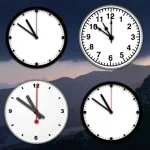 Create Customizable Analog Clocks With JavaScript – MagicClock
 7-Segment LED Clock in JavaScript with SVG – Digital Clock
 Stylish Digital Clock Made With JavaScript And TailwindCSS
 Multiple Timezone Analog Clocks – shonir-analog-clock
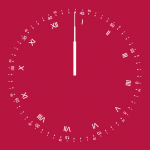 Convenient Analog Clock With JavaScript And SVG – Uptime
Its really great tutorial to use .
If you have to implement and show more than two analog clocks on single page then please visit :
https://github.com/php-dedicated-developers/world-clock