


Social Share Buttons is a lightweight JavaScript library that adds modern social sharing functionality to your websites and web apps.
It’s built to be completely self-contained, with zero dependencies on frameworks like React or even utilities like jQuery.
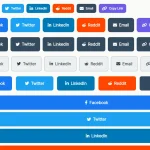
Its primary job is to render a clean, accessible, and customizable set of share buttons for current platforms, including X, Bluesky, Threads, and Mastodon, alongside the classics like Facebook and LinkedIn.
Features:
- Supports 12+ platforms, including X, Bluesky, Threads, Mastodon, Facebook, LinkedIn, Reddit, Telegram, WhatsApp, Pinterest, Email, and copy-to-clipboard
- Lightweight footprint at 3.5KB minified and tree-shakable for optimal bundle size
- Complete TypeScript support with full type definitions included
- Accessible markup with ARIA labels, keyboard navigation, and semantic HTML
- Built-in light and dark themes with automatic system preference detection
- Customizable platform labels, popup dimensions, and share data
- Native Web Share API integration for mobile devices
- CSS custom properties for styling and platform-specific color customization
How to use it:
1. Install social-share-buttons and import it into your project.
# NPM
$ npm install social-share-buttons
import SocialShareButtons from 'social-share-buttons';
import 'social-share-buttons/styles';
2. Or directly import Social Share Buttons’ JavaScript & CSS into the document.
<link href="dist/social-share-buttons.css" rel="stylesheet">
<script type="module">
  import SocialShareButtons from './dist/social-share-buttons.js';
</script>
3. By default, the library displays X, Facebook, and WhatsApp buttons and automatically extracts the current page’s URL, title, and metadata for sharing. This means in many cases, you can initialize it with just the container selector and get functional sharing immediately.
<div id="demo"></div>
new SocialShareButtons({
  container: '#demo'
});
4. Customize which platforms appear by possing a platforms array as follows. The library uses these platform identifiers: x, bluesky, threads, mastodon, facebook, linkedin, reddit, telegram, whatsapp, email, pinterest, and copy.
new SocialShareButtons({
  container: '#demo',
  platforms: ['x', 'bluesky', 'threads', 'mastodon', 'facebook', 'linkedin']
});
5. By default, Social Share Buttons reads metadata from your page’s <meta> tags (og:description, og:image, and so on) and uses window.location.href and document.title as share data. You can override this with custom data:
document.getElementById('custom-share-btn').addEventListener('click', async () => {
  await share.share('x', {
    url: 'https://www.cssscript.com/article',
    title: 'Check This Out',
    text: 'An interesting article about web development',
    hashtags: ['webdev', 'javascript']
  });
});
6. Replace button labels with your own text, including emoji or HTML:
new SocialShareButtons({
  container: '#demo',
  platforms: ['x', 'facebook', 'copy'],
  labels: {
    x: '𝕏 Post',
    facebook: 'Share on FB',
    copy: '📋 Copy Link'
  }
});
7. By default, sharing opens a popup window (550×420). You can disable popups to open links in new tabs instead:
new SocialShareButtons({
  container: '#demo',
  popup: false
});
8. Customize popup dimensions if needed:
new SocialShareButtons({
  container: '#demo',
  popupWidth: 600,
  popupHeight: 500
});
9. For mobile-first experiences, enable the Web Share API to use native share sheets:
new SocialShareButtons({
  container: '#demo',
  nativeShare: true,
  platforms: ['x', 'facebook', 'copy'],
  onShare: (platform, success) => {
    console.log(`Shared via ${platform}: ${success}`);
  }
});
10. Customize the feedback message when a user clicks the copy button.
new SocialShareButtons({
  container: '#demo',
  platforms: ['copy'],
  labels: {
    copy: 'Copy Link',
    copied: '✓ Copied to clipboard!'
  },
  copiedDuration: 3000
});
11. You can also create sharing buttons for platforms not included by default. Each custom platform requires a name, label, a function that returns the share URL, and a brand color for styling.
new SocialShareButtons({
  container: '#demo',
  platforms: ['x', 'mycustom'],
  customPlatforms: [{
    name: 'mycustom',
    label: 'My Platform',
    getShareUrl: (data) => {
      return `https://myplatform.com/share?url=${encodeURIComponent(data.url)}`;
    },
    color: '#ff6b6b'
  }]
});
12. Set the theme during initialization. The theme option accepts three values: 'light' (default), 'dark', or 'auto'. The 'auto' setting respects the user’s system preference via prefers-color-scheme.
new SocialShareButtons({
  container: '#demo',
  theme: 'dark'
});
13. Override the default CSS variables to create your own styles:
:root {
  --social-share-buttons-bg: #ffffff;
  --social-share-buttons-text: #1a1a1a;
  --social-share-buttons-border: #e0e0e0;
  --social-share-buttons-shadow: rgba(0, 0, 0, 0.1);
  --social-share-buttons-hover: rgba(0, 0, 0, 0.05);
  --social-share-buttons-radius: 0.5rem;
  --social-share-buttons-transition: 0.2s ease;
}
[data-theme="dark"] {
  --social-share-buttons-bg: #1a1a1a;
  --social-share-buttons-text: #ffffff;
  --social-share-buttons-border: #333333;
  --social-share-buttons-shadow: rgba(0, 0, 0, 0.3);
  --social-share-buttons-hover: rgba(255, 255, 255, 0.1);
}
/* Target specific platforms using the `data-platform` attribute: */
.social-share-button[data-platform="x"] {
  background-color: #000000;
}
.social-share-button[data-platform="bluesky"] {
  background-color: #1185fe;
}
FAQs:
Q: Does Social Share Buttons track my users?
A: No. It generates URLs and opens share dialogs, but it doesn’t send data to external servers or track user behavior.
Q: Will this work if I have a single-page application that changes URLs?
A: Yes. When you call the share() method programmatically, you can pass custom data including the URL you want shared. This lets you override the default window.location.href. For automatic behavior on route changes, you’d want to call updateOptions() or reinitialize the widget when your route changes.
Q: How do I customize the icons instead of using text labels?
A: The library uses text labels by default to stay lightweight. To add icons, you can pass HTML strings containing SVG elements into the labels option. For example: labels: { copy: '<svg>...</svg> Copy' }. You can then style the SVG with your own CSS.
Q: What happens when popups are blocked?
A: The library doesn’t detect popup blockers. If popups are blocked, shares won’t work with popup: true. Consider providing fallback behavior or using popup: false for stricter environments.
Q: When should I use nativeShare versus platform-specific buttons?
A: Use nativeShare for generic “share this page” widgets, especially on mobile. Use platform-specific buttons when you want consistent sharing experience across devices or need specific platform functionality like Twitter hashtags.
Related Resources:
See Also:
 Create Inline & Floating Social Share Bars With The Socializer.css
 Modern Social Share Buttons – Shareon.js
 Floating Social Sharing Widget with Confetti Effects – SoMuchSharing
 Social Share Buttons Plugin with Custom Popup Support – UniversalShare
 Social Sharing Libraray For Popular Social Networks – Ensemble SocialShare
 Floating Social Share Bar In Pure JavaScript – Sharerbox
 Simplify Web Page Sharing With Share URL
 Minimal Bsky Share Button In Vanilla JavaScript & Svelte