


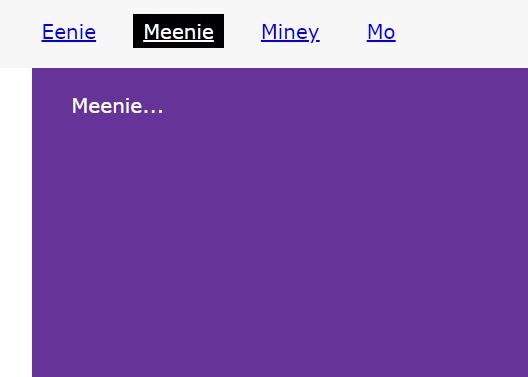
gumshoe is a lightweight (3kb minified) JavaScript scrollspy library that automatically highlights nav links to indicate the currently active section in the viewport.
How to use it:
Install & import the gumshoe.
# NPM
$ npm install gumshoejs --save
Load the gumshoe library from a CDN.
<!-- With polyfills -->
<script src="/path/to/dist/gumshoe.polyfills.min.js"></script>
<!-- Without polyfills -->
<script src="/path/to/dist/gumshoe.polyfills.min.js"></script>
Attach the gumshoe to your navigation links.
<ul id="site-nav">
  <li><a href="#1">Section 1</a></li>
  <li><a href="#2">Section 2</a></li>
  <li><a href="#3">Section 3</a></li>
</ul>
<section id="1">
  Section 1
</section>
<section id="2">
  Section 2
</section>
<section id="3">
  Section 3
</section>
const instance = new Gumshoe('#side-nav a');Apply your own styles to the active links.
#site-nav a.active {
  /* styles here */
}
The library also supports nested navigation links.
const instance = new Gumshoe('#side-nav a',{
      nested: true,
      nestedClass: 'active'
});
Set the distance from the top the library highlights the active nav links.
const instance = new Gumshoe('#side-nav a',{
      offset: 0
});
More configuration options.
const instance = new Gumshoe('#side-nav a',{
      // Active classes
      navClass: 'active',
      contentClass: 'active',
      // If true, listen for reflows
      reflow: false,
      // Event support
      events: true
});
Event handlers.
document.addEventListener('gumshoeActivate', function (event) {
  // event.target;
  // event.detail.link;
  // event.detail.content;
}, false);
document.addEventListener('gumshoeDeactivate', function (event) {
  // event.target;
  // event.detail.link;
  // event.detail.content;
}, false);
Changelog:
04/27/2019
- Fixed destroy function
See Also:
 Tiny JavaScript ScrollSpy Library for Smart Navigation Highlighting
 Vanilla Scroll Sky: Pure CSS Scrollytelling Library
 Simple ScrollSpy Plugin With Pure JavaScript
 Scrollspy & Smooth Scroll Library – scrollspy.js
 Minimal Scrollspy Library In Plain JavaScript
 Easy Pure JavaScript Scrollspy Library For Static Webpages – scrollspy.js
 Minimalist Scrollspy Implementation In Pure JavaScript
 Tiny ScrollSpy & Scroll Progress Indicator In JavaScript – Scroll Progress