


TheaterJS is a developer-friendly JavaScript text animation library to simulate a human typing and deleting something on the webpage.
How to use it:
1. Install & download the TheaterJS package.
# Yarn
$ yarn add theaterjs
# NPM
$ npm install theaterjs --save
2. Import the TheaterJS as a module.
import theaterJS from "./theaterJS";
3. Or directly load the minified version of the TheaterJS in the HTML.
<!-- From local -->
<script src="dist/theater.min.js"></script>
<!-- From CDN -->
<script src="https://cdn.jsdelivr.net/npm/theaterjs/dist/theater.min.js"></script>
4. Create a container to hold the text.
<div id="example"></div>
5. Initialize the TheaterJS library and we’re ready to go.
var theater = theaterJS();
6. Apply the TheaterJS to the container you just created.
theater.addActor('example', {
  speed: 0.8,
  accuracy: 0.6
  }, function(){
    // called on each change
})
7. Add content to the ‘Actor’.
theater
  .addScene("vader:Text To Type")
  .addScene(800) // delay
  .addScene("More Content") // append more content to the current text
  .addScene(-5) // erase 7 characters.
  .addScene(function(done) {
    // do something
    done();
});
8. Append a blinking cursor to the text while typing.
theater.
  on('type:start, erase:start', function () {
    theater.getCurrentActor().$element.classList.add('actor__content--typing');
  }).
  on('type:end, erase:end', function () {
    theater.getCurrentActor().$element.classList.remove('actor__content--typing');
  });
.actor__content--typing::after {
content: '|';
-webkit-animation: blink 500ms infinite;
animation: blink 500ms infinite;
}
@-webkit-keyframes blink {
from {
opacity: 0;
}
to {
opacity: 1;
}
}
@keyframes blink {
from {
opacity: 0;
}
to {
opacity: 1;
}
}9. Possible options to config the TheaterJS.
var theater = theaterJS({
    // Determine whether to autoplay on page load
    autoplay: true,
    // Determine which keyboard to use when typing random characters
    locale: 'detect',
    // config typing/deleting animations
    "minSpeed": {
      "erase": 80,
      "type": 80
    },
    "maxSpeed": {
      "erase": 450,
      "type": 450
    }

});
10. More API methods.
// play
theater.play();
// replay
theater.replay();
// stop
theater.stop();
// get current content
theater.getCurrentSpeech();
// get current container
theater.getCurrentActor();
See Also:
 Advanced Typewriter Animation Library – TypeFX.js
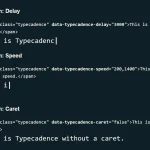 Natural Typing Animations In JavaScript – Typecadence
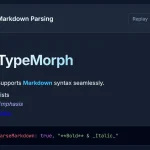 Text Typing Animations with Real-time Markdown/HTML Rendering – TypeMorph
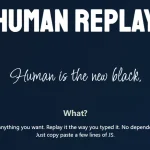 Create Realistic Typing Animations With Human Replay
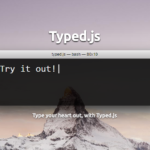 Highly Configurable Text Typing Library – typed.js
 Create Smooth Looping Typewriter Effects with Typewriter.js
 Easy Text Typing and Deleting JavaScript Library – TextScript.js
 Add Typing Animations to Your Site with Typing.js