


svg-text-animate.js is a JavaScript library to animate text by drawing the SVG strokes defined in an SVG font.
How to use it:
1. Download and insert the svg-text-animate.js library into the document.
<script src="/dist/svg-text-animate.min.js"></script>
2. Create a new SVGTextAnimate instance and specify the path to the SVG font.
var instance = new SVGTextAnimate("/path/to/my-font-webfont.woff");3. Load the SVG font.
instance.setFont();
4. Create a container in which you’d like to place the text animation.
<div id="demo"></div>
5. Create the SVG stroke animation and define the text to animate.
opensans.create("CSSSCRIPT", "#demo");6. Config the animation using the following parameters:
var instance = new SVGTextAnimate("/path/to/my-font-webfont.woff",{
    // duration of animation
    "duration": 1000,
    // easing function
    "timing-function": "linear",
    // specifies the number of times an animation should be played
    "iteration-count": 1,
    // animation-fill-mode CSS property
    "fill-mode": 'forwards',
    // defines whether an animation should be played forwards, backwards or in alternate cycles
    "direction": "normal",
    // specifies a style for the element when the animation is not playing (before it starts, after it ends, or both)
    "fill-mode": "forwards",
    // time to wait before animating text
    "delay": 0,
    // or "onebyone", "delay"
    "mode": "sync"
});
7. Customize the strokes.
var instance = new SVGTextAnimate("/path/to/my-font-webfont.woff",{
    // options here
},{
    stroke-width: "1px",
    stroke: "#000",
    font-size: 55
});
8. Or create the animation using the setOptions and setStrokes methods.
opensans.setOptions({
  "duration": 500,
  "timing-function": "linear",
  "direction": "normal",
  "fill-mode": "forwards",
  "delay": 50,
  "mode": "sync"
}).setStroke({
  "stroke": "white",
  "stroke-width": "2px",
  "font-size": 23
}).create("CSSSCRIPT", "#demo");
9. Add an SVG animation from the given string and inserts it into the DOM of the selector.
opensans.add("CSSSCRIPT", "#anotherElement");Changelog:
v1.4.1 (01/01/2026)
- Refactor to Typescript
v1.4.0 (08/28/2020)
- add fill option
v1.3.3 (09/09/2022)
- Update dependencies and rebuild
v1.3.0 (07/20/2020)
- Update dependencies and rebuild
v1.3.0 (12/08/2019)
- Add the SVGCreator, add a tool.
v1.2.0 (11/24/2019)
- Reorganize the code;
- Support multiple ways to produce animations;
- Add ‘add’ method;
See Also:
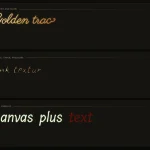 Font-Based Handwriting Text Animation for the Web – Tegaki
 Advanced Typewriter Animation Library – TypeFX.js
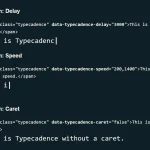 Natural Typing Animations In JavaScript – Typecadence
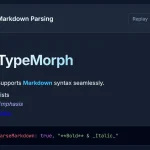 Text Typing Animations with Real-time Markdown/HTML Rendering – TypeMorph
 Text Shuffle Animation In Pure JavaScript – shuffle-text.js
 Create Scroll-Triggered Letter Animations – AniLet.js
 Pure CSS Morphing Text Effect with Gooey Transitions
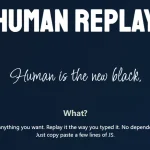 Create Realistic Typing Animations With Human Replay