


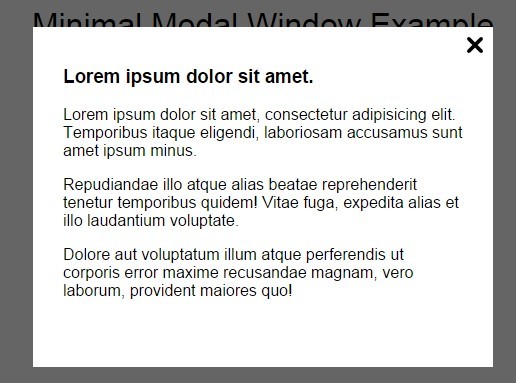
Allows you display a simple fullscreen modal overlay on your webpage. Without the need of any dependencies like jQuery library. JavaScript is required only to add/remove class when you open/close the modal window.
How to use it:
Embed custom html content into the modal window.
<div class="overlay is-hidden" id="overlay">
  <div class="modal-content">
    <span class="button-close" onclick="closeModal();"></span>
    <h3>Modal Heading</h3>
    <p>Modal Content</p>
  </div>
</div>
Create a toggle button to launch the modal window.
<a onclick="openModal();" href="#">Open modal</a>
Add your own styles to the modal window.
.is-hidden { display: none; }
.button-close {
  display: inline-block;
  width: 16px;
  height: 16px;
  position: absolute;
  top: 10px;
  right: 10px;
  cursor: pointer;
  background-image: url('data:image/png;base64,iVBORw0KGgoAAAANSUhEUgAAABAAAAAQCAYAAAAf8/9hAAAABHNCSVQICAgIfAhkiAAAAAlwSFlzAAAAowAAAKMB8MeazgAAABl0RVh0U29mdHdhcmUAd3d3Lmlua3NjYXBlLm9yZ5vuPBoAAAB5SURBVDiNrZPRCcAwCEQfnUiySAZuF8kSWeH6Yz8KrQZMQAicJ+epAB0YwAmYJKIADLic0/GPPCbQAnLznCd/4NWUFfkgy1VjH8CryA95ApYltAiTRCZxpuoW+gz9WXE6NPeg+ra1UDIxGlWEObe4SGxY5fIxlc75Bkt9V4JS7KWJAAAAAElFTkSuQmCC59ef34356faa7edebc7ed5432ddb673d');
}
.overlay {
  position: fixed;
  top: 0;
  left: 0;
  width: 100%;
  height: 100%;
  background: rgba(0,0,0,0.6);
}
.modal-content {
  padding: 20px 30px;
  width: 600px;
  position: relative;
  min-height: 300px;
  margin: 5% auto 0;
  background: #fff;
}
The core JavaScript to active the modal window.
var overlay = document.getElementById('overlay');
function openModal(){
  overlay.classList.remove("is-hidden");
}
function closeModal(){
  overlay.classList.add("is-hidden");
}
See Also:
 Sort Nested Lists With Drag And Drop – nested-sort
 Lightweight Cross-fading Carousel with Pure CSS – Galarie.css
 Material Style Text Avatar Generator – Material Avatar
 Pure CSS Text Typing Animation
 Intelligent Idle Detection With The Idleness JavaScript Library
 Smooth Anchor Page Scrolling Effect with Pure JavaScript – scrollToAnchor
 Modern Smooth Accordion In Pure JavaScript – accordion-init
 Flexible Form Input Text Format Library – Cleave.js
what browsers it supports?