


Prompt.js is a lightweight, configurable JavaScript notification library to create beautiful, cross-platform, toast-like alert popups using plain JavaScript.
How to use it:
1. Insert the Prompt.js and Prompt.css into the HTML page.
<link rel="stylesheet" href="src/prompt.css" />
<script src="src/prompt.js"></script>
2. Create a new instance of the Prompt.js and we’re ready to go.
var p = loadPrompt();
3. Create basic alert popups with pre-built types. Note that these alert popups will auto dismiss after 2 seconds.
p.success('Success Message');
p.warn('Warning Message');
p.error('Error Message');
p.inform('Information Message');
4. Create a Sticky alert popup that will always be visible until it is clicked/tapped.
var sticky = p.inform('Click Me To Remove', true);
sticky.click(function(){
  m.remove() // remove
})
5. Switch between notification types and update alert message programmatically.
var advanced = p.error('Switch After 2 Seconds',true);
setTimeout(function(){
    advanced.switch('success');
    advanced.modify('Done!')
    setTimeout(function(){
      advanced.remove()
    },2000)
},2000)
6. Clear all activated alert popups.
p.clean()
7. Config the alert popup.
p.config{
  classList: {}
  displayTime: 1690
  errorModel: DOM
  informModel: DOM
  shake: true
  successModel: DOM
  warnModel: DOM
}
See Also:
 Advanced Alert Notification System For Bootstrap 5 – AvalynxAlert.js
 Create Dynamic Draggable Alert/Confirm Popups – webcimes-modal
 Customizable Alert/Confirm Modal Library – modal-alert.js
 Lightweight JavaScript Notification System – Simple Display Alert
 Minimal Alert & Confirmation Modals in JavaScript – PopupJs.js
 Sleek Toast & Growl Alert Notification Library – Nostfly.js
 Create Custom Stylish Dialogs with SnapDialog JavaScript Library
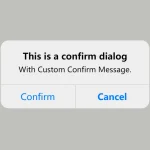 Create iOS-Style Popups & Notifications With Popup JS Library