


PopupJs.js is a lightweight JavaScript library for creating customizable alert and confirm modals in your web applications.
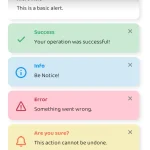
It supports various alert types, including success, error, warning, and confirmation. Each popup has appropriate styling and icons to convey the message intent intuitively.
How to use it:
1. Download and add the PopupJs.js library to your webpage.
<script src="PopupJs.js"></script>
2. The library provides four main functions to create different types of popups:
// Display a success message
showSuccess('Success message');
// Show an error notification
showError('Error Message');
// Present an information alert
showInfo('Info Message!');
// Request user confirmation
showConfirm('Are you sure ?', () => {
  alert('Confirmed')
});
Changelog:
05/04/2025
- Bugfixes
See Also:
 Create Dynamic Draggable Alert/Confirm Popups – webcimes-modal
 Customizable Alert/Confirm Modal Library – modal-alert.js
 Create Custom Stylish Dialogs with SnapDialog JavaScript Library
 Create iOS-Style Popups & Notifications With Popup JS Library
 Elegant Notification Popup JavaScript Library – Notiflix
 Simple & Stylish JavaScript Alert Notifications – SnapAlert.js
 Async, Promise-based Alert/Confirm/Prompt Dialogs – Prompts.js
 Custom Alert/Confirm/Prompt Dialogs to Replace Native Popups – SWN.js