


quick-avatar is a JavaScript avatar library that generates deterministic PNG profile images from a seed string.
You can use it to build repeatable user avatars for account menus, comment lists, dashboards, admin panels, and placeholder profile UIs where each user needs a stable image based on an ID, email, username, or database key.
The library currently includes 5 style sets of pre-rendered PNGs and supports four output formats: a base64 data URI for browser rendering, a CDN URL for zero-bundle delivery, a raw binary buffer for Node.js HTTP responses, and an absolute file path for server-side pipelines.
Features:
- Generates repeatable PNG avatars from stable text input.
- Uses illustrated avatar artwork for profile image placeholders.
- Supports browser apps, React components, and Node.js rendering paths.
- Loads only the selected image asset in browser data URI mode.
- Sends avatar images from CDN URLs for lighter frontend builds.
- Supports transparent and black and white avatar styles.
- Returns image output for markup, HTTP responses, and server image workflows.
Use Cases:
- User profile placeholders for accounts with no uploaded photo.
- Comment systems with stable avatars for anonymous users.
- Admin dashboards with consistent team member visuals.
- SaaS prototypes that need local profile images during development.
How To Use It:
Installation
Install quick-avatar with NPM:
# Install the avatar generator package.
npm install quick-avatar
Basic example for a browser app
<!-- Add an image element for the generated avatar. -->
<img id="account-avatar" width="64" height="64" alt="Account avatar" />
import { createAvatar, doteyeAlpha } from 'quick-avatar';
// Select the target image element.
const avatarImage = document.querySelector('#account-avatar');
// Use a stable account key, not a display name that may change later.
const accountSeed = 'account:48291';
// Create the avatar from the transparent Doteye set.
const avatar = createAvatar(doteyeAlpha, {
  seed: accountSeed
});
// Use a CDN image URL for the actual PNG file.
avatarImage.src = avatar.toUrl();
// Keep alt text meaningful when the avatar identifies a user.
avatarImage.alt = 'Avatar for account 48291';
toUrl() returns synchronously, so it works well for lists, menus, and SSR markup. It keeps PNG image files on the CDN path instead of inlining base64 strings into your JavaScript.
Render a list of deterministic user avatars
Use this for comment lists, team directories, and dashboards. The important detail is seed stability. Use a database ID or normalized email address when possible.
<!-- The JavaScript code renders user cards into this list. -->
<ul id="team-list" class="team-list"></ul>
import { createAvatar, doteye } from 'quick-avatar';
// Sample records that could come from your API.
const teamMembers = [
  { id: 101, name: 'Maya Chen', email: '[email protected]' },
  { id: 102, name: 'Jordan Lee', email: '[email protected]' },
  { id: 103, name: 'Amelia Grant', email: '[email protected]' }
];
// Select the list container.
const list = document.querySelector('#team-list');
// Convert each user into a stable avatar and a list item.
list.innerHTML = teamMembers
  .map((member) => {
    // Normalize the email before it becomes the seed.
    const seed = member.email.trim().toLowerCase();
    // Generate a deterministic avatar for this user.
    const avatar = createAvatar(doteye, { seed });
    // Build a standard image URL for browser rendering.
    const avatarUrl = avatar.toUrl();
    return `
      <li class="team-card">
        <img
          class="team-card__avatar"
          src="${avatarUrl}"
          width="48"
          height="48"
          alt="Avatar for ${member.name}"
        />
        <span class="team-card__name">${member.name}</span>
      </li>
    `;
  })
  .join('');
/* Basic layout for the rendered avatar list. */
.team-list {
  display: grid;
  gap: 12px;
  padding: 0;
  list-style: none;
}
/* Keep each row compact and aligned. */
.team-card {
  display: flex;
  align-items: center;
  gap: 10px;
}
/* Round the PNG image for common profile UI patterns. */
.team-card__avatar {
  border-radius: 999px;
}
React avatar component with async data URI output
Use toDataUri() when you want a base64 data URI. This is useful when you need a self-contained image string, but it runs asynchronously because the matching image chunk loads on demand.
import { useEffect, useState } from 'react';
import { createAvatar, doteyePaper } from 'quick-avatar';
type ProfileAvatarProps = {
  userKey: string;
  label: string;
};
export function ProfileAvatar({ userKey, label }: ProfileAvatarProps) {
  const [src, setSrc] = useState('');
  useEffect(() => {
    // Track the current effect cycle to avoid stale async updates.
    let active = true;
    // Create a black and white transparent avatar for this profile.
    const avatar = createAvatar(doteyePaper, {
      seed: `profile:${userKey}`
    });
    // Convert the selected PNG into a data URI.
    avatar.toDataUri().then((dataUri) => {
      if (active) {
        setSrc(dataUri);
      }
    });
    // Stop old async results after the userKey changes.
    return () => {
      active = false;
    };
  }, [userKey]);
  return (
    <img
      src={src}
      width={72}
      height={72}
      alt={`Avatar for ${label}`}
      loading="lazy"
    />
  );
}
For large React lists, prefer toUrl() when you only need image display. Data URIs can increase HTML or state payload size when you render many avatars.
Use a custom CDN base or self-hosted asset path
Use cdnBase when your app serves package assets from your own static host.
import { createAvatar, doteyeAlpha } from 'quick-avatar';
// Set the default base path for this avatar result.
const avatar = createAvatar(doteyeAlpha, {
  seed: 'tenant:northwind:user:8842',
  cdnBase: 'https://static.example.com/vendor/quick-avatar'
});
// The final URL points to your own static asset host.
const src = avatar.toUrl();
document.querySelector('#tenant-avatar').src = src;
You can also override the base path per call.
import { createAvatar, doteye } from 'quick-avatar';
// Create the avatar result once.
const avatar = createAvatar(doteye, {
  seed: 'workspace:blueprint:owner'
});
// Use a one-time URL base override.
const previewUrl = avatar.toUrl('https://preview-cdn.example.dev/quick-avatar');
document.querySelector('#workspace-avatar').src = previewUrl;
The CDN base should point to a directory that contains dist/sets/[set-name]/images/[index].png.
Node.js or SSR image endpoint
Use this when your server needs to return the selected PNG as an HTTP response or pass it into an image pipeline.
import express from 'express';
import { createAvatar, doteye } from 'quick-avatar';
const app = express();
app.get('/generated-avatars/:userId.png', (req, res) => {
  // Create a stable seed from the route parameter.
  const seed = `user:${req.params.userId}`;
  // Select the same PNG for the same seed and style set.
  const avatar = createAvatar(doteye, { seed });
  // Read the selected PNG as a Node Buffer.
  const buffer = avatar.toBuffer();
  // Send the image with the correct content type.
  res.setHeader('Content-Type', 'image/png');
  res.end(buffer);
});
app.listen(3000);
Use toFilePath() if another Node tool needs the absolute PNG path.
import { createAvatar, doteyeAlpha } from 'quick-avatar';
// Create an avatar result for the selected user.
const avatar = createAvatar(doteyeAlpha, {
  seed: 'export:customer:7301'
});
// Pass this file path into another image processor.
const pngFilePath = avatar.toFilePath();
console.log(pngFilePath);
Configuration Options
collection(AvatarCollection): Sets the imported avatar style collection.options.seed(string): Selects the avatar from any stable string such as a user ID, email, username, or database key.options.cdnBase(string, optional): Sets the default CDN base URL fortoUrl().
Available Style Sets
| Import | Name | Count | Background |
|---|---|---|---|
doteye | Doteye | 64 | White |
doteyeAlpha | Doteye Alpha | 64 | Transparent |
doteyePaper | Doteye Paper | 64 | Transparent black and white |
import {
  createAvatar,
  doteye,
  doteyeAlpha,
  doteyePaper
} from 'quick-avatar';
// Use the standard Doteye PNG set.
const solidAvatar = createAvatar(doteye, {
  seed: 'member:standard:118'
});
// Use the transparent Doteye PNG set.
const transparentAvatar = createAvatar(doteyeAlpha, {
  seed: 'member:transparent:118'
});
// Use the black and white transparent Doteye PNG set.
const paperAvatar = createAvatar(doteyePaper, {
  seed: 'member:paper:118'
});
Some package builds also export jkAlpha and jkAlphaSm. Check your installed package exports before you rely on those sets in production code.
API Methods
import { createAvatar, doteye } from 'quick-avatar';
// Create an avatar result from a collection and seed.
const avatar = createAvatar(doteye, {
  seed: 'billing-user:2048'
});
// Convert the selected PNG into a base64 data URI.
const dataUri = await avatar.toDataUri();
// Build a PNG URL from the default CDN base.
const cdnUrl = avatar.toUrl();
// Build a PNG URL from a custom CDN or self-hosted base.
const selfHostedUrl = avatar.toUrl('https://assets.example.com/quick-avatar');
// Read the selected PNG as a Buffer in Node.js.
const pngBuffer = avatar.toBuffer();
// Get the absolute file path for the selected PNG in Node.js.
const pngPath = avatar.toFilePath();
// Read the selected zero-based avatar index.
const selectedIndex = avatar.index;
// Read the collection name used for this result.
const selectedSet = avatar.set;
Alternatives:
- Seed-Based Dithered SVG Avatar Generator – dither-avatar
- Create Unique SVG Avatars in JavaScript: boring-avatars-vanilla
- Generate Pixel Avatars From Unique Identifiers: RetroAvatarGenerator
- Custom User Avatar Generator: Avatar.js
- SVG Identicon Generator In Vanilla JavaScript: Hexicon
- JavaScript and CSS Avatar Libraries
FAQs:
Q: Should I use toUrl() or toDataUri()?
A: Use toUrl() for normal browser image rendering and large lists. Use toDataUri() when your app needs an embedded base64 image string.
Q: Why does the same user always get the same avatar?
A: quick-avatar hashes the seed string and maps it to an image index in the selected collection. The seed and collection must stay the same for the visual result to stay the same.
Q: Can I use quick-avatar in React?
A: Yes. Use toUrl() for a synchronous src value or call toDataUri() inside useEffect when you need an embedded image string.
Q: Which output method should I use in a Next.js project?
A: For client components, call toDataUri() inside a useEffect. For server components and API routes, use toBuffer() or toFilePath() and serve the image from a route handler. CDN mode via toUrl() works in both contexts and avoids any file system dependency.
Q: Can I add a custom illustration set?
A: Yes. Place your PNG files in avatars/<setName>/, run npm run generate <setName>, create a collection file in src/sets/<setName>/index.ts, and export it from src/index.ts. The generate script handles base64 conversion, metadata, and copying originals to dist for CDN access.
Q: Why did an avatar change after a profile update?
A: The seed value probably changed. Use a stable ID or a normalized email address instead of a display name.
Q: Does quick-avatar handle accessibility for the image element?
A: The library returns image data or image URLs only. Add a meaningful alt value for profile avatars and an empty alt value for decorative avatars.
See Also:
 Deterministic 3D SVG Avatar Generator for JavaScript, React, and Vue – Planet Avatar
 Seed-Based Dithered SVG Avatar Generator for JS & React – dither-avatar
 Generate Random Cartoon Avatars With JS And SVG – faces.js
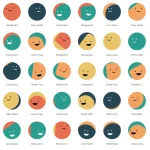 Create Unique SVG Avatars in JavaScript – boring-avatars-vanilla
 Generate Pixel Avatars From Unique Identifiers – Retro Avatar Generator
 Identicon Generator With JavaScript And Canvas/SVG – Jdenticon
 Canvas-based Geometric Identicon Generator – Identicons.js
 Generate Github-style Identicon Avatars With Squares – Squareicon