


dither-avatar is a lightweight, zero-dependency JavaScript library that generates deterministic, dithered SVG avatars from any seed string.
It helps you create repeatable user avatars for profiles, comments, dashboards, team lists, and account switchers when your app has names, emails, IDs, or usernames but no uploaded profile photos.
The package includes a React component for immediate use in component-based apps, and its core functions run in any JavaScript runtime like browsers, Node.js, and Deno.
Features:
- Generates a unique SVG avatar from any string seed.
- Create identical output for the same seed on every call.
- Returns either raw SVG markup or a base64 data URI for use as an image source.
- Applies Bayer 4×4 ordered dithering to produce a pixel-grid visual pattern.
- Derives avatar hue from a deterministic hash of the seed string.
- Zero runtime dependencies.
See it in action:
Use Cases:
- User profile placeholder avatars on a dashboard or admin panel.
- Chat participant icons generated from a user ID.
- Visual signatures for anonymized data rows in a table.
- Default identity graphics for a team’s internal tool.
How To Use It:
Install dither-avatar with npm
Use npm for Vite, Next.js, Astro, React, or any bundled JavaScript project that supports ESM imports.
npm install dither-avatar
The package exposes core JavaScript functions from dither-avatar and React components from dither-avatar/react.
Render a Raw SVG Avatar
Use this example when you want full control over where the SVG markup appears in a vanilla JavaScript view.
import { generateDitherAvatar } from "dither-avatar";
const avatarMount = document.querySelector("#profile-avatar");
const accountSeed = "customer-7842";
if (avatarMount) {
  // generateDitherAvatar returns a complete SVG string.
  const avatarSvg = generateDitherAvatar(accountSeed);
  // Insert the generated SVG into the target container.
  avatarMount.innerHTML = avatarSvg;
  // Mark the avatar as decorative when a visible username exists nearby.
  avatarMount.setAttribute("aria-hidden", "true");
}
<div class="profile-row">
  <div id="profile-avatar" class="profile-avatar"></div>
  <span class="profile-name">Morgan Lee</span>
</div>
.profile-row {
  display: flex;
  align-items: center;
  gap: 12px;
}
.profile-avatar svg {
  width: 48px;
  height: 48px;
  border-radius: 50%;
}
Use a Data URI in an Avatar List
Use a data URI when you want to place the generated avatar inside an <img> tag. This works well for lists, cards, tables, and other UI patterns that already expect image elements.
import { ditherAvatarDataUri } from "dither-avatar";
const teamMembers = [
  {
    accountId: "acct-1081",
    name: "Riley Carter",
    role: "Frontend Developer",
  },
  {
    accountId: "acct-2094",
    name: "Nora Patel",
    role: "Product Manager",
  },
  {
    accountId: "acct-3177",
    name: "Evan Brooks",
    role: "Support Lead",
  },
];
const list = document.querySelector("#team-list");
if (list) {
  teamMembers.forEach((member) => {
    // Create a list item for each team member.
    const item = document.createElement("li");
    item.className = "team-card";
    // Create a repeatable avatar from the account ID.
    const avatar = new Image();
    avatar.src = ditherAvatarDataUri(member.accountId);
    avatar.width = 40;
    avatar.height = 40;
    avatar.alt = "";
    avatar.className = "team-card-avatar";
    // Use textContent for user visible strings.
    const details = document.createElement("div");
    details.className = "team-card-details";
    const name = document.createElement("strong");
    name.textContent = member.name;
    const role = document.createElement("span");
    role.textContent = member.role;
    details.append(name, role);
    item.append(avatar, details);
    list.append(item);
  });
}
<ul id="team-list" class="team-list"></ul>
.team-list {
  display: grid;
  gap: 10px;
  padding: 0;
  list-style: none;
}
.team-card {
  display: flex;
  align-items: center;
  gap: 10px;
}
.team-card-avatar {
  border-radius: 50%;
}
.team-card-details {
  display: grid;
  gap: 2px;
}
Add Avatar Components to a User Menu
Use the React wrapper when your app already renders users through React components. The DitherAvatar component renders an <img> element and uses a generated data URI.
import { DitherAvatar } from "dither-avatar/react";
const workspaceUsers = [
  {
    id: "user-501",
    name: "Avery Stone",
    email: "[email protected]",
  },
  {
    id: "user-884",
    name: "Jordan Miles",
    email: "[email protected]",
  },
];
export default function WorkspaceSwitcher() {
  return (
    <nav className="workspace-switcher" aria-label="Workspace users">
      {workspaceUsers.map((user) => (
        <button className="workspace-user" type="button" key={user.id}>
          {/* Use a stable ID as the seed for repeatable avatar output. */}
          <DitherAvatar
            seed={user.id}
            size={44}
            className="workspace-user-avatar"
            style={{ borderRadius: "12px" }}
          />
          {/* Keep the readable user identity in normal text. */}
          <span className="workspace-user-text">
            <strong>{user.name}</strong>
            <small>{user.email}</small>
          </span>
        </button>
      ))}
    </nav>
  );
}
.workspace-switcher {
  display: grid;
  gap: 8px;
}
.workspace-user {
  display: flex;
  align-items: center;
  gap: 10px;
  padding: 8px;
  border: 1px solid #ddd;
  background: #fff;
  cursor: pointer;
}
.workspace-user-text {
  display: grid;
  text-align: left;
}
Dynamic Data Example: Cache Avatar URIs for Repeated Seeds
Use a small cache when a table or list may render the same user more than once. The library already generates compact output, but caching keeps repeated UI renders cleaner in dashboards and admin screens.
import { ditherAvatarDataUri } from "dither-avatar";
const avatarUriCache = new Map();
function getCachedAvatarUri(seed) {
  // Reuse the URI when the same seed appears again.
  if (avatarUriCache.has(seed)) {
    return avatarUriCache.get(seed);
  }
  // Generate the data URI once per seed.
  const uri = ditherAvatarDataUri(seed);
  avatarUriCache.set(seed, uri);
  return uri;
}
async function renderAssigneeTable() {
  const tableBody = document.querySelector("#assignee-table-body");
  if (!tableBody) {
    return;
  }
  // Replace this endpoint with your application route.
  const response = await fetch("/api/demo-assignees");
  const assignees = await response.json();
  tableBody.textContent = "";
  assignees.forEach((assignee) => {
    const row = document.createElement("tr");
    const avatarCell = document.createElement("td");
    const avatar = new Image();
    // Use the database ID or email as the stable avatar seed.
    avatar.src = getCachedAvatarUri(assignee.id);
    avatar.width = 32;
    avatar.height = 32;
    avatar.alt = "";
    avatarCell.append(avatar);
    const nameCell = document.createElement("td");
    nameCell.textContent = assignee.name;
    const statusCell = document.createElement("td");
    statusCell.textContent = assignee.status;
    row.append(avatarCell, nameCell, statusCell);
    tableBody.append(row);
  });
}
renderAssigneeTable();
<table class="assignee-table">
  <thead>
    <tr>
      <th>Avatar</th>
      <th>Name</th>
      <th>Status</th>
    </tr>
  </thead>
  <tbody id="assignee-table-body"></tbody>
</table>
Inline SVG for React Styling
Use DitherAvatarSVG when you need an inline SVG in a React component. The component renders SVG content through dangerouslySetInnerHTML, so the image based DitherAvatar component should remain the default choice for most user profile UIs.
import { DitherAvatarSVG } from "dither-avatar/react";
export function ProjectBadge({ projectId, projectName }) {
  return (
    <div className="project-badge">
      {/* The inline SVG keeps the avatar in the React markup tree. */}
      <DitherAvatarSVG
        seed={projectId}
        size={36}
        className="project-badge-icon"
        style={{ borderRadius: "8px" }}
      />
      {/* The visible label carries the project name. */}
      <span>{projectName}</span>
    </div>
  );
}
Implementation Tips
Use stable seed values. A database ID, username, email hash, or workspace slug works better than a display name that users can edit.
Prefer ditherAvatarDataUri() for <img> usage. It gives you a direct data:image/svg+xml,... value for src.
Prefer DitherAvatar in React user interfaces. It renders an image element and keeps generated SVG markup outside the React DOM tree.
Use DitherAvatarSVG only when inline SVG markup fits your styling or layout requirements. The component uses dangerouslySetInnerHTML, so treat it as a lower level rendering option.
Set alt="" for decorative avatars when the user name appears next to the image. Use a real text label elsewhere in the row or card.
Configuration Options and Component Props
seed(string): Sets the deterministic input for the generated avatar.size(number, optional): Sets the rendered width and height. The React components default to40.className(string, optional): Adds a CSS class to the rendered image or SVG element.style(CSSProperties, optional): Adds inline React styles. The component setsborderRadius: "50%"first, and custom style values can override it.
API Methods
import {
  generateColors,
  generateDitherAvatar,
  ditherAvatarDataUri,
  GRID,
  SIZE,
} from "dither-avatar";
// Returns matching fill and stroke colors for a seed.
const colors = generateColors("billing-admin-12");
// Returns raw SVG markup for a seed.
const svgMarkup = generateDitherAvatar("billing-admin-12");
// Returns a data URI for use in an img src attribute.
const imageSource = ditherAvatarDataUri("billing-admin-12");
// Exposes the generated SVG canvas size in pixels.
console.log(SIZE);
// Exposes the grid dimension used for the dither pattern.
console.log(GRID);
import { DitherAvatar, DitherAvatarSVG } from "dither-avatar/react";
// Renders an img element with a generated avatar data URI.
<DitherAvatar
  seed="workspace-owner-42"
  size={48}
  className="account-avatar"
  style={{ borderRadius: "10px" }}
/>;
// Renders an inline svg element with generated avatar markup.
<DitherAvatarSVG
  seed="workspace-owner-42"
  size={48}
  className="account-avatar-svg"
  style={{ borderRadius: "10px" }}
/>;
Alternatives
- Create Unique SVG Avatars in JavaScript – boring-avatars-vanilla
- Generate Deterministic PNG Avatars from Any String – quick-avatar
- Identicon Generator With JavaScript And Canvas/SVG – Jdenticon
- Pixel-Art Avatar Generator In JavaScript – Avatars
- Customizable SVG Avatar Generator In JavaScript – Avataaars.js
FAQs:
Q: Can I use this library with a CDN like jsDelivr or unpkg?
A: The library ships as an ES module. It does not include a UMD or IIFE bundle. You need a build tool or an environment that supports native ES module imports.
Q: Will the same seed always produce the same avatar?
A: Yes. The hash function is deterministic and the entire pipeline is pure computation. The same seed string produces identical SVG output on every call, in every environment, on every platform.
Q: Is it safe to use DitherAvatarSVG with user-supplied seeds?
A: The seed value is passed through a hash function and used only to derive numbers. It is never embedded into the SVG markup as a string. The XSS risk is minimal in typical use. Apply content-security policies at the application level when handling untrusted user input.
Q: How do I make the avatar circular?
A: The DitherAvatar React component applies borderRadius: "50%" by default. For vanilla JS usage, apply border-radius: 50% on the container element or the <img> tag via CSS.
Q: Does this library work in Node.js for server-side avatar generation?
A: Yes. generateDitherAvatar and ditherAvatarDataUri have no browser dependencies. Both functions run in Node.js and other server-side JS runtimes. You can generate avatar strings at request time and embed them directly in server-rendered HTML.
See Also:
 Deterministic 3D SVG Avatar Generator for JavaScript, React, and Vue – Planet Avatar
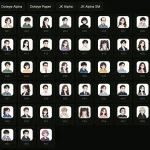 Generate Deterministic PNG Avatars from Any String – quick-avatar
 Generate Random Cartoon Avatars With JS And SVG – faces.js
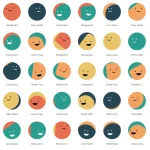 Create Unique SVG Avatars in JavaScript – boring-avatars-vanilla
 Generate Pixel Avatars From Unique Identifiers – Retro Avatar Generator
 Identicon Generator With JavaScript And Canvas/SVG – Jdenticon
 Canvas-based Geometric Identicon Generator – Identicons.js
 Generate Github-style Identicon Avatars With Squares – Squareicon