


A simple, convenient emoji picker written in pure JavaScript (ES6) that enables you to select emoji images from an autocomplete dropdown panel while typing emoji keywords.
How to use it:
Import the necessary modules into the document.
<script type='module'>
  import picker from './src/index.js'
  import fetchJSON from './src/fetchJSON.js'
</script>
Prepare your emoji data in a JSON file.
// emoji data
{"100":"?","1234":"?", ...}
Attach the emoji picker to an input field you specify.
<input type='text' class='input'>
fetchJSON('./src/emoji.json').then(emoji => picker('.input', emoji))Style the emoji picker using your own CSS.
.input {
  font-size: 30px;
  font-family: "segoe ui emoji", sans-serif;
  width: 80%;
  max-width: 600px;
  letter-spacing: 1px;
  border-radius: 6px;
  padding: 10px;
  border: 3px solid grey;
  outline: none;
  margin-bottom: 6px;
}
.input:focus {
  border-color: hotpink;
}
.emoji {
  width: auto;
  display: inline-block;
  font-size: 30px;
  padding: 4px 8px;
  margin: 4px;
  border-radius: 6px;
  border: 2px solid grey;
  cursor: pointer;
}
.emoji:first-child {
  margin-left: 0;
}
.emoji:hover {
  border-color: hotpink;
}
See Also:
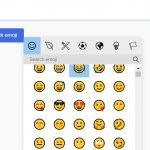
 Lightweight Emoji Picker with Search – Faceclick
 Customizable JavaScript Emoji Picker – vanillaEmojiPicker.js
 Convenient Emoji Picker In Vanilla JavaScript – Picmo
 Minimal Emoji Picker With Vanilla JavaScript – Emoji Popover
 Tiny Emoji Picker In Pure JavaScript – EmojiButtonList.js
 Convert Text Emoticons to Emoji – smile2emoji
 Replace Emojis with Crisp SVG Images with Nomoji JS Library
 Fix Broken Emojis with Emoji-Fallback.js Library