


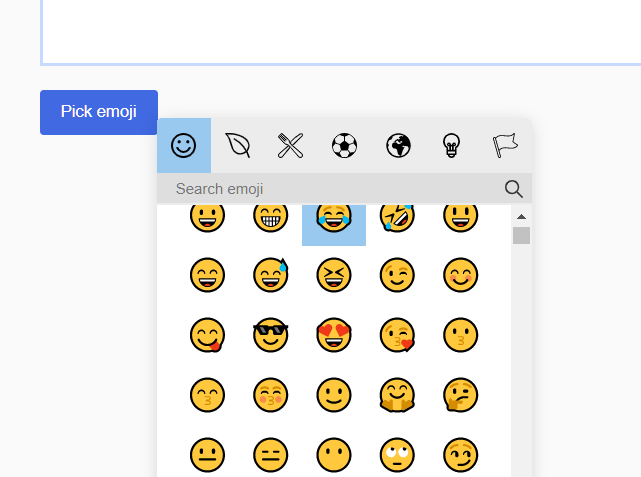
vanillaEmojiPicker.js (previously named fgEmojiPicker.js) is a customizable, nice-looking emoji picker implemented in vanilla JavaScript.
Features:
- You can attach the emoji picker to any element.
- All emoji are defined in a JSON file.
- You can add/remove emoji by editing the JSON.
How to use it:
1. Load the vanillaEmojiPicker.js on the HTML page.
<script src="vanillaEmojiPicker.js"></script>
2. Initialize the emoji picker and determine the trigger element as follows:
new EmojiPicker({
    trigger: [
        {
          selector: '.trigger',
          insertInto: ['.demo'] // '.selector' can be used without array
        },
    ],
});
4. Determine whether to show a close button inside the emoji picker.
new EmojiPicker({
    trigger: [
        {
          selector: '.trigger',
          insertInto: ['.demo'] // '.selector' can be used without array
        },
    ],
    closeButton: true,
});
5. Determine whether to close the emoji picker after selected
new EmojiPicker({
    trigger: [
        {
          selector: '.trigger',
          insertInto: ['.demo'] // '.selector' can be used without array
        },
    ],
    closeOnSelect: true,
});
6. Set the background color of the buttons.
new EmojiPicker({
    trigger: [
        {
          selector: '.trigger',
          insertInto: ['.demo'] // '.selector' can be used without array
        },
    ],
    specialButtons: 'green',
});
Changelog:
09/28/2024
- Fix the drag button and add mobile support for dragging.
10/25/2023
- dispatch “input” event and added closeOnSelect option
01/09/2022
- v2.0.1: fix text selection bug
12/12/2021
- v2.0
04/17/2021
- close button is true by default
03/18/2021
- fix multiple emoji bug
03/16/2021
- focus on emoji position
03/09/2021
- remove on escape btn
03/06/2021
- html to node with DOMParser
01/02/2020
- close on escape key
12/30/2020
- insertInto option, put emoji into cursor position
12/19/2020
- JS update
09/05/2020
- update events
See Also:
 Lightweight Emoji Picker with Search – Faceclick
 Convenient Emoji Picker In Vanilla JavaScript – Picmo
 Minimal Emoji Picker With Vanilla JavaScript – Emoji Popover
 Tiny Emoji Picker In Pure JavaScript – EmojiButtonList.js
 Emoji Picker With Autocomplete In JavaScript
 Convert Text Emoticons to Emoji – smile2emoji
 Replace Emojis with Crisp SVG Images with Nomoji JS Library
 Fix Broken Emojis with Emoji-Fallback.js Library
How to disable trigerring of the emoji button on clicking Return key?
Great script, very lightweight and easy to use! You have keywords in the JSON-file but you only search in the names. I made some changes to fix it:
In line 176 I made the search term lowercase to make the search case-insensitive:
const val = e.target.value.toLowerCase();
In line 181 I changed data-name to data-keywords
In line 616 I added this to every to search in name AND keywords: data-keywords=”${item.description.toLowerCase()} ${item.keywords.join(” “).toLowerCase()}”
Now you should find “rofl” or “germany” which did’nt work before.
How to setup multiple emoji picker with multiple input on same page?
I would be interested by this as well