


MsgPop is a simple, zero-dependency JavaScript notification plugin that lets you display nice, clean and customizable growl-style messages on the screen.
How to use it:
Include the MsgPop’s files along with the Font Awesome iconic font on the webpage.
// CSS Files
<link href="/path/to/font-awesome.min.css" rel="stylesheet">
<link rel="stylesheet" href="css/msgPop.css">
// JS Files
<script src="js/msgPop.js"></script>
The JavaScript to show a basic ‘Success’ notification message on the screen.
MsgPop.open({
  Type:"success",
  Content:"Your content here!"
});
Global Settings.
// toggle full screen messages or small
MsgPop.displaySmall = true;
// "top-left", "top-right", "bottom-left" or "bottom-right"
MsgPop.position = "top-right";
// number of messages to display before showing the "Load More" button
MsgPop.limit = 4
// number of milliseconds all animated effects take to complete
effectSpeed = 350
Message settings and callback functions.
MsgPop.open({
  // (message : success : error : warning)
  Type: "message",
  // (force : auto) -- force: user will have to click to close
  AutoClose: true,
  //  only applies to auto. Sets the timer in milliseconds before box closes
  CloseTimer: 7000,
  // (true : false) -- true: user clicks anywhere on message to close -- false: user must click "X" to close
  ClickAnyClose: true,
  // (true : false) -- show / hide close button
  HideCloseBtn: false,
  // Fires when the message has fully opened
  BeforeOpen: null,
  // Fires when the message begins opening
  AfterOpen: null,
  // Fires when the message begins to close
  BeforeClose: null,
  // Fires when the message has closed
  AfterClose: null,
  // Show / Hide icon next to message
  ShowIcon: true,
  // Sets message ID for this specific call
  MsgID: msgPopMessageID,
  // Adds additional css classes to the message
  CssClass: "",
  // Default Icon
  Icon: null

});
See Also:
 Lightweight Toast & Growl Notifications Inspired by macOS – Toastify
 Customizable Growl/Toast Alerts with LocalNotification.js
 Auto-dismissable Notification Popup With Progress Bar – Notification.js
 Simple Interactive Snackbar & Toast Notification In Vanilla JavaScript – notifyjs
 Sleek Toast & Growl Alert Notification Library – Nostfly.js
 Customizable Stackable Toast & Growl Notification Library – yetialerts
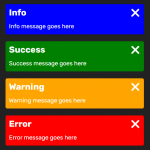 Growl-style Sliding Notification Library – PNT.js
 Lightweight Notification Popup JavaScript Library – X-Notify