


Notification.js is a JavaScript notification library for displaying customizable, dismissable, sliding notification popups just like Growls and Toasts.
It lets the user define custom locations where a notification popup will appear and it also allows showing a progress bar while the notification is being loaded.
It can also dismiss itself after a given timeout or when the user clicks on it, which is great for making sure the notification doesn’t stay visible for too long.
How to use it:
1. Load the stylesheet notification.css and JavaScirpt notification.js in the document.
<link rel="stylesheet" href="notification.css" />
<script src="notification.js"></script>
2. Display a basic notification popup on the screen.
const notification = new Notification({
  text: 'Notification Message',
});
3. Set the position of the notification.
- top-left
- top-center
- top-right (default)
- bottom-left
- bottom-center
- bottom-right
const notification = new Notification({
  text: 'Notification Message',
  position: 'top-center',
});
4. Specify the notification type: ‘default’, ‘success’, ‘error’, or ‘info’
const notification = new Notification({
  text: 'Notification Message',
  type: 'default',
});
5. Apply your own styles to the notification.
const notification = new Notification({
  text: 'Notification Message',
  style: {
    background: '#222',
    color: '#fff',
    transition: 'all 350ms linear',
    // more CSS styles here
  },
});
6. Set the time to wait before auto-dismissing. Default: 3000ms.
const notification = new Notification({
  text: 'Notification Message',
  autoClose: 5000,
});
7. Determine whether the notification can be closed by clicking the close button. Default: true.
const notification = new Notification({
  text: 'Notification Message',
  canClose: false,
});
8. Enable/disable and customize the progress bar, which is used to indicate how many times left the notification dismisses itself.
const notification = new Notification({
  text: 'Notification Message',
  showProgress: true,
  pauseOnHover: true,
  pauseOnFocusLoss: true,
});
9. Perform a function after the notification is closed.
const notification = new Notification({
  text: 'Notification Message',
  onClose: () => {},
});
10. Update the notification popup.
notification.update({
  // new options here
});
Changelog:
04/06/2025
- add support for notification types (default, success, error, info)
03/18/2025
- add onClose callback
07/16/2024
- Removed onClose function
02/16/2023
- CSS Update
See Also:
 Lightweight Toast & Growl Notifications Inspired by macOS – Toastify
 Customizable Growl/Toast Alerts with LocalNotification.js
 Simple Interactive Snackbar & Toast Notification In Vanilla JavaScript – notifyjs
 Sleek Toast & Growl Alert Notification Library – Nostfly.js
 Customizable Stackable Toast & Growl Notification Library – yetialerts
 Lightweight Notification Popup JavaScript Library – X-Notify
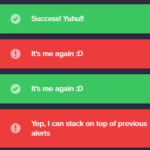 Growl And Toast Style Alert Notification Library – Notyf
 Feature-rich Web Notification Library – AST-Notif