


Darkmode.js is a native JavaScript to check and set browser/OS dark mode in an easy way.
How to use it:
1. Install the package.
# NPM
$ npm install @kazzkiq/darkmode --save
2. Import the following modules from the package.
import * as DarkMode from '@kazzkiq/darkmode';
// or
import { setDark, isDark, isDarkLocal, onUpdate } from '@kazzkiq/darkmode';
3. Or load the UMD version of the Darkmode.js in the document.
<script src="/path/to/dist/darkmode.umd.js"></script>
4. Check if the browser is in dark mode. Returns true or false.
// based on browser/OS settings
const isDarkMode = isDark();
// based on local storage
const isDarkMode = isDarkLocal();
5. Set/reset the dark mode.
// use dark mode
setDark(true);
// reset
setDark(false);
6. Fire an event when you toggle dark mode.
onUpdate((isDark) => {
  // do something
});
See Also:
 Minimal Automatic Dark Mode Library – Umbra
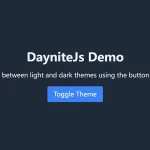 Smooth Dark & Light Mode Toggling Library for Web App – DayniteJS
 Customizable Dark Mode Toggle Component In TypeScript
 Auto and Manual Dark Mode Switch in JavaScript – dark-light-toggle
 Implement System-Aware Dark Mode with ThemeToggle.js
 Toggle Between Dark & Light Modes With The Theme Toggle Web Component
 Automatic Dark Mode Switching For Bootstrap 5
 Minimalist Dark Mode Solution – lightDarkTheme