


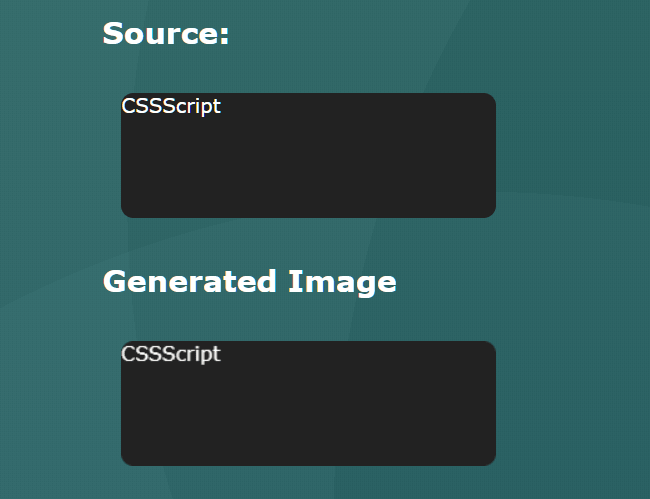
A JavaScript library that helps developers convert any HTML element into an image using HTML5 Canvas and SVG API.
How It Works:
- Converts DOM nodes into Data URL
- Loads data URL into an Image
How To Use It:
1. Install and import the nodeToDataURL module.
# Yarn
$ yarn add html-element-to-image
# NPM
$ npm install html-element-to-image --save
import nodeToDataURL from 'html-element-to-image'
2. Or load the UMD version of the library in the document.
<script src="dist/index.umd.min.js"></script>
3. Create an empty img tag for the image generated by the nodeToDataURL.
<img id="target" />
4. Generate an image from any HTML node you define.
const visualSource = document.getElementById('container')
const imageTarget = document.getElementById('target')
nodeToDataURL({
  targetNode: visualSource
})
  .then((url) => {
  imageTarget.setAttribute('src', url);
})
5. Excluded specified nodes when converting.
nodeToDataURL({
  excludedNodes: const excluded = document.querySelectorAll('.excluded-element')
})
6. Override the default CSS styles when converting.
nodeToDataURL({
  customStyle: '.element { background: red; }'
})
Changelog:
v2.2.0 (08/04/2023)
- Update
See Also:
 Lightweight Pure JavaScript Tabs With URL Persistence – Tabzy.js
 Progressively Load Images & Iframes Using Plain JavaScript – ProgressiveMedia
 Simple Flexible Modal Library – Lite Modal
 Fullscreen Automatic Slideshow with JavaScript and CSS3
 Custom Scrollbar with Vanilla JavaScript – vanillaScroll
 Native Javascript Growl Notification Library – Vanilla Notify
 Smooth JavaScript DOM Animation Library – velvet
 Cookies-enabled Exit Intent Popup Box In Vanilla JavaScript