


A modern, fast, zero-dependency JavaScript notification library for displaying toast-style notification popups on the web app.
More Features:
- Zero dependencies: Runs on vanilla JavaScript. No jQuery, no framework required.
- Lightweight and fast: The library appends its CSS to the
<head>only once, on first initialization. - Promise-based API:
Eggy()returns a promise that resolves to the toastHTMLElement. - Four positions:
top-right,top-left,bottom-right, andbottom-left. - Automatic stacking: Multiple toasts in the same position stack vertically in the order they are initialized.
- Animated progress bar: Each toast includes a CSS-animated progress bar that matches the toast’s duration.
- Custom styling: Set
styles: falseto strip the theme while keeping layout and animation styles. Then apply your own CSS.
Use Cases:
- Form submission feedback: Show a
successtoast after an async API call confirms a record was saved, or anerrortoast if the request fails. - Real-time event alerts: Trigger
infoorwarningtoasts from WebSocket message handlers to push live status updates to the user. - Admin dashboard notifications: Display
warningorerrortoasts on data validation failures in CMS or back-office tools. - Progressive web apps (PWAs): EggyJS is ideal for offline-capable or framework-agnostic PWAs.
How to use it:
1. Install and import the EggyJS library.
# NPM
$ npm i @s-r0/eggy-js --save
import { Eggy } from '@s-r0/eggy-js';2. Or download the eggy.js package and place it in your project. Then import it directly.
Note: You do not need to link any CSS file. EggyJS appends all required styles to
<head>automatically on first use.
import { Eggy } from './path/to/eggy.js';import { Eggy } from './js/eggy.js';3. Display a basic toast popup on the screen.
Eggy({
  title:  'Toast Title',
  message:  'Toast Message',
});
// or asynchronously
await Eggy({
  title: 'Toast Title',
  message: 'Toast Message',
});
4. Set the position of the toast popup.
- ‘top-right’ (default)
- ‘top-left’
- ‘bottom-right’
- ‘bottom-left’
await Eggy({
  title: 'Toast Title',
  message: 'Toast Message',
  position: 'top-right',
});
5. Set notification type
- ‘success’ (default)
- ‘warning’
- ‘info’
- ‘error’
await Eggy({
  title: 'Toast Title',
  message: 'Toast Message',
  type: 'error',
});
6. Determine how long the toast popup should stay on the screen. Default: 5000ms.
await Eggy({
  title: 'Toast Title',
  message: 'Toast Message',
  duration: 3000,
});
7. Disable the default styles and then you can create your own styles and animations.
await Eggy({
  title: 'Toast Title',
  message: 'Toast Message',
  styles: false,
});
8. Determine whether to show a progress bar inside the toast popup. Default: true.
await Eggy({
  title: 'Toast Title',
  message: 'Toast Message',
  progressBar: false,
});
9. Trigger a function after the toast popup has been initialized.
Eggy().then((eggytoast) => {
  // do something
});
// or
let eggytoast = await Eggy();
eggytoast.classList.add('custom-css');
10. EggyJS stacks toasts in the same position automatically. The critical rule: toasts in the same position must be initialized synchronously using await. Two simultaneous calls to the same position will overlap and only one will be visible.
async function showQueuedNotifications() {
  // These two fire in the top-right corner, stacked vertically
  await Eggy({ title: 'Step 1 Complete', type: 'success' });
  await Eggy({ title: 'Step 2 Running', type: 'info' });
  // These two fire in the bottom-left corner, independently stacked
  await Eggy({ title: 'Warning A', type: 'warning', position: 'bottom-left' });
  await Eggy({ title: 'Warning B', type: 'error', position: 'bottom-left' });

}
Alternatives:
Changelog:
v1.3.6 (03/03/2026)
- Bugfixes
See Also:
 Cyberpunk Toast Notifications with Glitch Effects – CyberToast.js
 Material Design Toast & Snackbar Library with Action Buttons – MiniSnackbar
 Developer-Friendly Toast Alerts in JavaScript – Toast-JS
 Sonner-Style Stacked Toast Notifications in JavaScript – Toastry
 Framework-Agnostic Toast Notifications with TypeScript – NotifyX
 Advanced Toast/Tooltip/Popover/Confirm/Modal Notification Library – toast-anchor
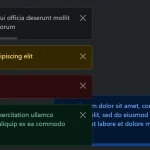 Advanced Alert Notification System For Bootstrap 5 – AvalynxAlert.js
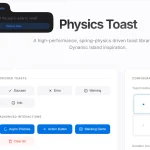 SVG Gooey Toast Notification Library – Physics Toast