


ep.js (previously called progre(c)ss) is a pure JavaScript/CSS solution that enables you to create various types of progress bars using Html5 progress element and CSS3 animations.
How to use it:
1. Load the core JavaScript and CSS in the head section of your web page.
<link rel="stylesheet" href="dist/ep.css" />
<script src="dist/ep.js"></script>
2. Create an HTML progress element on the page and determine the current percentage using the value attribute:
// 75%
<progress value="75"></progress>
// complete (100%)
<progress data-complete="true"></progress>
// pause
<progress data-pause="true"></progress>
3. Determine the position of the progress bar with the following CSS classes:
- ep–top
- ep–bottom
- ep–fixed
<progress class="ep--top ep--fixed"></progress>
4. Spread a progress bar out from the middle instead.
<progress value="75" class="ep--spread"></progress>
5. Create a countdown bar.
<progress data-timer="5"></progress>
6. Simulate or mock progress using the following data attributes:
<progress data-simulate="true"></progress>
<progress data-mock="4"></progress>
<progress data-staggered-mock="4"></progress>
7. Override the default progress styles.
progress {
  background: #222;
}
progress::-moz-progress-bar {
  background: #222;
}
progress::-webkit-progress-bar {
  background: #222;
}
progress::-webkit-progress-value {
  background: #222;
}
8. You can also render the progress bar via JavaScript:
const el = document.getElementById('container');
const myBar = new ep(el);
9. Public methods.
myBar.set(23, afterSetFunction);
myBar.complete(onCompleteFunction);
myBar.setPosition(['top', 'fixed']);
myBar.simulate();
myBar.reset();
myBar.increase();
myBar.decrease(25);
myBar.setPosition();
myBar.setSpread(true);
myBar.setSpread(false);
Changelog:
v2.0.6 (07/19/2018)
- Bugfix
See Also:
 Pure CSS Progress Bar Library with Custom Themes – progress-bar.css
 Modern TypeScript Progress Bar Library – BProgress
 3D Liquid Progress Bar in Pure CSS/CSS3
 Easy Scroll Position Tracking – ScrollProgress.js
 Visualize Progress Data With Animated, Circular Progress Bars – ProgressJS
 Radial Progress Indicator For Click-and-hold Actions – HoldCircleJS
 Simple Scroll Progress Indicator For Long Pages – PageBar.js
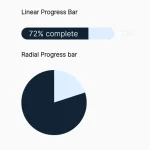 Generate Linear & Radial Progressbars Using CSS – Progress.css