


The checkforce.js JavaScript library helps you check the password strength by test the length, letters, numbers, special characters you typed in a password field.
Also provides a visual feedback that displays the current password strength (weak, normal, strong) with a progress bar.
Compatible with Bootstrap 4 and Materialize framework.
How to use it:
Download and import the checkforce’s files.
# NPM
$ npm install checkforce.js --save
<link rel="stylesheet" href="css/checkforce-style.css">
<script src="checkforce.min.js"></script>
Create an empty container next to the password field that will display the feedback of the password strength.
<input type="text" id="password">
<div class="feedback"></div>
Initialize the checkforce.js on the password field and done.
var render = document.querySelector('.feedback');
CheckForce('#password').checkPassword(function(response){
  render.innerHTML = response.content;
});
Enable Bootstrap or Materialize theme.
CheckForce('#password',{
  BootstrapTheme:true
}).checkPassword(function(response){
  render.innerHTML = response.content;
});
CheckForce('#password',{
  MaterializeTheme:true
}).checkPassword(function(response){
  render.innerHTML = response.content;
});
Changelog:
v2.3.0 (12/05/2018)
- change function size and letters fn 8 2018
See Also:
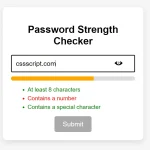 Vanilla JS Password Strength Checker for Better Form Security
 Vanilla JavaScript Password Visibility Toggler For Bootstrap
 Minimal Strong Password Generation for JavaScript – sspg.js
 Enhance Password Fields with Custom Web Components
 Unstyled One-time Password Input In JavaScript – OTP Input
 Advanced Password Strength Tester In JavaScript
 One-time Password Input With Vanilla JavaScript – otp-input.js
 Check Strength Of Your Passwords – PWStrength