


Two Direction Sticky Sidebar is a pure JavaScript utility that implements bi-directional sticky sidebar behavior in your web page:
- When the sidebar fits inside the viewport, it sticks at the top as expected.
- When the sidebar content is taller than the viewport, it scrolls in sync with the user’s direction and locks to either the top or bottom edge of the screen once content runs out.
Features:
- Creates a sticky sidebar for long content pages.
- Supports two-way sidebar scroll behavior.
- Keeps tall sidebar content accessible during page scroll.
- Sets custom top spacing.
- Sets custom bottom spacing.
- Disables sticky behavior on small screens.
- Updates sidebar positioning after live option changes.
- Uses native browser APIs.
- Supports legacy sticky markup.
- Refreshes layout metrics after resize.
How to use it:
1. Include the Two Direction Sticky Sidebar’s JavaScript on the page.
<script src="sticky-sidebar.min.js"></script>
2. Add the data-sticky-sidebar attribute to your sidebar. The script queries for this attribute on initialization.
<aside data-sticky-sidebar>
  <nav>
    <a href="/articles">Articles</a>
    <a href="/tutorials">Tutorials</a>
    <a href="/tools">Tools</a>
  </nav>
</aside>
3. Pass configuration directly in HTML. All available HTML data attributes:
data-top-gap(integer or"auto"): Margin in pixels between the top of the viewport and the sidebar during sticky mode. Defaults to0. Pass"auto"to use the sidebar’s computed document offset on page load.data-bottom-gap(integer): Margin in pixels between the bottom of the viewport and the sidebar. Defaults to0.data-mobile-width(integer): Screen width in pixels at or below which the sticky effect turns off. Defaults to0, meaning sticky stays active at all viewport widths.
<aside
  data-sticky-sidebar
  data-top-gap="120"
  data-bottom-gap="32"
  data-mobile-width="1024">
  <!-- sidebar content -->
</aside>
Alternatives:
FAQs:
Q: Does this library work with multiple sidebars on the same page?
A: No. The library works only the first matching element it finds.
Q: The sidebar snaps to an incorrect position when the page loads. How do I fix this?
A: This usually happens when the sidebar sits below a fixed header. Set data-top-gap="auto" to tell the script to calculate the initial offset from the sidebar’s actual position in the document.
Q: Can I update the gap values after the page has loaded?
A: Yes. Update data-top-gap or data-bottom-gap directly on the element via JavaScript. The MutationObserver inside the script detects attribute changes and reinitializes with the new values automatically.
Q: Does the sticky behavior break inside CSS Grid or Flexbox layouts?
A: No. The script sets position: sticky and height: fit-content on the sidebar element. These apply correctly inside flex and grid containers as long as the sidebar’s parent container is taller than the sidebar itself.
Q: What happens if data-mobile-width is not set?
A: Sticky behavior stays active at all viewport widths. Set it to a pixel value such as 1024 to disable the effect on screens narrower than that breakpoint.
See Also:
 Multi-Direction Offcanvas Drawers with Smooth Sliding Animations
 Create Mobile-First Side Menus with SlideReveal.js Library
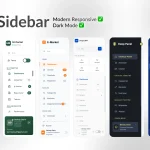 6 Modern Responsive Sidebar Navigation Components for TailwindCSS
 Simple Sidebar Hamburger Menu In CSS
 Expanding Sidebar Navigation With JavaScript And CSS
 Responsive Sidebar Navigation With Hamburger Toggle Button
 Off-canvas Accordion Menu With Bootstrap 5
 Small Sticky Sidebar In Vanilla JavaScript – FloatSidebar.js