


SoloAlert is a JavaScript library for creating responsive, beautiful popup boxes (like alert, confirm, and prompt dialog boxes) as seen on Google Android (Material Design).
How to use it:
1. Install & download the package with NPM.
# NPM
$ npm i soloalert --save
2. Insert the SoloAlert library into the document.
<script src="index.js"></script>
<!-- Or From A CDN -->
<script src="https://unpkg.com/soloalert"></script>
3. Create an alert dialog box.
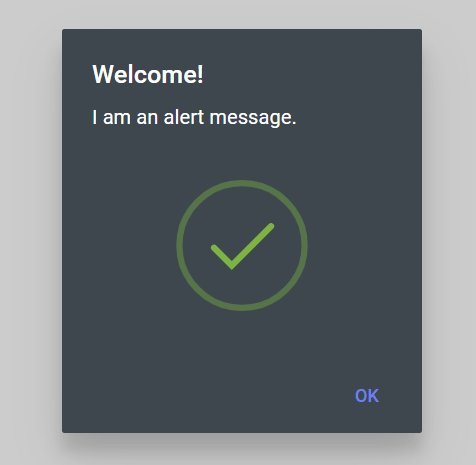
SoloAlert.alert({
  // dialog title
  title: "Title",
  // dialog content
  body: "",
  // success, warning, or, error
  icon: "",
  // or "light", "dark"
  theme: "auto",
  // additional HTML content
  html: "",
  // whether the backdrop backgound is semi-transparent
  useTransparency: false,
  // callback functions
  onOk: function () { },

});
4. Create a confirmation dialog box.

SoloAlert.confirm({
  // dialog title
  title: "Title",
  // dialog content
  body: "",
  // or "light", "dark"
  theme: "auto",
  // additional HTML content
  html: "",
  // whether the backdrop backgound is semi-transparent
  useTransparency: false,
  // callback functions
  onOk: function () { },
  onCancel: function () { },
}).then(value => {
  // do something
})
5. Create a prompt dialog box.
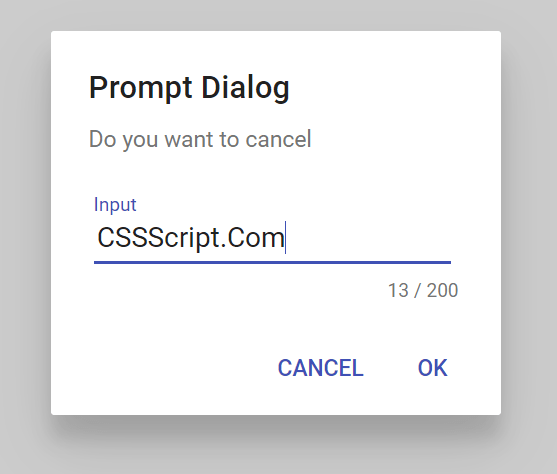
SoloAlert.prompt({
  // dialog title
  title: "Title",
  // dialog content
  body: "",
  // input type
  type: "number",
  // max number of characters
  textLimit: 100,
  // or "light", "dark"
  theme: "auto",
  // additional HTML content
  html: "",
  // whether the backdrop backgound is semi-transparent
  useTransparency: false,
  // callback functions
  onOk: function () { },
  onCancel: function () { },
  onInput: function () { },
})
Changelog:
v1.1.10 (09/01/2021)
- some feature updates
v1.1.2 (08/31/2021)
- some feature updates
See Also:
 Pure JavaScript Toast & Dialog Popup Library – Alerty
 Create Custom Stylish Dialogs with SnapDialog JavaScript Library
 Create iOS-Style Popups & Notifications With Popup JS Library
 Async, Promise-based Alert/Confirm/Prompt Dialogs – Prompts.js
 Custom Alert/Confirm/Prompt Dialogs to Replace Native Popups – SWN.js
 JavaScript Wrapper For Bootstrap 5 Modals – Modbox
 Create & Manage Bootstrap 5 Modals Using use-bootstrap-dialog JS Library
 Beautiful & Functional Custom Dialogs In JavaScript – Dialog-JS
I’m a webmaster too. Politicians are making up these annoying cookie laws, at the same time they seem to have no idea what they are doing and that everyone on the Internet will be forced to click on these annoying cookie popups.
Thanks for the bit of code tho! I bookmarked your site, you seem to post lots of interesting CSS stuff.