


Alerty is a tiny, easy, dependency-free JavaScript library that helps you create Material Design-styled alert/confirm/prompt dialog popups and toast notifications on the screen. Compatible with RequireJS and SeaJS.
How to use it:
Add the following required files to the HTML page.
<link rel="stylesheet" href="css/alerty.css">
<script src="js/alerty.js"></script>
Create an alert dialog using alerty.alert method.
// alerty.alert(content, opts, onOk)
alerty.alert('Alert Message', {
  title: 'Info',
  time: 3000
}, function(){alert('callback')})
Create a confirm dialog using alerty.confirm method.
// alerty.confirm(content, opts, onOk, onCancel)
alerty.confirm(
  'Are you sure?',
  {title: 'Notes', cancelLabel: 'Cancel', okLabel: 'Confirm'},
  function(){
    alerty.toasts('this is ok callback', {place: 'top'})
  },
  function() {
    alerty.toasts('this is cancel callback')
  }
)
Create a prompt dialog using alerty.prompt method.
// alerty.prompt(content, opts, onOk, onCancel)
alerty.prompt('this is a prompt dialog',
  {inputType: 'text', inputPlaceholder: 'fill the blank', inputValue: 'default value'},
  function(value){
    alerty.alert('value you typed is: <b>'+value+'</b>')
}, function(){alert('cancel callback')})
Create a toast-style notification message using alerty.toasts method.
// alerty.toasts(content, opts, callback)
alerty.toasts('Toast Message', {
  bgColor: '#ccc',
  fontColor: '#000'
}, function(){alert('toasts callback')})
Changelog:
v0.0.2 (09/15/2022)
- Bugfix
See Also:
 Create iOS-Style Popups & Notifications With Popup JS Library
 Build Interactive Customizable Popups And Alerts with AsPopup.js
 Lightweight Customizable Modal and Alert Library – SilverBox.js
 Beautiful Dialog Box Library Inspired By Material Design – SoloAlert
 Pretty Non-blocking Dialog Popup JavaScript Plugin – Prompt-Boxes
 Create Custom Stylish Dialogs with SnapDialog JavaScript Library
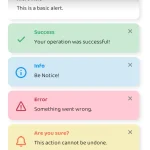 Simple & Stylish JavaScript Alert Notifications – SnapAlert.js
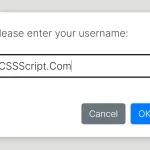 Async, Promise-based Alert/Confirm/Prompt Dialogs – Prompts.js