


A simple, flexible, elegant, customizable growl notification library built using pure JavaScript.
Features:
- 3 themes.
- 5 notification types: default, success, error, warning, info.
- Custom notification images.
- Action buttons with callbacks.
- Slide and fade animations.
- Custom positions.
- Auto dismisses with a progress bar.
How to use it:
Load a theme CSS of your choice in the header section.
<link rel="stylesheet" href="dist/light-theme.min.css">
<link rel="stylesheet" href="dist/colored-theme.min.css">
<link rel="stylesheet" href="dist/dark-theme.min.css">
Load the minified version of the growl-notification library at the end of the document.
<script src="dist/growl-notification.min.js"></script>
Create a basic growl notification.
GrowlNotification.notify({
  title: 'Notification Title',
  description: 'Notification Description'
});
Set the notification type: default, success, error, warning, info.
GrowlNotification.notify({
  title: 'Notification Title',
  description: 'Notification Description',
  type: 'success'
});
Set the position of the growl notification: top-left, top-right (default), bottom-left, bottom-right, top-center, bottom-center.
GrowlNotification.notify({
  title: 'Notification Title',
  description: 'Notification Description',
  position: 'top-left'
});
Create a confirm notification.
GrowlNotification.notify({
  title: 'Notification Title',
  description: 'Notification Description',
  showButtons: true
  buttons: {
    action: {
      text: 'Ok',
      callback: function() {}
    },
    cancel: {
      text: 'Cancel',
      callback: function() {}
    }
  },
});
Create a temporary notification that auto dismisses after x seconds.
GrowlNotification.notify({
  title: 'Notification Title',
  description: 'Notification Description',
  closeTimeout: 3000,
  showProgress: true
});
Add a custom image to the growl notification.
GrowlNotification.notify({
  title: 'Notification Title',
  description: 'Notification Description',
  image.visible: true,
  image.customImage: 'image.png'
});
Set the open/close animations: none, slide-in, slide-out, fade-in, fade-out.
GrowlNotification.notify({
  title: 'Notification Title',
  description: 'Notification Description',
  animation.open: 'slide-in',
  animation.close: 'slide-out'
});
Set the close behavior: click, button.
GrowlNotification.notify({
  title: 'Notification Title',
  description: 'Notification Description',
  closeWith: '['click']'
});
Specify the z-index property of the growl notification.
GrowlNotification.notify({
  title: 'Notification Title',
  description: 'Notification Description',
  zIndex: 1056
});
Show/hide the growl notification programmatically.
growlNotification.show();
growlNotification.hide();
GrowlNotification.closeAll();
Set the global options.
GrowlNotification.setGlobalOptions({
  // options here
})
See Also:
 Lightweight Toast & Growl Notifications Inspired by macOS – Toastify
 Customizable Growl/Toast Alerts with LocalNotification.js
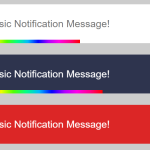 Auto-dismissable Notification Popup With Progress Bar – Notification.js
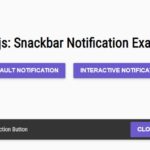 Simple Interactive Snackbar & Toast Notification In Vanilla JavaScript – notifyjs
 Sleek Toast & Growl Alert Notification Library – Nostfly.js
 Customizable Stackable Toast & Growl Notification Library – yetialerts
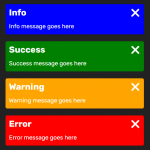 Growl-style Sliding Notification Library – PNT.js
 Lightweight Notification Popup JavaScript Library – X-Notify
Very nice plugin. Please improve it to work properly in IE11.
I can´t download it! I want it
Fixed! Seems the original author deleted the download link.
Thanks.!
Could you tell me how to use ”growlNotification.hide()” function?
thanks for create this