


TreeJSON is a lightweight interactive JSON viewer that renders JSON data into a collapsible tree structure.
It takes raw JSON data and converts it into a human-readable tree view with syntax highlighting, line numbers, and error detection.
Features
- Syntax highlighting for JSON keys and values.
- Expandable and collapsible object and array branches.
- Line numbers that track visible tree lines.
- Editable JSON input with parse-error feedback.
- Built-in light and dark themes.
- Read-only embeds with optional theme controls.
- Static HTML rendering for syntax-colored JSON.
- Deferred construction for deeply nested branches.
- Array item limits for large payloads.
- CSS custom properties for component colors.
How To Use It
Installation
Load js/treejson.js before initialization. The file injects the component CSS into <head> as soon as it runs.
<script src="js/treejson.js"></script>
For a strict Content Security Policy or an existing CSS asset pipeline, load css/treejson.css before the JavaScript file. TreeJSON detects this stylesheet and skips its internal style injection.
<link rel="stylesheet" href="css/treejson.css">
<script src="js/treejson.js"></script>
Basic Usage
Create a container and pass its selector to the TreeJSON constructor. The data option accepts an object, array, or JSON string.
<div id="api-response"></div>
<script src="js/treejson.js"></script>
<script>
  const viewer = new TreeJSON('#api-response', {
    data: {
      status: 'success',
      total: 24,
      items: ['HTML', 'CSS', 'JavaScript']
    },
    theme: 'dark'
  });
</script>
Create A Read-Only JSON Viewer
Set editable to false to remove the textarea and Format button. Set showThemeToggle to false when the page already controls its theme.
<div id="config-viewer"></div>
<script>
  const configViewer = new TreeJSON('#config-viewer', {
    data: {
      cache: true,
      retries: 3,
      endpoints: {
        primary: '/api/data',
        fallback: '/api/cache'
      }
    },
    theme: 'dark',
    editable: false,
    showThemeToggle: false
  });
</script>
Render Static Syntax-Highlighted JSON
TreeJSON.toHTML() returns formatted HTML for static JSON output. It accepts theme and indent, with light and 2 as the defaults.
const output = document.querySelector('#json-output');
output.innerHTML = TreeJSON.toHTML(
  {
    id: 42,
    active: true,
    role: 'editor'
  },
  {
    theme: 'dark',
    indent: 2
  }
);
Handle Large JSON
Interactive rendering creates DOM elements for visible tree lines. autoCollapseDepth defers deeper branches until their first expansion. maxArrayItems limits the number of entries constructed for long arrays.
Static read-only output uses TreeJSON.toHTML() and skips interactive tree construction.
const viewer = new TreeJSON('#large-response', {
  data: responseData,
  autoCollapseDepth: 2,
  maxArrayItems: 100
});
Configuration Options
data(object | array | string): JSON rendered when the instance starts. Default:{}.theme(string): Setslightordarkmode. Default:'light'.editable(boolean): Displays the textarea and Format button. Default:true.showThemeToggle(boolean): Displays the built-in theme button. Default:true.autoCollapseDepth(number): Starts nodes at or beyond this depth in a collapsed, deferred state. Default:Infinity.maxArrayItems(number): Limits rendered entries in long arrays. Default:Infinity.onThemeChange(function | null): Receives the active theme after a theme change. Default:null.onError(function | null): Receives the parse error from invalid JSON passed tosetData(). Default:null.
TreeJSON.toHTML() uses two options:
theme(string): Setslightordarksyntax colors. Default:'light'.indent(number): Sets spaces per nesting level. Default:2.
API Methods
// Replace the current JSON data.
viewer.setData(updatedData);
// Return the last successfully parsed value.
const currentData = viewer.getData();
// Set the active theme.
viewer.setTheme('dark');
// Return the active theme.
const currentTheme = viewer.getTheme();
// Switch between light and dark themes.
viewer.toggleTheme();
// Remove DOM content created by this instance.
viewer.destroy();
Callbacks
onError receives the JavaScript Error object after invalid JSON reaches setData(). onThemeChange receives light or dark after the active theme changes.
const viewer = new TreeJSON('#json-editor', {
  data: settings,
  onError: function (error) {
    console.error('Invalid JSON:', error.message);
  },
  onThemeChange: function (theme) {
    localStorage.setItem('json-viewer-theme', theme);
  }
});
Styling And Customization
TreeJSON stores its component colors in CSS custom properties on the .treejson root. Light and dark values use the corresponding data-theme attribute.
Available properties:
--tj-bg: Component background.--tj-panel-bg: Input and viewer panel background.--tj-text: Default text color.--tj-border: Main border color.--tj-line-numbers-bg: Line number column background.--tj-line-numbers-color: Line number and secondary text color.--tj-key-color: Object key color.--tj-string-color: String value color.--tj-number-color: Numeric value color.--tj-boolean-color: Boolean value color.--tj-null-color: Null value color.--tj-bracket-color: Bracket and collapse control color.--tj-comma-color: Comma color.--tj-error-color: Error text and border color.--tj-error-bg: Error background.--tj-accent: Format button and accent color.--tj-accent-text: Text color on accent controls.--tj-children-border: Guide line color for nested branches.
Override Dark Theme Colors
Override the theme variables after the TreeJSON styles load.
.treejson[data-theme="dark"] {
  --tj-bg: #111827;
  --tj-panel-bg: #18212f;
  --tj-accent: #38bdf8;
  --tj-string-color: #86efac;
  --tj-key-color: #c4b5fd;
}
Alternatives
- JSON Viewer & Path Picker In Vanilla JavaScript
- Minimal JSON Data Formatter – JSONViewer
- Render JSON Data As A Tree View – json-view
- Performant Large JSON Viewer In Vanilla JavaScript
Changelog
08/31/2026
- JS update
- Doc update
See Also:
 jsoneditor: JavaScript JSON Editor with Tree, Code & Text Modes
 Render and Edit JSON as an Interactive Flowchart – SenangWebs Unfold
 Lossless JSON Pretty-Printer for JavaScript – fast-json-format
 Jedison: JSON Schema Form Generator and Validator
 Minimal JSON Data Formatter – JSONViewer
 Lightweight JS JSON Editor for Web – NanoJSON
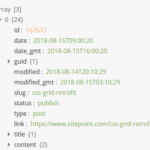 Render JSON Data As A Tree View – json-view
 Performant Large JSON Viewer In Vanilla JavaScript