


daycaca is a standalone JavaScript library which makes uses of canvas and a little of JavaScript to handle/process images on the client side.
Features:
- Base64 Image Encoding.
- Image Cropping.
- Image Compression.
- Image Rotation.
How to use it:
Install the daycaca via NPM.
# NPM
$ npm install daycaca --save
Import the daycaca into the project.
import daycaca from 'daycaca';
Or include the JavaScript file ‘daycaca.min.js’ into the document.
<script src="daycaca.min.js"></script>
Optimize your image and convert it to base64:
- @param {el|String}: src the source of image
- @param {Function}: callback
daycaca.base64('image.png', () => {
  //...
});
Compress your image.
- @param {el|String}: src the source of image
- @param {Number}: the quality of image ( 100 = the highest quality)
- @param {Function}: callback
daycaca.compress('image.jpg', 10, () => {
  //...
});
Crop your image via canvas and generate data.
- @param {el|String}: src the source of image
- @param {Options}: crop options
- @param {Function}: callback
daycaca.crop('image.jpg', {
  x: 20,
  y: 20,
  w: 120,
  h: 60
  }, () => {
  //...
});
Rotate your image by certain degress.
- @param {el|String}: src the source of image
- @param {Degree}: rotation degress
- @param {Function}: callback
daycaca.rotate('image.jpg', 180, () => {
  //...
});
Resize your image.
- @param {el|String}: src the source of image
- @param {ratio}: ratio
- @param {Function}: callback
daycaca.resize('image.jpg', 0.5, (data) => {
  //...
});
Changelog:
10/29/2018
- v1.0.8: Added resize.
See Also:
 Toggle Password Visibility – toggle-password.js
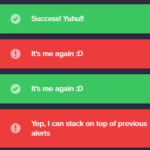 Growl And Toast Style Alert Notification Library – Notyf
 Add Delay To Input Change Event – InputtingObserver
 Triangle Graph With JavaScript And Canvas – TriangularGraph
 Material Design Style Context Menu Replacement – context-menu.js
 Sliding Toast Notification Plugin With Pure JS – Toasteo
 Mobile-friendly Floating Sidebar Navigation In Pure CSS
 Create Decoding Effect For Text – ScrambleJS