


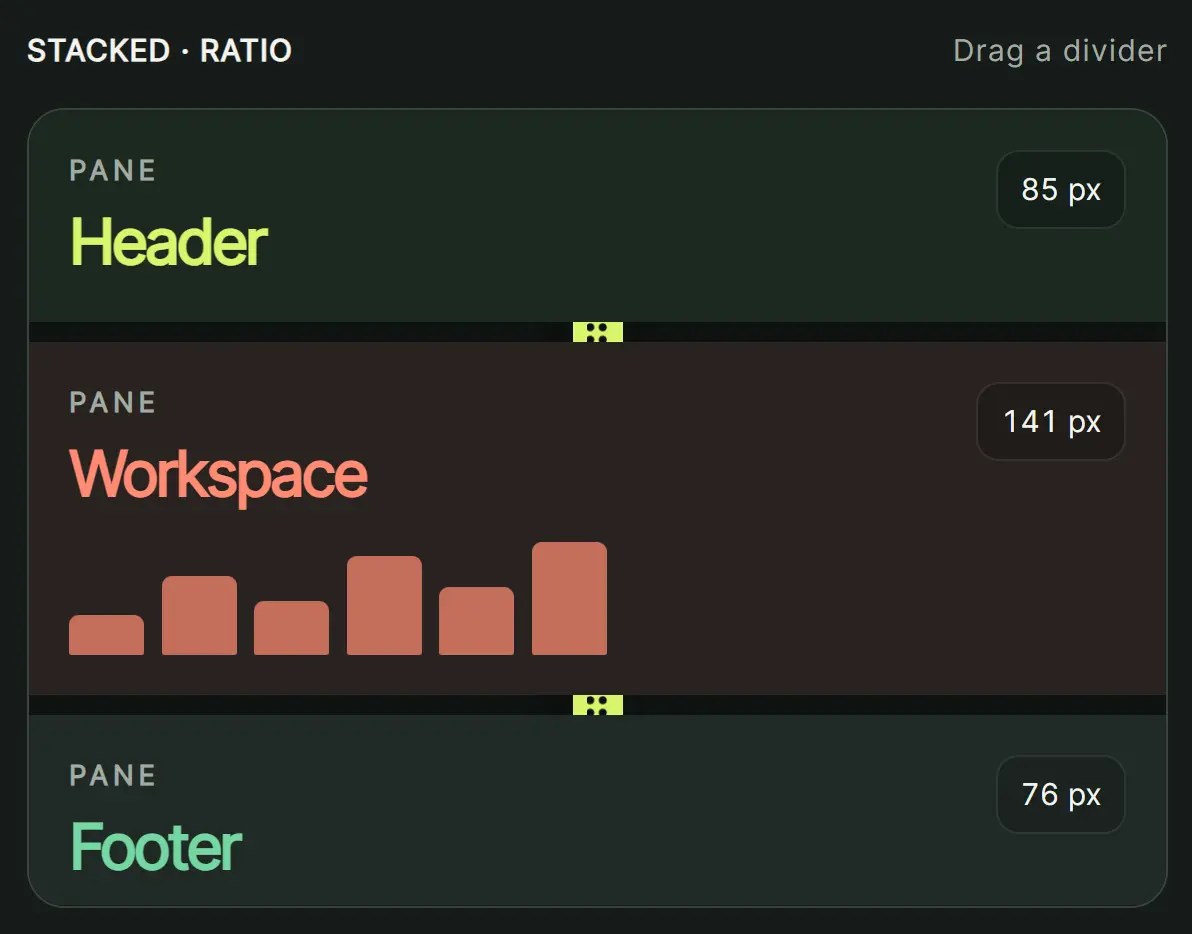
resizable-panes-js is a JavaScript library for creating draggable split-pane layouts with multiple resizable panels.
It supports ratio or pixel sizing, per-pane size limits, nested layouts, pane visibility controls, and persistent layout state.
Features
- Horizontal and vertical split layouts.
- Ratio and pixel sizing modes.
- Mouse and touch resizing.
- Per-pane minimum and maximum size limits.
- Custom normal and active resizer classes.
- Configurable resizer size and pointer detection radius.
- Programmatic pane sizing and visibility control.
- Nested resizable pane groups.
- Persistent pane sizes and visibility through a storage API.
- Resize, visibility, and size-limit callbacks.
How To Use It
Installation
Install the package from npm or Yarn.
npm install resizable-panes-js
yarn add resizable-panes-js
Basic Usage
Each pane needs a unique ID. Place a resizer after every pane except the last one. The resizer ID uses resizer- followed by the ID of the preceding pane.
This example uses ratio values for the initial layout and pixel values for the pane limits. The ratio values 2, 5, and 3 define the relative share of the available space.
<div id="workspace">
  <aside id="navigation" class="pane">
    Navigation
  </aside>
  <div id="resizer-navigation"></div>
  <main id="editor" class="pane">
    Editor
  </main>
  <div id="resizer-editor"></div>
  <aside id="preview" class="pane">
    Preview
  </aside>
</div>
#workspace {
  display: flex;
  width: 100%;
  height: 320px;
}
.pane {
  flex-shrink: 0;
  overflow: hidden;
}
.resize-handle {
  box-sizing: border-box;
  flex-shrink: 0;
  background: #cbd5e1;
  cursor: col-resize;
}
.resize-handle-active {
  background: #64748b;
}
import resizablePanes from "resizable-panes-js";
const [layoutApi, refreshLayout, clearLayout] = resizablePanes({
  uniqueId: "workspace",
  vertical: true,
  unit: "ratio",
  minMaxUnit: "pixel",
  resizerSize: 6,
  resizerClass: "resize-handle",
  activeResizerClass: "resize-handle-active",
  panes: [
    {
      id: "navigation",
      size: 2,
      minSize: 160,
      maxSize: 320
    },
    {
      id: "editor",
      size: 5,
      minSize: 280
    },
    {
      id: "preview",
      size: 3,
      minSize: 180,
      maxSize: 420
    }
  ]
});
Configuration Options
uniqueId(string, required): ID of the resizable container.vertical(boolean, defaultfalse): Set totruefor side-by-side panes that resize by width. The default creates stacked panes that resize by height.unit('ratio' | 'pixel', default'ratio'): Defines how panesizevalues are interpreted. Ratio values act as relative weights across the visible panes.minMaxUnit('ratio' | 'pixel', default matchesunit): Defines the unit used byminSizeandmaxSize. Set it to'pixel'when ratio-sized panes need fixed pixel limits.detectionRadius(number, default6): Extends the pointer detection region around each resizer.visibility(Object, default{}): Initial boolean visibility map keyed by pane ID.storageApi(Object): Storage object used to persist pane data.localStorage,sessionStorage, or another object with a compatible storage API can be used.resizerClass(string): Class or space-delimited classes applied to resizers in their normal state.activeResizerClass(string): Class or classes applied while a resizer is active.resizerSize(number, default2): Default resizer size in pixels.onResize(function): Receives the pane size map during resizing.onResizeStop(function): Receives the pane size map after resizing stops.onChangeVisibility(function): Receives the visibility map after pane visibility changes.onMinSize(function): Runs when a pane reaches its minimum size.onMaxSize(function): Runs when a pane reaches its maximum size.onNormalSize(function): Runs when a pane returns to its normal size range.panes(IPane[], required): Array containing the pane definitions.
Pane Options
id(string, required): ID of the pane DOM element.size(number, required): Initial pane size or ratio weight, according tounit.maxSize(number, defaultInfinity): Maximum pane size.minSize(number, default0): Minimum pane size.detectionRadius(number, default6): Detection radius for the resizer attached to this pane.resizerSize(number): Resizer size override for this pane.resizerClass(string): Normal-state class override for this pane’s resizer.activeResizerClass(string): Active-state class override for this pane’s resizer.onMinSize(function): Runs when this pane reaches its minimum size.onMaxSize(function): Runs when this pane reaches its maximum size.onNormalSize(function): Runs when this pane returns to its normal size range.
Persist Pane Sizes And Visibility
Pass a storage object through storageApi when the browser should retain pane sizes and visibility.
resizablePanes({
  uniqueId: "workspace",
  vertical: true,
  unit: "ratio",
  storageApi: localStorage,
  panes: [
    { id: "navigation", size: 2 },
    { id: "editor", size: 5 },
    { id: "preview", size: 3 }
  ]
});
Returned API And Lifecycle Functions
resizablePanes() returns the API object followed by two listener-management functions.
const [
  resizableApi,
  refreshResizable,
  clearResizable
] = resizablePanes(config);
The package exports RATIO, TOP_FIRST, and BUTTOM_FIRST for the optional resize behavior parameter.
import resizablePanes, {
  RATIO,
  TOP_FIRST,
  BUTTOM_FIRST
} from "resizable-panes-js";
API Methods
restore()
Restores the initial layout state.
resizableApi.restore();
setSize(paneId, size, behavior?)
Sets a pane size while respecting its size limits and the constraints of the other panes.
resizableApi.setSize("editor", 420);
resizableApi.setSize(
  "editor",
  420,
  TOP_FIRST
);
setSizeRatio(paneId, ratio, behavior?)
Sets the pane to a ratio from 0 to 1. A ratio of 1 corresponds to the total size of the visible panes.
resizableApi.setSizeRatio("preview", 0.3);
setVisibilities(map)
Changes pane visibility from a boolean map keyed by pane ID.
resizableApi.setVisibilities({
  navigation: true,
  editor: true,
  preview: false
});
getSizes()
Returns the current pane sizes keyed by pane ID.
const sizes = resizableApi.getSizes();
getVisibilities()
Returns the current boolean visibility map.
const visibility = resizableApi.getVisibilities();
getState()
Returns the current state of each pane, including its size, visibility, default minimum size, and default maximum size.
const state = resizableApi.getState();
Lifecycle Functions
Call refreshResizable() after application code replaces or restructures the pane DOM and the resizer detection listeners need to be attached again.
refreshResizable();
Call clearResizable() when the layout is removed and its registered resize listeners should be cleared.
clearResizable();
Callbacks
Callbacks can be defined for live resizing, completed resizing, visibility changes, and transitions into minimum, maximum, or normal size states.
resizablePanes({
  uniqueId: "workspace",
  vertical: true,
  unit: "ratio",
  onResize(sizes) {
    console.log("Current sizes:", sizes);
  },
  onResizeStop(sizes) {
    console.log("Final sizes:", sizes);
  },
  onChangeVisibility(visibility) {
    console.log("Visibility:", visibility);
  },
  onMinSize(id, size) {
    console.log(id, "reached its minimum size:", size);
  },
  onMaxSize(id, size) {
    console.log(id, "reached its maximum size:", size);
  },
  onNormalSize(id) {
    console.log(id, "returned to its normal size range");
  },
  panes: [
    { id: "navigation", size: 2 },
    { id: "editor", size: 5 },
    { id: "preview", size: 3 }
  ]
});
Nested Resizable Panes
Give each nested container and pane its own ID. Initialize the parent and child layouts independently.
<div id="outer-layout">
  <div id="sidebar" class="pane">
    <div id="inner-layout">
      <div id="top-panel" class="pane">Top</div>
      <div id="resizer-top-panel"></div>
      <div id="bottom-panel" class="pane">Bottom</div>
    </div>
  </div>
  <div id="resizer-sidebar"></div>
  <div id="main-panel" class="pane">
    Main
  </div>
</div>
resizablePanes({
  uniqueId: "outer-layout",
  vertical: true,
  unit: "ratio",
  panes: [
    { id: "sidebar", size: 3 },
    { id: "main-panel", size: 7 }
  ]
});
resizablePanes({
  uniqueId: "inner-layout",
  vertical: false,
  unit: "ratio",
  panes: [
    { id: "top-panel", size: 1 },
    { id: "bottom-panel", size: 1 }
  ]
});
Alternatives And Related Resources
- Resizable Split Layout In Pure JavaScript – Resizable.js
- Modern Split View In JavaScript – Split.js
- Tiny Split View Library for Two Panels – ResizerTwo.js
See Also:
 Tiny Split View Library for Two Panels – ResizerTwo.js
 Resizable Split Layout In Pure JavaScript – Resizable.js
 Modern Split View In JavaScript – Split.js
 Basic Split Layout In Vanilla JavaScript – SplitterBar
 Cute Alert: Elegant Alert/Confirm/Toast Dialog Box In JavaScript
 Display/hide Password Characters On Click – show-password.js
 Collapsible Folder Tree With Pure JavaScript – jslists
 Visualizing Live Streaming Data In Pure JavaScript – Smoothie