


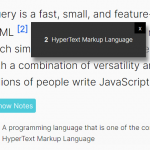
Hugo Footnotes Popup is a pure JavaScript library to display citations and explanations in a footnote popup that always stays at the bottom of the webpage no matter how you scroll the webpage.
How to use it:
Add note number to your text using the <sup> element.
<sup class="footnote-ref" id="fnref:1">
  <a rel="footnote" href="#fn:1">1</a>
</sup>
<sup class="footnote-ref" id="fnref:2">
  <a rel="footnote" href="#fn:2">2</a>
</sup>
<sup class="footnote-ref" id="fnref:3">
  <a rel="footnote" href="#fn:3">3</a>
</sup>
...
Define the citations and explanations in an ordered HTML list as follows:
<ol>
  <li id="fn:1">This is a <a href="javascript:void(0);">anchor</a> footnote number 1
    <a class="footnote-return" href="#fnref:1">
      <sup>[return]</sup>
    </a>
  </li>
  <li id="fn:2">Number 2 <b>footnote</b>
    <a class="footnote-return" href="#fnref:2">
      <sup>[return]</sup>
    </a>
  </li>
  <li id="fn:3">Number 3 <abbr title="Hello world!">footnote</abbr>
    <a class="footnote-return" href="#fnref:3">
      <sup>[return]</sup>
    </a>
  </li>
  ...
</ol>
Create the Footnotes Popup at the bottom of the webpage.
<div class="bottom-panel" id="bottom-panel">
	<div class="popup-wrapper" id="popup-wrapper">
		<div id="popup-index"></div>
		<div id="popup-content"></div>
		<div class="popup-cl" id="popup-close"><a href="javascript:void(0);" class="close" style="text-decoration: none;">[x]</a></div>
	</div>
</div>
Download and insert the JavaScript file footnotes.js into the document.
<script src="footnotes.js"></script>
The example CSS to style the footnote popup.
.bottom-panel {
  position: fixed;
  font-size: 0.9rem;
  bottom: 0;
  left: 0;
  right: 0;
}
.popup-wrapper {
  display: none;
  max-width: 560px;
  margin: 0 auto;
  background-color: white;
  border-top: 3px solid black;
}
#popup-index {
  padding: 1.25rem 0 0 1.25rem;
}
.popup-cl {
  padding: 1.25rem;
  margin-left: auto;
  cursor: pointer;
}
#popup-content {
  max-width: 500px;
  text-align: left;
  padding: 1.25rem 0 1.25rem 0.9rem;
}
Changelog:
06/19/2020
- Compatibility with Goldmark
See Also:
 Create Pop-up Footnotes With The Endnotes Library
 Create Footnotes And Show Them All In One Clean List – FootNotes.JS
 Simple Plain Popup Box With Vanilla JavaScript – smile-alert
 Customizable Growl Notifications With Progress Bars – SimpleNotification
 Infinite Scrolling Date Picker UI With Pure JavaScript
 Fullscreen Image Lightbox Slider – lightbox.js
 Material Design Hamburger Animation with JS and CSS3
 Gauge Style Range Control With SVG and Vanilla JavaScript – Audials