


Tagger is a small yet full-featured JavaScript tagging system that enables the user to insert tags into an input field.
How to use it:
1. To use the tagging system, place the Tagger’s JavaScript and Stylesheet in the HTML document.
<link href="tagger.css" rel="stylesheet">
<script src="tagger.js"></script>
2. Create a normal input field for the tagging system.
<input type="text" name="tags" />
3. Initialize the Tagger on the input field and done.
tagger(document.querySelector('[name="tags"]'));4. Determine whether to allow white space in the tags. Default: true.
tagger(document.querySelector('[name="tags"]'), {
  allow_spaces: true
});
5. Determine whether to allow duplicate tags. Default: false.
tagger(document.querySelector('[name="tags"]'), {
  allow_duplicates: false
});
6. Specify what should be in the href attribute. Default: false.
tagger(document.querySelector('[name="tags"]'), {
  link: function(name) {
    return `javascript:alert('${name}');`;
  }
});
7. Determine whether to add tags on blue. Default: false.
tagger(document.querySelector('[name="tags"]'), {
  add_on_blur: false
});
8. Specify the max number of tags allowed to insert. Default: -1.
tagger(document.querySelector('[name="tags"]'), {
  tag_limit: 10
});
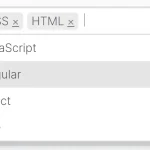
9. Add an autocomplete list to the tags input.
tagger(document.querySelector('[name="tags"]'), {
  completion: {
    list: ['css', 'script', 'com'],
    delay: 400,
    min_length: 2
  }
});
10. Set the placeholder text.
tagger(document.querySelector('[name="tags"]'), {
  placeholder: 'placeholder text here'
});
11. Add/remove a tag programmatically.
instance.add_tag('example')
instance.remove_tag('example')
Changelog:
v0.6.2 (07/17/2024)
- fix removing tags containing multiple consecutive spaces
v0.6.1 (08/02/2023)
- fix triggering change event for ReactJS
v0.6.0 (07/28/2023)
- add native change event for the original input element on tag change
v0.5.0 (07/22/2023)
- add placeholder option.
- bugfix
v0.4.3 (08/23/2022)
- Fix completion on Safari
v0.4.2 (04/12/2022)
- update
v0.4.1 (10/02/2021)
- fix typescript definition for completion
v0.4.0 (07/25/2021)
- [Breaking] value in input no longer have space after the comma
- fix updating input when deleting tag using backspace
- add option add_on_blur
- add option tag_limit
v0.3.1 (02/06/2020)
- fix ambiguous tags
v0.2.2 (09/26/2020)
- bug fix
v0.2.1 (05/01/2019)
- updated
v0.2.0 (07/04/2019)
- added link option
v0.1.3 (06/22/2019)
- update
v0.1.2 (06/15/2019)
- fix adding tags
v0.1.1 (05/26/2019)
- Fixed this.tags_from_input() does not work
See Also:
 Customizable Select Box & Input Field Enhancement Library – Choices.js
 Easy Tags Input Component For Bootstrap 5/4 – Tags.js
 Lightweight Tag Input Component with Autocomplete – input-tags-js
 Create Filterable Tags Input UI with outside-tags-selector
 Simple Tags Input With Autocomplete Support
 Customizable Tag/Chip Style Inputs For Bootstrap 5 – use-bootstrap-tag
 Multi-select Dropdown Component With Vanilla JavaScript – sellect.js
 Feature-rich Tags Input With Autocomplete – Tokenfield
This is great but one issue is that if there are two similar phrases in the completion list then the first tag automatically binds before the user has a chance to finish typing the second phrase. For example, if “tomato” and “tomato sauce” are both in the list, it’s impossible to tag “tomato sauce”. Is there a way around this?