


JSFrame.js is a multifunctional JavaScript library used for creating floating windows, modal popups, and even toast notifications with custom styles.
More features:
- Easy to style using your own CSS.
- Resizable and draggable.
- Support HTML and iFrame content.
Basic usage:
Install & download.
# NPM
$ npm install jsframe.js --save
Import the ‘jsframe.js’ into your document.
<script src="/path/to/jsframe.js"></script>
Create a new jsframe instance.
const myWindow = new JSFrame();
Create a popup window with the following parameters:
const myPopup = myWindow.create({
      // unique name
      name: 'my-window-name',
      // window title
      title: 'Window0',
      // position
      left: 20,
      top: 20,
      // width/height
      width: 320,
      height: 220,
      // min width/height
      minWidth: 160,
      minHeight: 100,
      // enable draggable
      movable: true,
      // enable resizable
      resizable: true,

      // custom styles
      style: {
        backgroundColor: 'rgba(220,220,220,0.8)',
        overflow: 'auto',
      },
      // HTML content to present
      html: 'Contents',
      // or iframe content
      url: 'content01.html',
      // callback
      urlLoaded: (frame) = {}

});
Changelog:
08/20/2023
- Bugfix
07/20/2023
- Bugfix
v1.6.5 (07/10/2023)
- Bugfix
v1.6.2 (06/11/2020)
- Update build
v1.6.0 (04/30/2020)
- Make it easy to use the childMenu when it is displayed when a frame component is clicked.
- Fixed If there are multiple frame components with childmenu, the correct childmenu will not be opened when the frame component is clicked.
- Use event-listener-helper instead of listeners starting with “on” like “onclick” to limit the eventListener to one.
v1.6.0 (04/27/2020)
- Supports cloning with arguments in the buildImageButtonAppearance method call.
v1.5.16 (03/07/2020)
- remove unneeded dependencies
v1.5.15 (03/06/2020)
- fix vulnerability of building tools
See Also:
 Dynamic Toast Notification JS Library for Bootstrap 5 – AvalynxToast
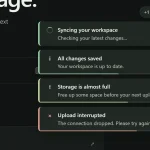 Stackable JavaScript Toast Notifications with Sound and Actions – chyrp
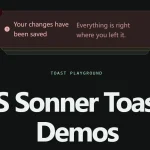 Sonner-Style Toasts in Vanilla JavaScript – vanilla-sonner
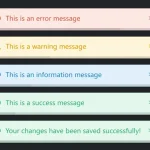 Pure JS Notification System Inspired by Bootstrap 5 – ZephyrToast
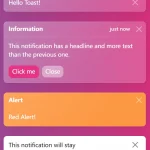 Create Bootstrap 5 Toasts Dynamically – bootstrap-show-toast
 NotifyX: JavaScript Toast Notifications with AI Streaming
 JavaScript Toast Notification Library with Actions and HTML – rm-toast-notification
 Cyberpunk Toast Notifications with Glitch Effects – CyberToast.js