


semantic font (semfont) is a JavaScript semantic typography library that changes text styling according to the meaning of English prose.
It scores text for valence, salience, surprise, certainty, and technicality, then maps those scores to typographic properties.
The analyzer runs locally with deterministic lexicons and language rules. No model, API key, or network request is involved.
Features
- Five token-level semantic channels for English text.
- Built-in
editorial,loud,monochrome, andtechnicalthemes. - Custom mappings for color, weight, size, highlighting, slant, tracking, opacity, underline, and variable-font axes.
- Extra domain vocabulary and clause resolver terms through custom lexicons.
- React component and hook for rendered semantic text.
- Framework-free analyzer and theme modules.
- Raw token scores for custom rendering and text analysis.
- Passage summaries for valence, salience, surprise, certainty, and high-salience words.
- Debug attributes and token notes for inspecting analysis results.
- Static rendering through React server rendering.
Use Cases
- AI chat streams where emphasis changes as generated text arrives.
- Incident reports and postmortems with failures, fixes, warnings, and uncertain statements.
- Editorial review tools that flag hedged language or high-salience terms.
- Custom annotations, log viewers, and text analysis UIs built from raw token scores.
How To Use It
Installation
Install the package through npm:
npm install semfont
A React project can import the component, hook, and engine from the package root:
import {
  SemanticText,
  useSemanticText,
  analyze,
  summarize,
  themes,
  baseTheme,
  styleFor,
  RESOLVERS,
  lexicon
} from 'semfont';
Use the subpath exports in projects that do not have React. Importing from the package root also loads the React binding.
import { analyze, summarize } from 'semfont/analyze';
import { styleFor, themes, baseTheme, renderers } from 'semfont/theme';
Basic Usage
Pass a plain text string through children or the text prop. The as prop selects the outer HTML element.
import { SemanticText } from 'semfont';
function IncidentSummary() {
  return (
    <SemanticText as="p">
      The migration ran clean on staging. In production it deleted the index,
      and the rollback failed too.
    </SemanticText>
  );
}
Analyze Text Without React
analyze() returns the original text, scored tokens, sentence metadata, and passage statistics.
import { analyze } from 'semfont/analyze';
const result = analyze(
  'The deployment looked stable, but the rollback failed.'
);
console.log(result.tokens);
Use It Directly In The Browser
The core analyzer and theme modules can run as native ES modules.
<script type="importmap">
{
  "imports": {
    "semfont/analyze": "https://cdn.jsdelivr.net/npm/[email protected]/src/analyze.js",
    "semfont/theme": "https://cdn.jsdelivr.net/npm/[email protected]/src/theme.js"
  }
}
</script>
<script type="module">
  import { analyze } from 'semfont/analyze';
  import { styleFor, themes } from 'semfont/theme';
  const { tokens } = analyze(
    'The rollback failed unexpectedly.'
  );
  console.log(styleFor(tokens[4], themes.editorial));
</script>
Semantic Channels
| Channel | Range | Main Signals | Default Typography |
|---|---|---|---|
valence | -1 to 1 | Sentiment, negation, intensifiers | Color |
salience | 0 to 1 | Emphasis terms, rarity, repetition, caps, numerals | Weight and size |
surprise | 0 to 1 | Surprise terms, contrast, local rarity | Highlight |
certainty | -1 to 1 | Hedges, assertions, questions | Slant, opacity, tracking |
technicality | 0 to 1 | camelCase, underscores, mixed letters/digits, technical vocabulary | MONO in the technical theme |
Select Channels
The React binding enables all five channels when channels is omitted. A theme only renders channels that appear in its map.
<SemanticText
  channels={['valence']}
  text="The migration succeeded, but the rollback failed."
/>
Built-In Themes
| Theme | Behavior |
|---|---|
editorial | Restrained color, weight, size, highlight, slant, opacity, and tracking changes. |
loud | Lower thresholds and larger typographic changes. |
monochrome | Replaces color with slant, weight, size, underline, opacity, and tracking. |
technical | Extends editorial with MONO for technical terms and CASL for hedged language. |
<SemanticText
  theme="technical"
  text="parseConfig() returned error_500 after retryCount3."
/>
Add Project-Specific Vocabulary
The lexicon option merges custom terms over the built-in tables. It accepts valence, salience, surprise, certainty, technicality, and resolvers.
<SemanticText
  lexicon={{
    valence: {
      flaky: -0.7,
      oncall: -0.4
    },
    salience: {
      rollback: 0.8
    },
    technicality: {
      kubeproxy: 0.95
    },
    resolvers: {
      stabilized: 0.7
    }
  }}
  text="The flaky kubeproxy stabilized after the rollback."
/>
Create A Custom Theme
A custom theme can replace the theme map or override thresholds. Each map row connects one semantic channel to one renderer.
import { SemanticText, themes } from 'semfont';
const weightOnly = {
  ...themes.editorial,
  map: themes.editorial.map.filter(
    (row) => row.render !== 'size'
  )
};
function Example() {
  return (
    <SemanticText
      theme={weightOnly}
      text="The deployment failed unexpectedly."
    />
  );
}
A row can restrict a bipolar channel to its positive or negative scores:
{
  channel: 'valence',
  render: 'color',
  side: 'negative',
  negative: 'oklch(0.58 0.19 25)',
  max: 0.85
}
Theme Renderers
| Renderer | Output |
|---|---|
color | Text color through color-mix(). |
weight | font-weight and the wght variable-font axis. |
size | Relative font-size. |
highlight | Background highlight, radius, and box shadow. |
slant | slnt axis plus italic fallback for negative slant. |
tracking | letter-spacing. |
fade | opacity. |
underline | Underline thickness and offset. |
mono | Recursive MONO axis. |
casual | Recursive CASL axis. |
cursive | Recursive CRSV axis. |
Public API Reference
Root Package Exports
| Export | Description |
|---|---|
SemanticText | React component and default package export. |
useSemanticText | React hook that returns rendered runs and analysis data. |
analyze | Core semantic analyzer. |
summarize | Creates a passage-level summary from an analysis result. |
RESOLVERS | Default resolver verbs used by the clause-level valence pass. |
themes | Built-in theme collection. |
baseTheme | Default editorial theme object. |
styleFor | Converts one scored token into React-style CSS and variable-font axes. |
lexicon | Namespace containing public lexicon tables and helper functions. |
Package Subpaths
| Import Path | Public Exports |
|---|---|
semfont/analyze | analyze, summarize |
semfont/theme | renderers, baseTheme, themes, styleFor |
semfont/lexicon | Lexicon tables, sets, and helper functions |
SemanticText Props
| Prop | Default | Description |
|---|---|---|
text | none | String to analyze. A string text prop takes precedence over children. |
children | none | Plain text content when text is not supplied. |
theme | editorial | Built-in theme name or custom theme object. |
channels | all five | Channels that remain active before theme mapping. |
sensitivity | 1 | Global multiplier applied to semantic scores. |
lexicon | none | Custom score tables and resolver terms merged over defaults. |
as | span | Outer HTML element. |
debug | false | Writes valence, salience, surprise, and certainty scores to data-* attributes. |
onAnalyze | none | Receives the passage summary after analysis. |
className | none | Class applied to the outer element. |
style | none | Inline style object applied to the outer element. |
| Other element props | none | Remaining props are forwarded to the outer element. |
useSemanticText()
const result = useSemanticText(text, {
  theme,
  lexicon,
  sensitivity,
  channels
});
| Return Value | Description |
|---|---|
runs | Plain and styled text runs ready for rendering. |
tokens | Scored tokens returned by the analyzer. |
summary | Passage-level valence, salience, surprise, certainty, and loudest terms. |
theme | Resolved theme object used for rendering. |
analyze()
const result = analyze(text, {
  sensitivity: 1,
  lexicon: {}
});
Options
sensitivity(number, default1): Multiplies semantic score strength.lexicon(object): Custom entries forvalence,salience,surprise,certainty,technicality, andresolvers.
Result
| Property | Description |
|---|---|
text | Original input string. |
tokens | Token objects with semantic scores and token metadata. Clause-level changes can also write explanatory notes. |
sentences | Sentence boundaries and sentence-level analysis data. |
stats | Passage statistics including meanRarity and word count. |
summarize()
Pass an analyze() result to summarize():
import { analyze, summarize } from 'semfont/analyze';
const result = analyze('The rollback probably failed.');
const summary = summarize(result);
For non-empty text, the summary contains:
valencesaliencesurprisecertaintyloudest
styleFor()
styleFor(token, theme) uses baseTheme when no theme is supplied. It returns null when the token has no style above the active thresholds. Styled tokens return an object with style and axes.
import { styleFor, themes } from 'semfont/theme';
const styled = styleFor(token, themes.editorial);
if (styled) {
  console.log(styled.style);
  console.log(styled.axes);
}
Lexicon Exports
The root lexicon namespace and semfont/lexicon expose these public entries:
| Export | Type / Purpose |
|---|---|
VALENCE | Valence score table. |
SALIENCE | Salience score table. |
SURPRISE | Surprise score table. |
TECHNICAL | Technicality score table. |
CONTRAST | Contrast-word Set. |
CERTAINTY | Certainty score table. |
INTENSIFIERS | Score multiplier table. |
NEGATORS | Negation-term Set. |
stems(word) | Returns candidate base forms. |
lookup(table, word) | Reads an exact or stem-derived score. |
rarity(word) | Returns a 0 to 1 rarity score. |
Alternatives & Related Resources
- Enhance Text Readability with Typography Inspired by Bionic Reading
- Bold The First Few Characters Of Words In A Sentence (Bionic Reading) – FocalAnchors
- Modern Text Search and Highlight Library Using CSS Custom Highlight API
See Also:
 Fast DOM-Free Text Height Measurement – Pretext
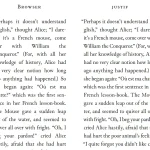 Justif: TeX-Style Text Justification for the Web
 Adaptive Typography Library for Responsive Text Display – Flexflex.js
 Enhance Text Readability with Typography Inspired by Bionic Reading
 Enhance Text Readability with Balance Text JavaScript Library
 Bold The First Few Characters Of Words In A Sentence (Bionic Reading) – FocalAnchors
 Fluid Typography CSS Library – fluiditype
 Tiny Typography CSS Library For Better Reading Experience – textretty.css