


Termino.js is a JavaScript library that enables you to easily integrate a powerful, extendable, and intuitive terminal into your webpage.
Key features:
- Lightweight and easy to implement
- Support HTML content.
- Allows you to create custom commands.
- With no third-party dependencies.
How to use it:
1. Import the Termino as a module.
import {Termino} from './dist/termino.min.js';2. Create the HTML for the web terminal.
<div id="terminal">
  <pre>
    <code class="termino-console">
      <!-- Console -->
    </code>
  </pre>
  <textarea class="termino-input" rows="1" wrap="hard">
    <!-- Input -->
  </textarea>
</div>
3. Create a default web terminal on the page.
let myTerm= Termino(document.getElementById("terminal"))4. Output the strings using the echo or output commands.
// with caret
myTerm.echo("Hello world!");
// without caret
myTerm.output("Hello world!");
5. More built-in commands (functions).
// clear
myTerm.clear();
// delay functions
myTerm.delay(delay);
// enable/disable input
myTerm.enable_input();
myTerm.disable_input();
// ask questions
myTerm.input(ask);
// scroll to the bottom
myTerm.scroll_to_bottom();
// scroll to the top
myTerm.scroll_to_top(delay);
// add an element
myTerm.add_element(elementID);
// remove an element
myTerm.remove_element(elementID);
// kill the terminal
myTerm.kill();
6. Create your own commands.
function help() {
  myTerm.output("Help message")
}
async function quit_terminal() {
  myTerm.output("Quitting Terminal...")
  myTerm.delay(3000)
  myTerm.kill()
}
// ...
7. Override the default keybindings.
let myKeys = [
    {
      "id": "SCROLL_UP_KEY",
      "key_code": 38
       // "function": example()
    }, {
      "id": "SCROLL_DOWN_KEY",
      "key_code": 40
      // "function": example()
    },
    // ...
];
let myTerm= Termino(document.getElementById("terminal"), myKeys)8. Config the web terminal by passing the options object as the third parameter to the Termino method:
let myTerm= Termino(document.getElementById("terminal"), myKeys,{
    allow_scroll: true,
    prompt: "> ",
    command_key: 13,
    terminal_killed_placeholder: "TERMINAL DISABLED",
    terminal_output: ".termino-console",
    terminal_input: ".termino-input",
    disable_terminal_input: false
})
See Also:
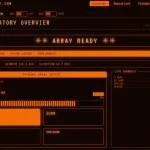 Retro Amber-terminal CSS Framework – Amber Console
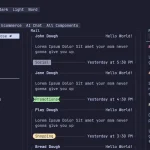 Terminal-Inspired CSS Library for Retro Web UI – WebTUI
 Terminal Style CSS Framework – terminal.css
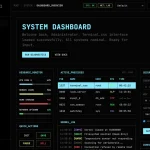 Build Terminal UI with Terminal.css CSS Framework
 Emulating A Shell Environment With The ttty.js Library
 Create Custom Terminals With Pure JavaScript And CSS – shell.js
 Vanilla JavaScript Shell Terminal Emulator With Async/Await Functions – jsShell.js
 Minimal Interactive Terminal In JavaScript – Terminal.js