


Prompt.js is a JavaScript modal library for creating clean-looking and fully customizable alert or confirmation popup windows.
How to use it:
1. Load the necessary stylesheet modal.css and JavaScript prompt.js in the HTML.
<link rel="stylesheet" href="./modal.css">
<script src="./prompt.js"></script>
2. Create the HTML for the modal window.
<div class="modal" id="modal-alert">
  <div class="modal-overlay" tabindex="-1">
    <div class="modal-container">
      <div class="modal-header">
        <h2 class="modal-title" id="modal-alert-title">
          Error
        </h2>
      </div>
      <div class="modal-text">
        <p id="modal-alert-content">
          Something went wrong.
        </p>
      </div>
      <div class="modal-buttons">
        <button class="modal-button" id="modal-button-primary" onclick="document.getElementById('modal-alert').style.display = 'none';">Close</button>
        <button class="modal-button" id="modal-button-secondary" onclick=""></button>
      </div>
    </div>
  </div>
</div>
3. Create a alert or confirmation popup window with the show_prompt method. Available parameters:
- title: Modal title
- message: Modal body
- pribtnHide: Hide the close button
- pribtnLabel: Lable text for the close button
- secBtnLabel: Lable text for the confirm button
- secBtnAction: A funtion that will be triggered when you click the confirm button
// show_prompt(title, message, pribtnHide = false, pribtnLabel = "Close", secBtnLabel = '', secBtnAction = '')
show_prompt(
  'Default close button',
  'Do you want to color heading?',
  false,
  undefined,
  'Color',
  `document.getElementById('demo-heading').style.background = '#04AA6D';document.getElementById('modal-alert').style.display = 'none'`
  )
See Also:
 Create Dynamic Draggable Alert/Confirm Popups – webcimes-modal
 Customizable Alert/Confirm Modal Library – modal-alert.js
 Minimal Alert & Confirmation Modals in JavaScript – PopupJs.js
 Create Custom Stylish Dialogs with SnapDialog JavaScript Library
 Create iOS-Style Popups & Notifications With Popup JS Library
 Elegant Notification Popup JavaScript Library – Notiflix
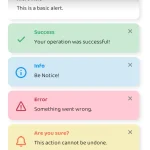 Simple & Stylish JavaScript Alert Notifications – SnapAlert.js
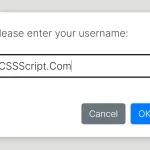 Async, Promise-based Alert/Confirm/Prompt Dialogs – Prompts.js