


attention.js is a vanilla JavaScript plugin used for creating custom alert, confirm or prompt dialog boxes on the page.
How to use it:
To use this plugin include the following files on the page.
<link href="dist/attention.css" rel="stylesheet">
<script src="dist/attention.js"></script>
Create an alert dialog.
new Alert({
    title: 'Alert Title',
    content: 'Alert Message'
});
Create a confirm dialog with callbacks.
new Confirm({
    title: 'Confirm Title',
    content: 'Are You Sure',
    buttonCancel: false, // custom button text
    buttonConfirm: false,
    onAccept(component) {
      console.log('Accepted');
    },
    onCancel(component) {
      console.log('Canceled');
    }
});
Create a prompt dialog.
new Prompt({
    title: 'Prompt Title',
    content: 'Prompt Message',
    placeholderText: false, // custom placeholder
    submitText: false, // custom submit text
    onSubmit(component, value) {
      console.log(value)
    }
});
Allows HTML content in the dialog.
new Confirm({
    title: 'Confirm Title',
    content: 'Are You Sure',
    buttonCancel: false, // custom button text
    buttonConfirm: false,
    useInnerHTML: true,
    onAccept(component) {
      console.log('Accepted');
    },
    onCancel(component) {
      console.log('Canceled');
    }
});
More callback functions.
new Alert({
    beforeRender: function(){
      // do something
    },
    afterRender: function(){
      // do something
    },
    beforeClose: function(){
      // do something
    },
    afterClose: function(){
      // do something
    }
});
Changelog:
09/05/2020
- Fixed Error while trying to create a prompt window using vuejs
09/07/2019
- Add new option useInnerHTML
See Also:
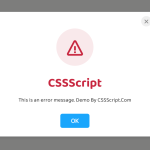 Create Custom Stylish Dialogs with SnapDialog JavaScript Library
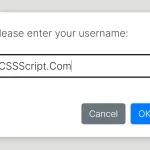 Async, Promise-based Alert/Confirm/Prompt Dialogs – Prompts.js
 Create & Manage Bootstrap 5 Modals Using use-bootstrap-dialog JS Library
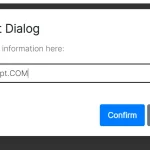 Beautiful & Functional Custom Dialogs In JavaScript – Dialog-JS
 Lightweight Customizable Modal and Alert Library – SilverBox.js
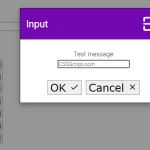 Minimal Customizable Modal Dialog Boxes In JavaScript – msg.js
 Elegant Popup Box (Alert, Confirm, Prompt) In JavaScript – QuantumAlert
 Pretty Non-blocking Dialog Popup JavaScript Plugin – Prompt-Boxes
u have a error in:
onAccept(component) {
console.log(‘Accepted’);
},
replace ‘onAccept’ by ‘onConfirm’
Hello. Is there a way to change tittle div backgroud color in JS when calling new Alert({…?