


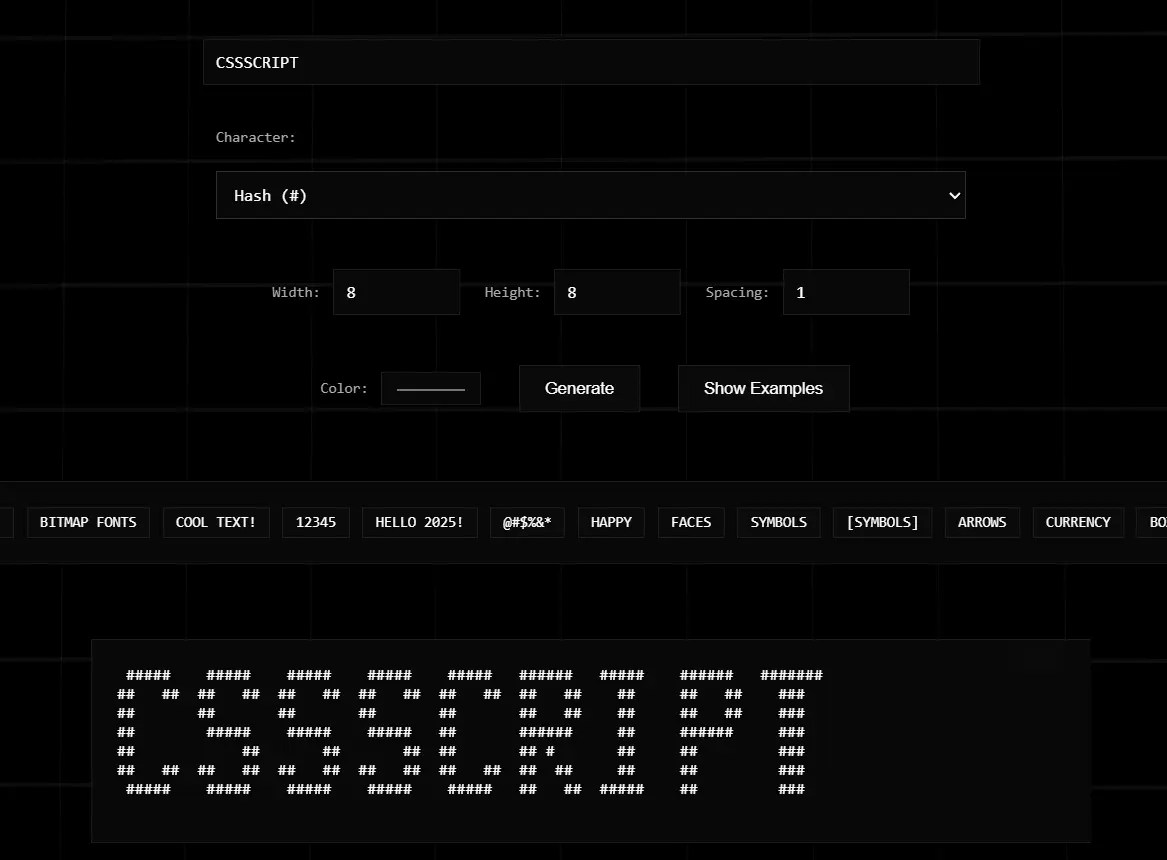
BitmapIt is a lightweight JavaScript library that transforms plain text into customizable bitmap-style ASCII art representations.
It’s ideal for creating retro terminal aesthetics, game interfaces, and nostalgic text displays in web applications.
Features:
- Customizable display characters (e.g., blocks, symbols)
- Adjustable character width, height, and inter-character spacing
- Simple, clean API for defining fonts and generating text
- HTML output with custom foreground and background colors
- Responsive character rendering (scales defined patterns)
- Zero external dependencies
See it in action:
How to use it:
1. Install BitmapIt and import it into your project.
# NPM
$ npm install bitmapit
import { BitmapFontGenerator, defaultFont } from 'bitmapit';2. Or, for direct browser use
<script type="module">
  import { BitmapFontGenerator, defaultFont } from './public/bitmapit.js';
</script>
3. Initialize the Bitmap generator.
const generator = new BitmapFontGenerator();
4. Load default character patterns.
// BitmapIt comes with a 'defaultFont' you can use.
// 'defaultFont' is an object where keys are characters
// and values are 2D arrays (0 for off, 1 for on).
Object.entries(defaultFont).forEach(([char, pattern]) => {
  generator.defineCharacter(char, pattern);
});
5. Generate and display ASCII art.
const bitmap = generator.generateText('CSSSCRIPT');
console.log(generator.toAscii(bitmap));
6. Or get HTML.
const htmlOutput = generator.toHtml(bitmap, {
  color: '#39ff14', // Neon green
  backgroundColor: '#111111' // Dark gray
});
document.getElementById('myRetroDisplay').innerHTML = htmlOutput;
7. Available options for the BitmapFontGenerator() method.
width: Width of each character cell.height: Height of each character cell.spacing: Space (in “pixel” units) between characters.onChar: Character used for a “lit” pixel.offChar: Character for an “unlit” pixel.color: Default text color for HTML output.backgroundColor: Default background for HTML.
BitmapFontGenerator({
  width: 8,
  height: 8,
  spacing: 1,
  onChar: '█',
  offChar: ' ',
  color: '#ffffff',
  backgroundColor: 'transparent',
})
8. Defines how a character looks.
char(String): The character (e.g., ‘A’, ‘!’, ‘7’). Case-insensitive internally.pattern(Array of Arrays): A 2D array of0s and1s (orfalseandtrue) representing the pixel data. The library will scale this pattern to fit thewidthandheightset on the generator.
// defineCharacter(char, pattern)
generator.defineCharacter('T', [
  [1,1,1],
  [0,1,0],
  [0,1,0]
]);
9. One-step text generation and formatting.
generator.createText(text, {
  html: true, // outputs HTML or not
})
10. Update character dimensions.
generator.setDimensions(width, height)
11. Modify character spacing.
generator.setSpacing(spacing)
See Also:
 Print ASCII Art in the Browser Console – ASCII Printer
 Animated ASCII Backgrounds for Web Apps – ASCIIGround.js
 Transform Text And Images Into Dynamic ASCII Art – Lettercrap
 Easy Image To ASCII Converter – imgToAscii
 Convert Images & Videos To ASCII Art – aalib.js
 ASCII Art Chart Library With Pure JavaScript – asciichart
 ASCII Animation Library In Pure JavaScript – AnimASCII
 Create Morphing ASCII Art Text Using Pure JavaScript – AsciiMorph