


Qier Progress is an easy, dependency-free JavaScript library that helps create slim, beautiful, and colorful progress bars to visualize loading status.
How to use it:
1. Install and import the Qier Progress.
># NPM
$ npm i qier-progress --save
// ES module
import QProgress from 'qier-progress'
// UMD
<script src="https://cdn.jsdelivr.net/npm/[email protected]/dist/QProgress.umd.min.js"></script>
2. Create a new instance of the Qier Progress.
// ES
const qprogress = new QProgress()
// UMD
window.qprogress = new qProgress();
3. Start the progress bar.
qprogress.start();
4. Force the progress bar to the end.
qprogress.finish()
5. Set the progress percentage.
// 50%
qprogress.set(0.5)
// 100%
qprogress.set(1.0)
6. Increment the progress bar.
// +20%
qprogress.inc(0.2)
7. Customize the progress bar with the following parameters.
const qprogress = new QProgress({
      // minimum percentage
      minimum: 0.12,
      // height in px
      height: 2,
      // background color
      color: '#1890ff',
      // is colorful?
      colorful: true,
      // easing function
      easing: 'ease',
      // animation speed
      speed: 400,
      // automatic increment
      trickle: true,
      trickleSpeed: 400,
      // parent container
      parentNode: 'body',
      // default selectors
      barSelector: '[role="bar"]',
      pegSelector: '[role="peg"]',
      // custom template
      template: '
‘ })
8. Get the current progress value.
qprogress.status
See Also:
 Pure CSS Progress Bar Library with Custom Themes – progress-bar.css
 Modern TypeScript Progress Bar Library – BProgress
 3D Liquid Progress Bar in Pure CSS/CSS3
 Easy Scroll Position Tracking – ScrollProgress.js
 Visualize Progress Data With Animated, Circular Progress Bars – ProgressJS
 Radial Progress Indicator For Click-and-hold Actions – HoldCircleJS
 Simple Scroll Progress Indicator For Long Pages – PageBar.js
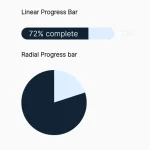 Generate Linear & Radial Progressbars Using CSS – Progress.css