


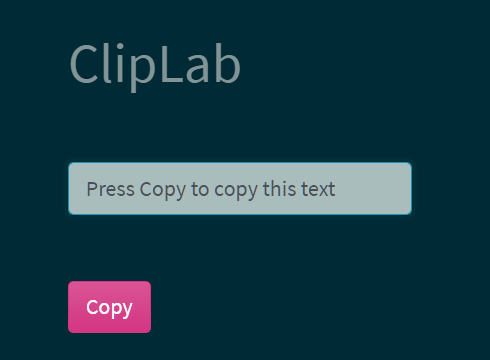
A lightweight, fast, performant JavaScript library that enables visitors to copy any text to the clipboard for further use.
How to use it:
1. Insert the ClipLab library into the document.
<script src="./src/cliplab.js"></script>
2. Create a Copy button and define the text to be copied in the data-copy-text attribute.
<button id="copyme"
        data-copy-text="This text will be copied">
        Copy Me
</button>
3. Initialize the ClipLab library on the Copy button and done.
new ClipLab("#copyme");4. Or enable the Copy button to copy text from another element like input field.
<input class="input" value="Press Copy to copy this text"></input>
<button id="example"
        data-attr-selector=".input">
        Copy Content From Input
</button>
new ClipLab("#example");5. Event handlers.
const copyText = new ClipLab("#example");
copyText.onCopied = function(copy) {
  alert("Copied: " + copy)
};
copyText.notCopied = function(copy) {
  window.prompt("Ctrl+C: ", copy);
};
See Also:
 Advanced Clipboard Management in JavaScript Clipify.js
 Advanced Clipboard (Copy/Paste/Cut) Management Library – ClipX.js
 Copy to Clipboard Button For Textarea – textToClipboard.js
 Add Extra Information To Copied Content – Copy Text Script
 Copy Image To Clipboard Using JavaScript
 Copy Text Or HTML To Clipboard – CopyJS
 Simplest Copy To Clipboard Library – simpleCopy
 Copy Text & Input Value To The Clipboard Using Pure JavaScript – Copyer.JS