


OωO is a very small and dependency-free JavaScript library that appends an emoji picker to your textarea or input field. All the emoji icons & descriptions are stored in a JSON file and will be fetched by OωO via AJAX request.
How to use it:
Add references to OwO.min.css and OwO.min.js into your webpage.
<link rel="stylesheet" href="OwO.min.css">
<script src="OwO.min.js"></script>
Create a textarea element on the webpage.
<textarea class="OwO-textarea" style="width: 100%; height: 50px; margin-bottom: 10px; padding: 10px;"></textarea>
Create an empty container for the emoji picker.
<div class="OwO"></div>
Add your custom emoji icons, text faces into a JSON file as follows:
{
  "Faces": {
      "type": "emoticon",
      "container": [
              {
                  "icon": "OωO",
                  "text": "Author: DIYgod"
              },
              {
                  "icon": "|´・ω・)ノ",
                  "text": "Hi"
              },
              {
                  "icon": "(๑•̀ㅁ•́ฅ)",
                  "text": "Hi"
              }
      ]
  },
  "Emoji": {
      "type": "emoji",
      "container": [
          {
              "icon": "?",
              "text": ""
          },
          {
              "icon": "?",
              "text": ""
          },
          {
              "icon": "?",
              "text": ""
          },
          {
              "icon": "?",
              "text": ""
          },
          {
              "icon": "?",
              "text": ""
          },
          {
              "icon": "?",
              "text": ""
          },
          {
              "icon": "?",
              "text": ""
          },
          {
              "icon": "?",
              "text": ""
          },
          {
              "icon": "? ",
              "text": ""
          },
          {
              "icon": "?",
              "text": ""
          },
          {
              "icon": "?",
              "text": ""
          },
          {
              "icon": "?",
              "text": ""
          },
          {
              "icon": "?",
              "text": ""
          },
          {
              "icon": "?",
              "text": ""
          },
          {
              "icon": "? ",
              "text": ""
          },
          {
              "icon": "?",
              "text": ""
          },
          {
              "icon": "?",
              "text": ""
          },
          {
              "icon": "?",
              "text": ""
          },
          {
              "icon": "?",
              "text": ""
          },
          {
              "icon": "?",
              "text": ""
          },
          {
              "icon": "?",
              "text": ""
          },
          {
              "icon": "?",
              "text": ""
          },
          {
              "icon": "?",
              "text": ""
          },
          {
              "icon": "?",
              "text": ""
          },
          {
              "icon": "?",
              "text": ""
          },
          {
              "icon": "?",
              "text": ""
          },
          {
              "icon": "?",
              "text": ""
          },
          {
              "icon": "?",
              "text": ""
          },
          {
              "icon": "?",
              "text": ""
          },
          {
              "icon": "?",
              "text": ""
          },
          {
              "icon": "?",
              "text": ""
          },
          {
              "icon": "?",
              "text": ""
          },
          {
              "icon": "?",
              "text": ""
          },
          {
              "icon": "?",
              "text": ""
          },
          {
              "icon": "?",
              "text": ""
          },
          {
              "icon": "?",
              "text": ""
          },
          {
              "icon": "?",
              "text": ""
          }
      ]
  },
}
Create a new OwO object and specify the path to the JSON file.
var OwO_demo = new OwO({
    logo: 'OωO',
    container: document.getElementsByClassName('OwO')[0],
    target: document.getElementsByClassName('OwO-textarea')[0],
    api: 'OwO.json'
});
More options.
var OwO_demo = new OwO({
    logo: 'OωO',
    container: document.getElementsByClassName('OwO')[0],
    target: document.getElementsByClassName('OwO-textarea')[0],
    api: 'OwO.json',
    position: 'down',
    width: '100%',
    maxHeight: '250px',
});
See Also:
 Lightweight Emoji Picker with Search – Faceclick
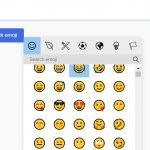 Customizable JavaScript Emoji Picker – vanillaEmojiPicker.js
 Convenient Emoji Picker In Vanilla JavaScript – Picmo
 Minimal Emoji Picker With Vanilla JavaScript – Emoji Popover
 Tiny Emoji Picker In Pure JavaScript – EmojiButtonList.js
 Simple Emoji Picker For Text Fields – Emoji Picker
 Easy Vanilla JavaScript Emoji Picker
 Emoji Picker With Autocomplete In JavaScript